
🕒 12-14 min read • Updated: July 2026
Table of Contents
Quick Answer
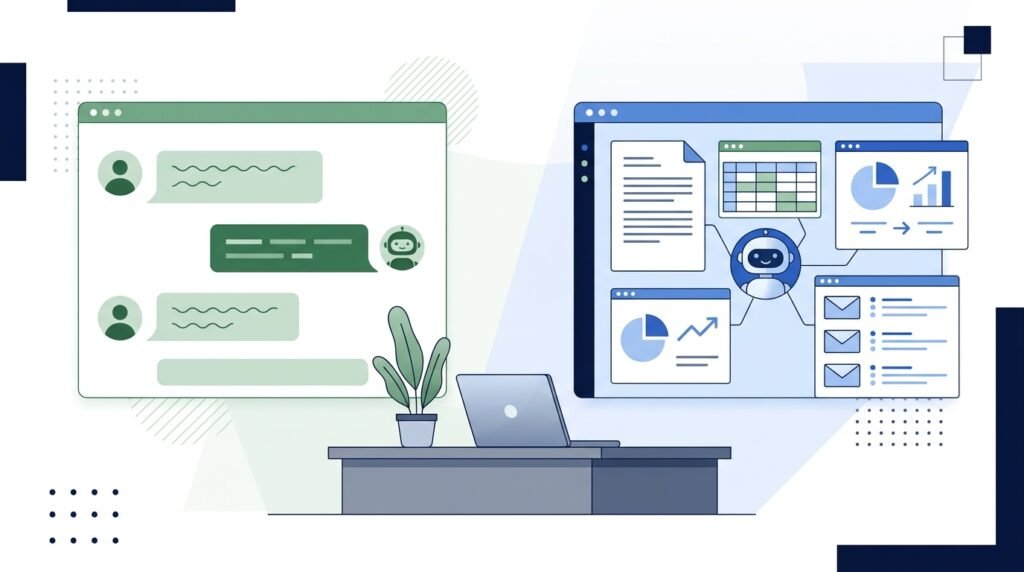
AI for project management uses artificial intelligence to help teams plan projects, automate repetitive tasks, organize information, predict risks, summarize meetings, and improve decision-making. Instead of replacing project managers, AI acts as an intelligent assistant that saves time, improves productivity, and helps teams focus on delivering successful projects.
Popular AI-powered project management tools include ClickUp AI, Notion AI, Asana AI, Monday.com AI, Jira AI, Microsoft Copilot, and Motion.
Key Takeaways
- AI automates repetitive project management tasks like meeting notes, reporting, and task creation.
- Project managers can spend more time on planning, leadership, and decision-making.
- AI helps identify risks, prioritize tasks, and improve collaboration across teams.
- Many AI project management tools offer free plans, making them accessible for beginners and small businesses.
- AI works best as a productivity assistant—not a replacement for human judgment.
Introduction
Managing projects today is more challenging than ever. Teams often work across different locations, use multiple software tools, juggle changing priorities, and face constant pressure to deliver projects on time and within budget. Keeping everything organized can quickly become overwhelming, especially when project managers spend hours on repetitive administrative tasks instead of strategic work.
This is where artificial intelligence (AI) is making a real difference.
Modern AI tools can automatically generate meeting summaries, organize project documentation, suggest task priorities, estimate timelines, identify potential risks, and even help teams communicate more effectively. Rather than replacing project managers, AI helps eliminate repetitive work so they can focus on solving problems, leading teams, and making better decisions.
Whether you’re a student learning project management, a freelancer managing clients, a startup founder, or an experienced project manager, understanding how AI fits into modern workflows has become an essential skill.
In this guide, you’ll learn what AI for project management is, how it works, its key benefits, practical use cases, the best AI-powered project management tools, and how to start using AI effectively in your own projects.
What Is AI for Project Management?
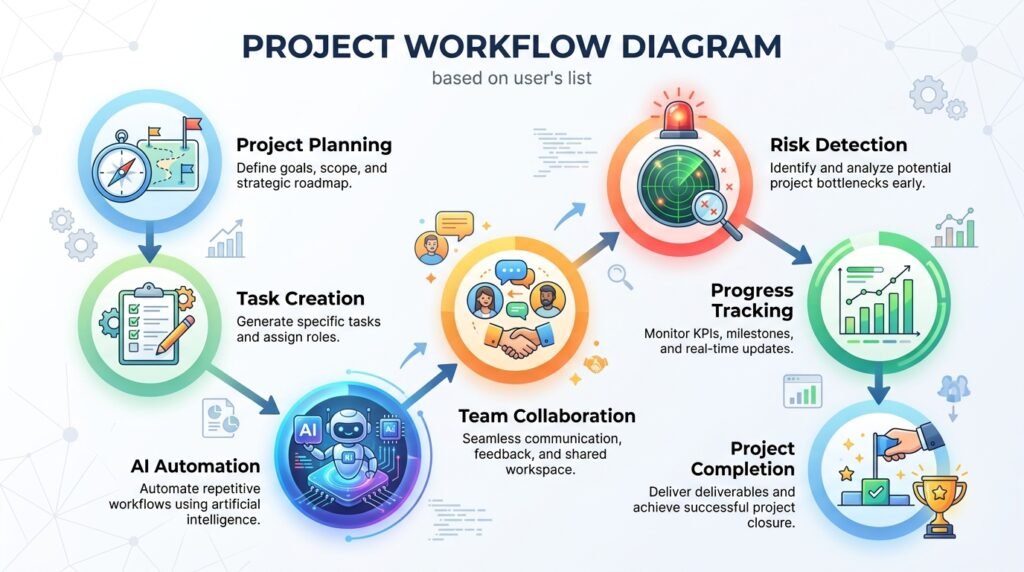
AI for project management refers to the use of artificial intelligence technologies to assist with planning, organizing, tracking, and managing projects more efficiently.
Instead of manually handling every task, AI analyzes project data, identifies patterns, automates repetitive processes, and provides recommendations that help project managers make better decisions.
Think of AI as a smart assistant working alongside your project team.
For example, AI can:
- Create task lists from meeting notes
- Suggest realistic deadlines
- Prioritize work based on urgency
- Summarize long discussions
- Generate project reports
- Detect scheduling conflicts
- Predict possible project delays
Rather than replacing human expertise, AI enhances it by handling time-consuming administrative work.
Why AI Is Transforming Project Management
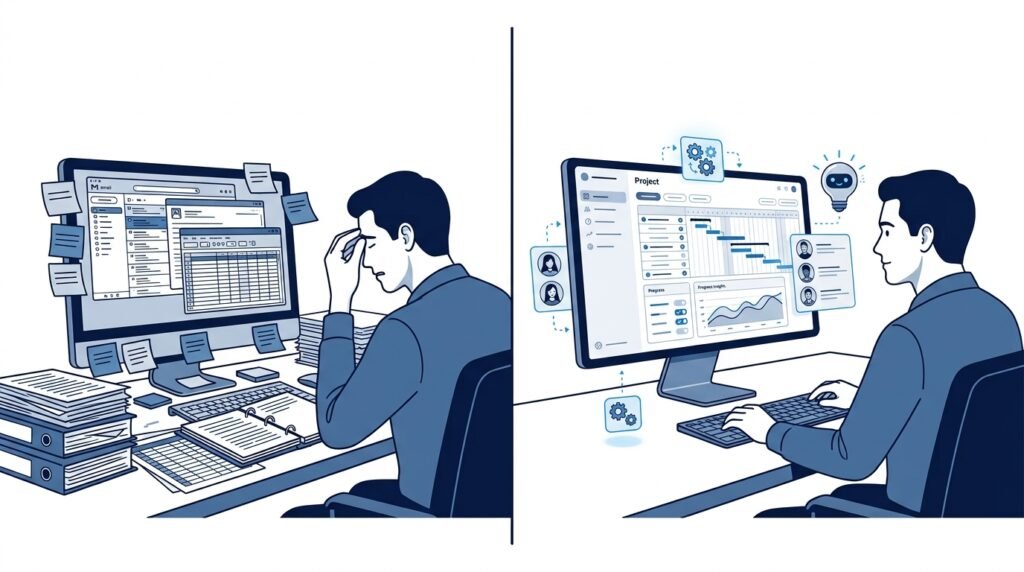
Traditional project management often involves significant manual work:
- Scheduling meetings
- Assigning tasks
- Writing status reports
- Tracking deadlines
- Updating documentation
- Managing communication
As projects become more complex, these activities consume valuable time that could be spent solving problems or supporting the team.
AI changes this by automating routine processes while providing data-driven insights.
For example:
A project manager who previously spent an hour creating weekly reports can now generate them in minutes using AI. Meeting notes can be automatically summarized, action items assigned to team members, and project risks highlighted before they become serious problems.
This allows teams to work faster while reducing administrative overhead.
Benefits of AI for Project Management
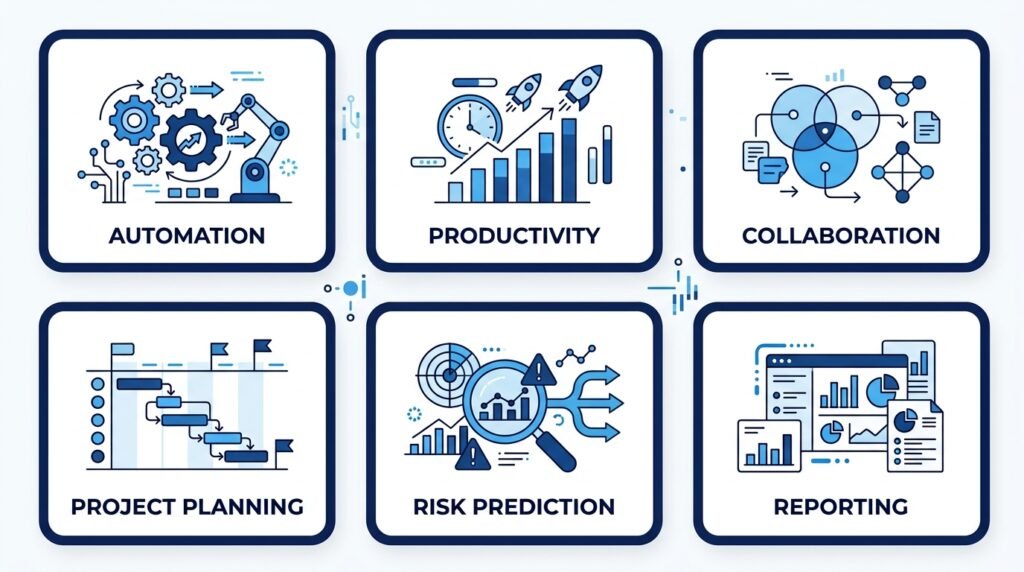
1. Automates Repetitive Tasks
Many project management activities follow predictable patterns.
AI can automate tasks such as:
- Meeting summaries
- Task creation
- Reminder notifications
- Status reports
- Documentation updates
This saves valuable time every week.
2. Improves Team Productivity
Instead of searching through emails, documents, or chat messages, AI can instantly retrieve important project information.
This reduces delays and helps teams find answers quickly.
3. Better Project Planning
AI analyzes previous project data to help estimate:
- Timelines
- Resource requirements
- Task dependencies
- Project complexity
While these recommendations should always be reviewed by humans, they provide an excellent starting point.
4. Identifies Risks Earlier
AI can analyze project trends and detect warning signs such as:
- Delayed milestones
- Resource shortages
- Budget overruns
- Team workload imbalance
Earlier visibility gives project managers more time to respond.
5. Better Communication
Communication is one of the biggest challenges in project management.
AI improves collaboration by:
- Summarizing meetings
- Drafting emails
- Creating project updates
- Translating information into simpler language
- Tracking action items
Everyone stays informed without spending hours writing documentation.
Traditional vs AI-Assisted Project Management
| Traditional Project Management | AI-Assisted Project Management |
| Manual meeting notes | AI-generated summaries |
| Manual reporting | Automated reports |
| Manual scheduling | Smart scheduling assistance |
| Reactive risk management | Predictive insights |
| Time-consuming administration | More focus on leadership and strategy |
| Manual task prioritization | AI-assisted recommendations |
Real-World Examples of AI in Project Management
AI is already helping organizations across many industries.
Software Development
Development teams use AI to:
- Generate sprint summaries
- Track bugs
- Prioritize feature requests
- Organize documentation
Marketing Teams
Marketing managers use AI for:
- Campaign planning
- Content calendars
- Performance reporting
- Meeting summaries
Construction Projects
Construction companies use AI to:
- Monitor schedules
- Predict delays
- Improve resource allocation
- Reduce project risks
Education
Universities and training organizations use AI to coordinate projects involving:
- Course development
- Student communication
- Administrative workflows
Small Businesses
Small business owners often use AI to:
- Organize client work
- Track deadlines
- Automate administrative tasks
- Improve team collaboration
Best AI Tools for Project Management
Choosing the right AI project management tool depends on your team’s size, workflow, and goals. Some tools excel at collaboration, while others focus on task automation, documentation, or scheduling.
The following tools are among the best options for beginners and professionals in 2026.
| Tool | Best For | Free Plan | Beginner Friendly |
| ClickUp AI | All-in-one project management | ✅ | ⭐⭐⭐⭐⭐ |
| Notion AI | Documentation & knowledge management | ✅ | ⭐⭐⭐⭐⭐ |
| Asana AI | Team collaboration | ✅ | ⭐⭐⭐⭐☆ |
| Monday.com AI | Workflow automation | Trial | ⭐⭐⭐⭐☆ |
| Jira AI | Software development teams | Free | ⭐⭐⭐☆☆ |
| Microsoft Copilot | Microsoft 365 users | No | ⭐⭐⭐⭐☆ |
| Motion | AI scheduling & calendar management | Trial | ⭐⭐⭐⭐☆ |
| Trello + AI | Simple task management | ✅ | ⭐⭐⭐⭐⭐ |
1. ClickUp AI
Best for: Teams looking for an all-in-one project management platform.
ClickUp combines task management, documents, goals, dashboards, and AI-powered assistance into a single workspace.
Key Features
- AI writing assistant
- Automatic task summaries
- Project planning assistance
- Meeting note generation
- Workflow automation
- Smart documentation
Pros
- Beginner friendly
- Excellent free plan
- Highly customizable
- Supports teams of all sizes
Cons
- Can feel overwhelming initially because of the large number of features.
2. Notion AI
Best for: Documentation and knowledge management.
Notion AI helps teams organize project information, write documentation, summarize notes, brainstorm ideas, and create project plans.
Key Features
- AI writing
- Meeting summaries
- Project documentation
- Knowledge base
- Brainstorming assistant
Pros
- Very easy to learn
- Excellent collaboration
- Beautiful interface
Cons
- Limited project management compared to dedicated PM software.
3. Asana AI
Best for: Marketing and operations teams.
Asana uses AI to simplify project planning by generating task recommendations, summaries, and workflow suggestions.
Key Features
- Smart project planning
- AI-generated status updates
- Task prioritization
- Workflow automation
Pros
- Clean interface
- Great collaboration features
- Easy onboarding
Cons
- Advanced AI features require paid plans.
4. Monday.com AI
Best for: Workflow automation.
Monday.com includes AI Blocks that automate repetitive work and generate project insights.
Key Features
- Workflow automation
- AI-generated updates
- Task categorization
- Predictive insights
5. Jira AI
Best for: Software development teams.
Jira’s AI capabilities help engineering teams manage agile workflows more efficiently.
Key Features
- Sprint planning
- Bug summaries
- Issue prioritization
- AI-powered documentation
6. Microsoft Copilot
Best for: Organizations using Microsoft 365.
Copilot works inside familiar Microsoft apps such as Teams, Outlook, Excel, Word, and Planner.
It helps project managers by:
- Summarizing meetings
- Drafting emails
- Creating reports
- Analyzing spreadsheets
- Generating presentations
7. Motion
Best for: Individuals and small teams.
Motion automatically schedules tasks based on deadlines, priorities, and calendar availability.
It reduces manual planning and helps users focus on completing important work.

How AI Helps During the Project Lifecycle
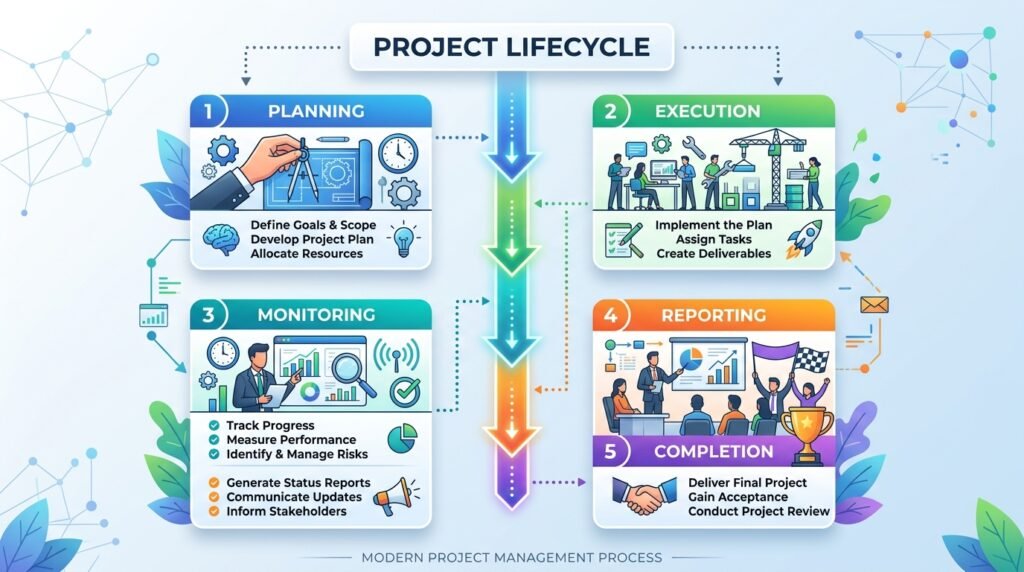
AI provides value throughout every stage of a project—not just during execution.
| Project Phase | How AI Helps |
| Planning | Creates project plans, estimates timelines, identifies dependencies |
| Execution | Automates repetitive tasks and updates |
| Collaboration | Summarizes meetings and tracks action items |
| Monitoring | Identifies risks, predicts delays, generates reports |
| Closing | Creates project summaries and documentation |
Instead of replacing project managers, AI acts like a productivity partner that supports each phase of the project lifecycle.
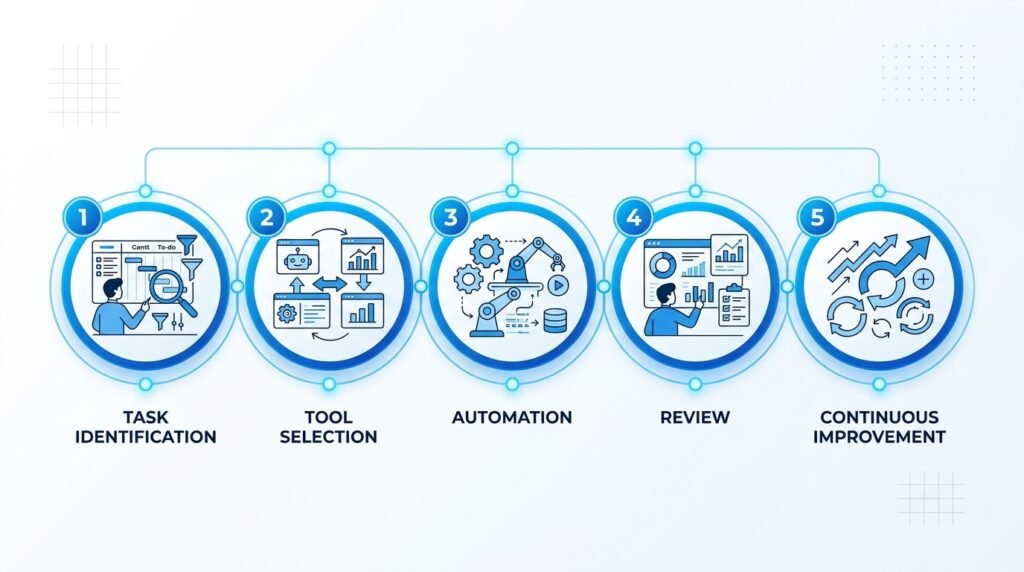
How to Start Using AI for Project Management
If you’re new to AI, avoid trying to automate everything at once.
A gradual approach delivers better results.
Step 1: Identify Repetitive Tasks
Look for activities that consume significant time every week.
Examples include:
- Writing meeting notes
- Creating reports
- Updating project documentation
- Organizing tasks
- Sending reminders
These are ideal candidates for AI automation.
Step 2: Choose One AI Tool
Start with a beginner-friendly platform such as ClickUp AI or Notion AI.
Avoid switching between multiple tools during the learning phase.
Step 3: Automate Small Workflows
Begin with low-risk tasks.
Examples include:
- Meeting summaries
- Email drafting
- Weekly status reports
- Task descriptions
Once you’re comfortable, gradually expand AI into more workflows.
Step 4: Review AI Suggestions
AI is a powerful assistant, but it isn’t perfect.
Always review:
- Deadlines
- Priorities
- Budget estimates
- Project recommendations
Human judgment remains essential.
Step 5: Measure Results
Track improvements such as:
- Time saved
- Faster reporting
- Reduced administrative work
- Better team collaboration
- Fewer missed deadlines
Small productivity gains add up significantly over time.
Common Challenges and Limitations
While AI offers many benefits, it’s important to understand its limitations.
1. AI Can Make Mistakes
AI-generated content should always be reviewed for accuracy.
2. Data Privacy
Avoid sharing confidential project information with AI tools unless your organization’s policies allow it.
3. Learning Curve
Some AI-powered platforms include many advanced features that require time to master.
Start with the basics before exploring advanced automation.
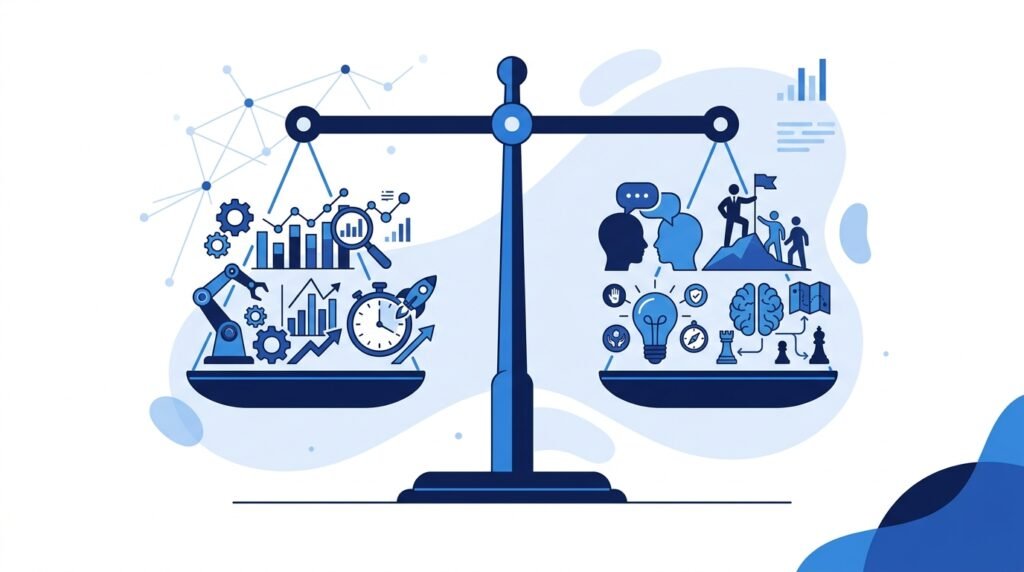
4. AI Cannot Replace Leadership
Project management involves communication, negotiation, empathy, and strategic decision-making.
These remain uniquely human skills.
Think of AI as an assistant—not a project manager.
Best Practices for Using AI in Project Management
To get the most value from AI:
- Start with one workflow instead of automating everything.
- Review AI-generated recommendations before acting on them.
- Keep sensitive project data secure.
- Train your team to use AI responsibly.
- Measure productivity improvements regularly.
- Continue refining workflows based on feedback.
Organizations that combine AI with strong project management practices typically achieve better outcomes than those relying solely on automation.
Frequently Asked Questions (FAQs)
What is AI for project management?
AI for project management refers to the use of artificial intelligence to automate routine tasks, improve project planning, analyze data, identify risks, and support better decision-making throughout the project lifecycle. Rather than replacing project managers, AI helps them work more efficiently by reducing administrative workload.
Can AI replace project managers?
No. AI cannot replace project managers because successful project management requires leadership, communication, negotiation, stakeholder management, and strategic decision-making.
AI excels at automating repetitive tasks and providing data-driven insights, but human judgment remains essential for managing teams and making critical business decisions.
What are the best AI tools for project management?
Some of the most popular AI-powered project management tools include:
- ClickUp AI
- Notion AI
- Asana AI
- Monday.com AI
- Jira AI
- Microsoft Copilot
- Motion
- Trello
The right choice depends on your team’s size, workflow, and specific project requirements.
Is AI project management suitable for small businesses?
Yes. Many AI tools offer free plans or affordable pricing, making them suitable for freelancers, startups, and small businesses. Even simple features like AI-generated meeting summaries, task creation, and project documentation can save several hours each week.
Can AI create project plans automatically?
AI can generate project plans, suggest timelines, identify dependencies, and recommend task priorities based on your input. However, project managers should review and refine these plans to ensure they align with business goals, available resources, and stakeholder expectations.
Is AI safe to use for project management?
Most reputable AI tools include security features and comply with industry standards, but organizations should avoid sharing confidential or sensitive information without reviewing the platform’s privacy and data-handling policies. Always follow your organization’s security guidelines when using AI.
Which AI project management tool is best for beginners?
For beginners, ClickUp AI and Notion AI are excellent starting points because they offer intuitive interfaces, helpful AI features, and free plans. Teams already using Microsoft 365 may also benefit from Microsoft Copilot, while software development teams often prefer Jira AI.

Conclusion
Artificial intelligence is changing project management by helping teams work smarter—not harder. From automating repetitive administrative tasks to improving planning, collaboration, and reporting, AI allows project managers to spend less time on routine work and more time leading successful projects.
However, AI is not a replacement for experienced project managers. The most effective teams combine AI’s speed and analytical capabilities with human creativity, communication, and strategic thinking.
If you’re just getting started, don’t try to automate every aspect of your workflow at once. Begin with one or two repetitive tasks—such as meeting summaries or task organization—and gradually expand your use of AI as your team becomes more comfortable. Over time, these small improvements can lead to significant gains in productivity, collaboration, and project success.
Continue Your AI Journey
Keep building your AI knowledge with these beginner-friendly guides.
-

AI Interview Preparation: How to Use AI Tools to Land Your Next Job
Learn more : AI Interview Preparation: How to Use AI Tools to Land Your Next Job🕒 14-16 min read • Updated: July 2026 AI Interview Preparation: How to Use AI Tools to Ace…
-

7 Ways to Use AI for Research: Faster & Smarter Workflows (2026)
Learn more : 7 Ways to Use AI for Research: Faster & Smarter Workflows (2026)🕒 15 min read • Updated: July 2026 Introduction Research has always been about discovering new information, asking…
-

AI for Teachers: 15 Practical Workflows to Streamline Your Classroom
Learn more : AI for Teachers: 15 Practical Workflows to Streamline Your Classroom🕒 15 min read • Updated: July 2026 Introduction Teaching is one of the most rewarding professions, but…
-

AI for Productivity: 15 Practical Workflows to Work Smarter in 2026
Learn more : AI for Productivity: 15 Practical Workflows to Work Smarter in 2026🕒 12-14 min read • Updated: July 2026 Introduction Imagine completing your daily work in less time while…
-

The 2026 Guide to AI in Sales: Tools & Workflows to Close Deals Faster
Learn more : The 2026 Guide to AI in Sales: Tools & Workflows to Close Deals Faster🕒 12-14 min read • Updated: July 2026 Introduction Artificial intelligence (AI) is transforming the way businesses find…
-

AI for Project Management: 15 Time-Saving Workflows & Prompt Templates
Learn more : AI for Project Management: 15 Time-Saving Workflows & Prompt Templates🕒 12-14 min read • Updated: July 2026 Quick Answer AI for project management uses artificial intelligence to…
Related Articles
Explore more guides and resources related to this topic.
-

ChatGPT Complete Guide for Beginners (2026): Master AI Step-by-Step
Learn more : ChatGPT Complete Guide for Beginners (2026): Master AI Step-by-Step🕒 20-25 min read • Updated: Aug 2026 Introduction Introduction Artificial intelligence is changing how people learn, work,…
-

Master Prompt Engineering in 2026: A Step-by-Step Beginner’s Guide
Learn more : Master Prompt Engineering in 2026: A Step-by-Step Beginner’s Guide🕒 18-20 min read • Updated: Aug 2026 Introduction Artificial intelligence (AI) tools like ChatGPT, Claude, Gemini, and…
-
Large Language Models (LLMs) Explained: The Complete 2026 Beginner’s Guide
Learn more : Large Language Models (LLMs) Explained: The Complete 2026 Beginner’s Guide🕒 14-16 min read • Updated: Aug 2026 Introduction Artificial Intelligence has become part of everyday life. Whether…
-

Best AI Image Generators in 2026: 10 Free & Paid Tools Tested
Learn more : Best AI Image Generators in 2026: 10 Free & Paid Tools Tested🕒 15 min read • Updated: July 2026 introduction Creating stunning images no longer requires years of design…
-
10 Best AI Chatbots in 2026: Tested & Ranked for Every Use Case
Learn more : 10 Best AI Chatbots in 2026: Tested & Ranked for Every Use Case🕒 10-12 min read • Updated: July 2026 introduction Artificial intelligence has made chatbots far more capable than…
-
ChatGPT vs Microsoft Copilot (2026): Tested, Pricing & Workflow Comparison
Learn more : ChatGPT vs Microsoft Copilot (2026): Tested, Pricing & Workflow Comparison🕒 10-12 min read • Updated: July 2026 Introduction Choosing between ChatGPT and Microsoft Copilot can be challenging,…
📦 How We Evaluated These Tools
We assessed each tool based on ease of use, AI capabilities, collaboration features, project management functionality, pricing, free plan availability, integrations, and suitability for beginners. Our goal is to recommend practical tools that provide real value rather than simply listing popular software.
Recommended AI Tools
Looking for tools to improve your project management workflow? Start with these beginner-friendly options:
| Tool | Best For |
| ClickUp AI | All-in-one project and task management |
| Notion AI | Documentation and team knowledge base |
| Microsoft Copilot | Productivity within Microsoft 365 |
| Asana AI | Team collaboration and task planning |
Final Call to Action
AI is becoming an essential skill for project managers, team leaders, freelancers, and business owners. The earlier you learn to use it effectively, the better prepared you’ll be for the future of work.
Start with a single AI-powered project management tool, experiment with one workflow, and measure the time you save. As your confidence grows, you can expand AI into planning, collaboration, reporting, and decision-making.
Ready to build stronger AI skills? Continue exploring Naeveor’s beginner-friendly guides and practical tutorials to learn how AI can improve the way you work, create, and collaborate.
References
- Project Management Institute (PMI). A Guide to the Project Management Body of Knowledge (PMBOK® Guide)
https://www.pmi.org/pmbok-guide-standards - OpenAI. OpenAI Documentation
https://platform.openai.com/docs - Google AI. Google AI
https://ai.google/ - Microsoft AI. Microsoft AI
https://www.microsoft.com/ai - National Institute of Standards and Technology (NIST). AI Risk Management Framework (AI RMF 1.0)
https://www.nist.gov/itl/ai-risk-management-framework - World Economic Forum. The Future of Jobs Report 2025
https://www.weforum.org/reports/the-future-of-jobs-report-2025/ - ClickUp AI – Official Website
https://clickup.com/ai - Notion AI – Official Website
https://www.notion.so/product/ai - Asana AI – Official Website
https://asana.com/ai - Monday.com AI – Official Website
https://monday.com/ai - Atlassian Intelligence (Jira AI) – Official Website
https://www.atlassian.com/software/artificial-intelligence - Microsoft Copilot – Official Website
https://www.microsoft.com/copilot - Motion – Official Website
https://www.usemotion.com/ - Trello – Official Website
https://trello.com/
Leave a Reply