
🕒 16-18 min read • Updated: Aug 2026
Table of Contents
Introduction
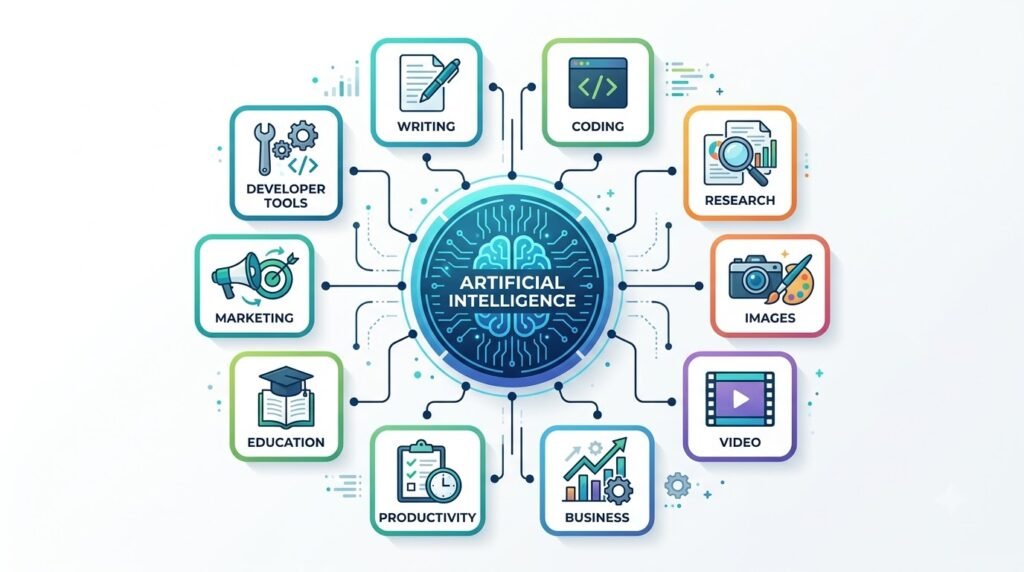
Artificial intelligence has transformed the way people work, learn, create, and solve problems. Whether you’re writing an article, building software, creating marketing campaigns, editing videos, or studying for an exam, there’s likely an AI tool designed to make the process faster and easier.
The challenge is no longer finding an AI tool—it’s choosing the right one.
Hundreds of AI applications are launched every year, each claiming to be the best. Some excel at writing, while others specialize in coding, research, design, automation, or business workflows. Using the wrong tool can waste time, increase costs, and lead to disappointing results.
This guide serves as Naeveor’s complete AI tools directory. Instead of presenting one long list, we’ve organized the best AI tools into categories based on what they do best. This makes it easier to compare options and find the right tool for your specific needs.
Whether you’re a student, professional, business owner, creator, or developer, this directory will help you discover the AI tools that fit your workflow.
Key Takeaways
- AI tools are designed for different purposes, so no single tool is the best at everything.
- Choosing tools by category helps you build a more effective AI workflow.
- General AI assistants like ChatGPT, Claude, and Gemini are versatile but work best when paired with specialized tools.
- Beginners should start with a few essential tools before exploring advanced platforms.
- Always compare features, pricing, privacy policies, and integrations before committing to a paid subscription.
What Are AI Tools?
AI tools are software applications that use artificial intelligence to perform tasks that typically require human intelligence. Depending on the tool, AI can generate text, answer questions, analyze data, create images, write code, edit videos, automate repetitive work, or assist with decision-making.
Unlike traditional software, many AI tools can understand natural language. This means you can often interact with them by simply describing what you want in plain English.
For example:
- A writer can ask an AI assistant to draft a blog post.
- A developer can generate code from a text prompt.
- A marketer can create social media campaigns in minutes.
- A student can receive step-by-step explanations of complex topics.
- A business owner can automate customer support and routine tasks.
As AI continues to improve, these tools are becoming valuable productivity partners rather than simple automation software.
How to Choose the Right AI Tool
Before signing up for the first AI tool you find, consider the following factors.
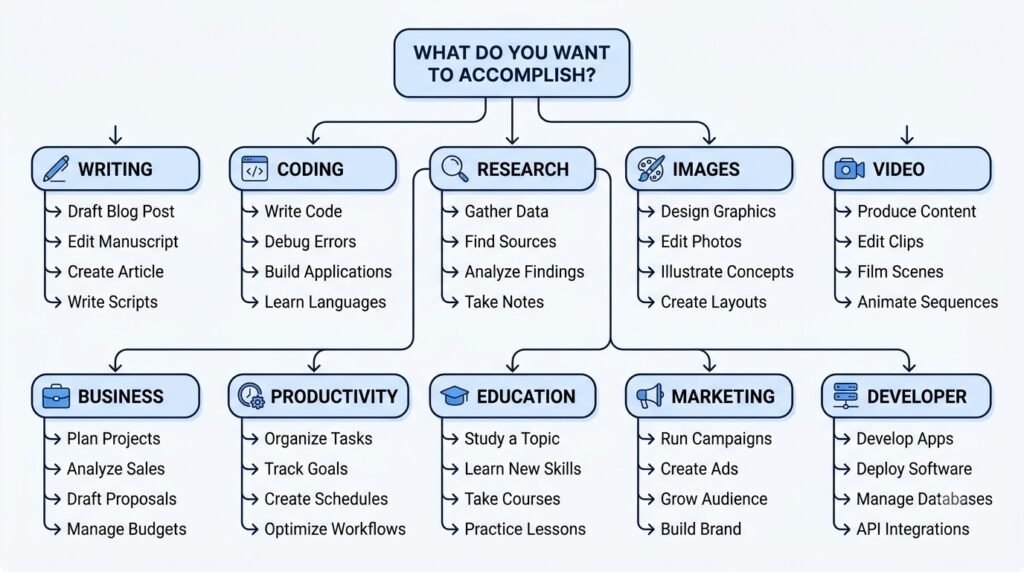
1. Identify Your Primary Goal
Ask yourself what problem you’re trying to solve.
Examples include:
- Writing articles
- Learning faster
- Coding applications
- Creating presentations
- Editing videos
- Automating business tasks
- Conducting research
The best tool depends on your primary use case.
2. Ease of Use
If you’re new to AI, choose tools with intuitive interfaces and beginner-friendly documentation. Complicated software can slow down adoption and reduce productivity.
3. Accuracy and Reliability
AI-generated content should always be reviewed for accuracy. Some tools perform better than others depending on the task, especially for research, coding, and factual information.
4. Integrations
Many AI tools integrate with popular platforms such as:
- Google Workspace
- Microsoft 365
- Slack
- Notion
- GitHub
- WordPress
- Zapier
These integrations can streamline your workflow and reduce manual work.
5. Pricing
Many AI tools offer free plans with usage limits.
Before upgrading, evaluate:
- Monthly subscription cost
- Feature limitations
- Team collaboration options
- API availability
- Commercial usage rights
Choose a plan that aligns with your needs and budget.
Best AI Tools by Category
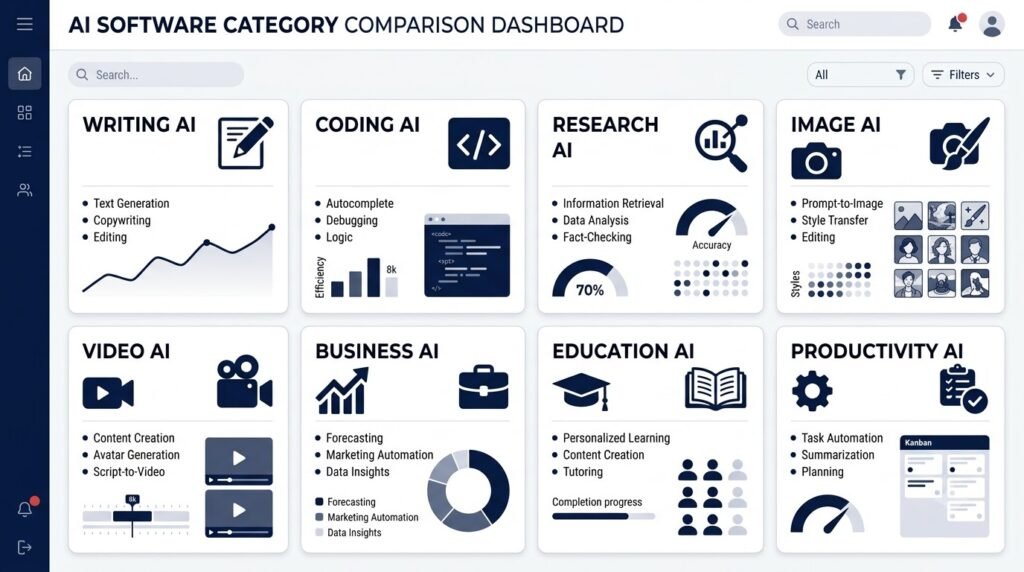
Different AI tools excel at different tasks. The following sections highlight some of the most widely used tools across major categories.
Best AI Writing Tools
Writing assistants help with brainstorming, drafting, editing, summarizing, and improving content.
| Tool | Best For | Ideal Users |
| ChatGPT | General writing, brainstorming, editing | Everyone |
| Claude | Long-form writing and document analysis | Writers, researchers |
| Gemini | Google Workspace integration | Students, professionals |
| Grammarly | Grammar and style improvements | Professionals, students |
| Jasper | Marketing copy and brand content | Businesses and marketers |
Best Choice for Beginners
ChatGPT is an excellent starting point because it combines conversational AI, writing assistance, brainstorming, coding help, and learning support in one platform.
Best for Long Articles
Claude performs particularly well when working with lengthy documents, reports, and detailed explanations.
Best for Marketing Teams
Jasper includes templates and collaboration features tailored for marketing campaigns and brand consistency.

Best AI Coding Tools
Modern AI coding assistants can generate code, explain errors, suggest improvements, and accelerate software development.
| Tool | Best For |
| GitHub Copilot | Code completion |
| Cursor | AI-first coding environment |
| Claude | Code explanations |
| ChatGPT | Learning programming |
| Gemini | Google development ecosystem |
These tools support multiple programming languages and can significantly reduce repetitive coding tasks while helping developers understand unfamiliar codebases.

Best AI Research Tools
Finding reliable information quickly is one of AI’s strongest applications.
Popular research tools include:
- Perplexity AI
- ChatGPT
- Claude
- NotebookLM
- Consensus
These platforms can summarize information, answer questions, organize documents, and assist with literature reviews. However, it’s still important to verify critical information using trusted sources.

Best AI Image Generation Tools
AI image generators allow anyone to create high-quality visuals from simple text prompts. They are widely used by designers, marketers, bloggers, educators, and content creators to produce illustrations, concept art, social media graphics, presentations, and marketing assets.
While these tools can save significant time, they differ in image quality, editing capabilities, style control, and commercial licensing.
Best AI Image Generators
| AI Tool | Best For | Strengths | Best For |
| Midjourney | Artistic and cinematic images | Exceptional aesthetics and creative styles | Designers, artists, creators |
| Adobe Firefly | Commercial design | Adobe integration and commercially safe generation | Businesses and professionals |
| DALL·E | General-purpose image creation | Easy prompting and editing capabilities | Beginners and content creators |
| Ideogram | Text-heavy graphics | Excellent typography inside images | Marketing and social media |
| Canva AI | Marketing graphics | Integrated with Canva’s design tools | Small businesses and educators |
Best Overall
Midjourney consistently produces some of the highest-quality AI-generated artwork available today. It excels at realistic portraits, landscapes, fantasy art, and cinematic compositions.
Best for Businesses
Adobe Firefly is a strong choice for commercial projects because it integrates seamlessly with Adobe Creative Cloud and is designed with business use cases in mind.
Best for Beginners
If you’re just getting started, DALL·E offers an approachable experience with natural language prompts and straightforward editing features.
Before Choosing an Image AI
Consider:
- Commercial usage rights
- Editing tools
- Image resolution
- Prompt control
- Style customization
- Integration with your design software

Best AI Video Creation Tools
Creating professional videos once required expensive software and advanced editing skills. AI-powered video tools now make it possible to generate presentations, explainers, social media clips, and marketing videos much faster.
Best AI Video Tools
| AI Tool | Best For | Ideal Users |
| Runway | AI video editing and effects | Creators and filmmakers |
| Synthesia | AI avatars and training videos | Businesses and educators |
| Pika | AI-generated short videos | Social media creators |
| Veo | High-quality video generation | Creative professionals |
| Descript | Video editing with text | Podcasters and video editors |
Best for Businesses
Synthesia enables companies to create training videos, onboarding content, and multilingual presentations using AI avatars without requiring cameras or studios.
Best for Content Creators
Runway provides advanced AI-powered editing features, including object removal, background editing, motion tracking, and generative video capabilities.
Best for Beginners
Descript simplifies editing by allowing users to edit videos as easily as editing a text document.

Best AI Business & Automation Tools
Businesses increasingly use AI to automate repetitive tasks, improve customer support, analyze data, and streamline operations.
Rather than replacing employees, these tools often enhance productivity by handling routine work.
Best AI Business Tools
| AI Tool | Best For | Business Use |
| Microsoft Copilot | Workplace productivity | Microsoft 365 users |
| Notion AI | Documentation and knowledge management | Teams and startups |
| Zapier AI | Workflow automation | Businesses of all sizes |
| HubSpot AI | Sales and marketing | CRM automation |
| Salesforce Einstein | Enterprise AI | Large organizations |
Best for Small Businesses
Notion AI combines note-taking, documentation, project management, and AI assistance in one workspace, making it particularly useful for startups and growing teams.
Best for Workflow Automation
Zapier AI connects thousands of applications, enabling businesses to automate repetitive tasks without writing code.
Examples include:
- Automatically summarizing meeting notes
- Sending emails based on form submissions
- Updating CRM records
- Creating tasks from customer support tickets

Best AI Productivity Tools
Productivity tools help individuals and teams organize information, manage tasks, take notes, summarize meetings, and reduce repetitive work.
Top Productivity AI Tools
| Tool | Best For |
| Notion AI | Notes and knowledge management |
| ChatGPT | Daily productivity assistant |
| Microsoft Copilot | Office productivity |
| Google Gemini | Google Workspace |
| Otter.ai | Meeting transcription |
Best Overall Productivity Assistant
ChatGPT serves as a versatile assistant capable of helping with brainstorming, writing, planning, research, coding, summarization, and learning.
Best for Teams
Notion AI improves collaboration by helping teams organize projects, summarize documents, and generate content directly within shared workspaces.
Best for Meetings
Otter.ai automatically transcribes meetings, making it easier to capture action items and review discussions later.

Best AI Tools for Education
Artificial intelligence is transforming education by providing personalized learning experiences, tutoring, language assistance, and study support.
Students, teachers, and lifelong learners can all benefit from AI-powered educational tools.
Best Educational AI Tools
| Tool | Best For |
| ChatGPT | Learning concepts |
| Gemini | Research and Google integration |
| Claude | Reading lengthy materials |
| NotebookLM | Studying personal documents |
| Khanmigo | Guided learning |
Best for Students
Students often benefit from using ChatGPT for brainstorming, explanations, and study planning while relying on NotebookLM to organize and understand their own course materials.
Best for Teachers
Teachers can use AI to:
- Generate lesson plans
- Create quizzes
- Develop classroom activities
- Simplify difficult concepts
- Produce presentation materials
Best Practice: Use AI as a teaching assistant, not a replacement for critical thinking. Encourage students to verify information and develop their own understanding.

Best AI Marketing Tools
AI has become an essential part of modern marketing, helping businesses create content, optimize campaigns, analyze customer behavior, and improve search engine visibility.
Top AI Marketing Tools
| Tool | Best For |
| Jasper | Marketing copy |
| Canva AI | Visual content |
| Grammarly | Editing |
| HubSpot AI | CRM and email marketing |
| Surfer SEO | SEO optimization |
Best for Content Marketing
Jasper offers templates specifically designed for blog posts, product descriptions, email campaigns, and advertising copy.
Best for Visual Marketing
Canva AI simplifies the creation of social media graphics, presentations, banners, and marketing materials.
Best for SEO
Surfer SEO combines content optimization with keyword analysis, helping marketers improve search visibility while maintaining readability.

Best AI Developer Tools
Developers increasingly rely on AI to accelerate coding, debugging, documentation, testing, and software maintenance.
Best Developer AI Tools
| Tool | Best For |
| GitHub Copilot | Code completion |
| Cursor | AI-first IDE |
| Claude | Code explanations |
| ChatGPT | Learning and debugging |
| Gemini | Google Cloud development |
These tools can:
- Generate boilerplate code
- Explain unfamiliar functions
- Identify bugs
- Suggest improvements
- Create documentation
- Write tests
- Refactor existing code
They are most effective when developers review and validate the generated code rather than accepting suggestions without inspection.

How to Build Your AI Toolkit
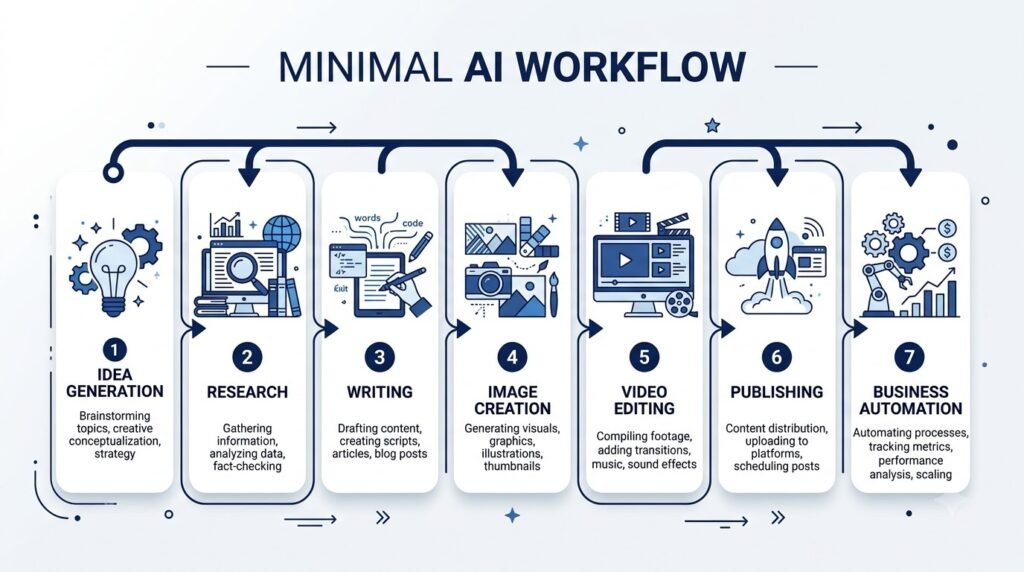
Instead of relying on a single AI application, consider combining complementary tools to create a workflow tailored to your needs.
For Students
- ChatGPT – Learning and explanations
- NotebookLM – Organizing study materials
- Grammarly – Writing improvement
- Canva AI – Presentations
For Content Creators
- ChatGPT – Drafting content
- Midjourney – Image creation
- Runway – Video editing
- Canva AI – Graphic design
For Professionals
- Microsoft Copilot – Workplace productivity
- Notion AI – Documentation
- ChatGPT – Brainstorming and communication
- Otter.ai – Meeting transcription
For Developers
- Cursor – Coding
- GitHub Copilot – Code suggestions
- Claude – Documentation and explanations
- ChatGPT – Problem-solving and debugging
These combinations allow you to leverage each tool’s strengths rather than expecting one platform to do everything.
AI Tools Comparison Table
The following table provides a quick overview of some of the most popular AI tools featured in this guide.
| AI Tool | Best For | Free Plan | Beginner Friendly | Team Features |
| ChatGPT | General AI assistant | ✅ | ⭐⭐⭐⭐⭐ | ✅ |
| Claude | Writing & document analysis | ✅ | ⭐⭐⭐⭐⭐ | ✅ |
| Gemini | Google Workspace | ✅ | ⭐⭐⭐⭐☆ | ✅ |
| Perplexity AI | AI-powered research | ✅ | ⭐⭐⭐⭐⭐ | ✅ |
| GitHub Copilot | Coding | Limited | ⭐⭐⭐⭐☆ | ✅ |
| Cursor | AI-first development | ✅ | ⭐⭐⭐⭐☆ | ✅ |
| Grammarly | Writing improvement | ✅ | ⭐⭐⭐⭐⭐ | ✅ |
| Jasper | Marketing copy | Trial | ⭐⭐⭐⭐☆ | ✅ |
| Midjourney | AI image generation | ❌ | ⭐⭐⭐⭐☆ | Limited |
| Adobe Firefly | Commercial image creation | ✅ | ⭐⭐⭐⭐⭐ | ✅ |
| Canva AI | Graphic design | ✅ | ⭐⭐⭐⭐⭐ | ✅ |
| Runway | AI video editing | ✅ | ⭐⭐⭐⭐☆ | ✅ |
| Synthesia | AI avatar videos | Trial | ⭐⭐⭐⭐☆ | ✅ |
| Notion AI | Productivity | Limited | ⭐⭐⭐⭐⭐ | ✅ |
| Otter.ai | Meeting transcription | ✅ | ⭐⭐⭐⭐⭐ | ✅ |
Note: Features, pricing, and availability change frequently. Always review the latest information on each tool’s official website before making a purchase decision.
Best AI Tools by Use Case
If you’re unsure where to begin, start with the tool that best matches your primary goal.
| If You Want To… | Recommended AI Tool |
| Learn AI | ChatGPT |
| Write articles | Claude |
| Brainstorm ideas | ChatGPT |
| Conduct research | Perplexity AI |
| Summarize documents | Claude |
| Create presentations | Canva AI |
| Generate images | Midjourney |
| Edit videos | Runway |
| Build software | Cursor |
| Write code faster | GitHub Copilot |
| Improve grammar | Grammarly |
| Organize notes | Notion AI |
| Automate workflows | Zapier AI |
| Create marketing campaigns | Jasper |
| Produce AI avatar videos | Synthesia |
Remember that the “best” tool depends on your workflow, experience level, and budget. Many professionals use multiple AI tools together rather than relying on a single platform.
Common Mistakes When Choosing AI Tools
With hundreds of AI products available, it’s easy to become overwhelmed. Avoid these common mistakes when building your AI toolkit.
1. Looking for One Tool That Does Everything
No AI platform excels at every task. General-purpose assistants are versatile, but specialized tools often deliver better results for coding, design, video editing, or research.
Better approach: Combine complementary tools based on your needs.
2. Paying Before Trying
Many AI tools offer free plans or trials.
Test a tool with real-world tasks before committing to a subscription. This helps you evaluate whether its features justify the cost.
3. Ignoring Privacy Policies
Some AI services may use submitted content to improve their models, depending on your account settings and plan.
Before uploading sensitive or confidential information, review the provider’s privacy policy and data handling practices.
4. Trusting AI Without Verification
AI can make mistakes, generate outdated information, or confidently present incorrect answers.
Always verify:
- Statistics
- Medical information
- Legal guidance
- Financial advice
- Academic citations
- News and current events
Treat AI as an assistant—not an unquestionable authority.
5. Choosing Based Only on Popularity
A popular AI tool isn’t necessarily the best choice for your specific workflow.
For example:
- A researcher may benefit more from Perplexity AI than a marketing-focused writing assistant.
- A designer may prioritize Midjourney or Adobe Firefly over a general chatbot.
- A developer may find Cursor more efficient than a general AI assistant for coding tasks.
Focus on the tool that best aligns with your goals.
Frequently Asked Questions
What is the best AI tool overall?
There isn’t a single best AI tool for every situation. General-purpose assistants like ChatGPT, Claude, and Gemini are excellent starting points because they support a wide range of tasks, including writing, learning, coding, brainstorming, and productivity.
Which AI tool is best for beginners?
ChatGPT is often recommended for beginners due to its intuitive interface, broad capabilities, and extensive educational resources.
Which AI tool is best for students?
Students commonly benefit from a combination of:
- ChatGPT for explanations and study support
- NotebookLM for organizing course materials
- Grammarly for writing
- Canva AI for presentations
Which AI tool is best for content creators?
Content creators often combine:
- ChatGPT or Claude for writing
- Midjourney or Adobe Firefly for images
- Runway for video editing
- Canva AI for graphic design
Are free AI tools good enough?
Yes, many free plans provide enough functionality for learning, personal projects, and occasional professional use. As your needs grow, paid plans may offer higher usage limits, faster responses, advanced models, collaboration features, and additional integrations.
Can AI replace professional software?
In many cases, AI enhances rather than replaces traditional software. Professionals often use AI alongside existing tools to speed up workflows while maintaining human oversight and expertise.

Conclusion
Artificial intelligence has rapidly evolved from a niche technology into an essential part of modern work and learning. Whether you’re writing content, developing software, creating marketing campaigns, studying, designing visuals, or automating business processes, there’s an AI tool that can help you work more efficiently.
The key isn’t finding a single “perfect” AI platform—it’s building a toolkit that complements your workflow.
For beginners, starting with a versatile assistant like ChatGPT, Claude, or Gemini provides a strong foundation. As your experience grows, you can expand your toolkit with specialized solutions for coding, research, design, video creation, automation, and productivity.
Technology will continue to evolve, and new AI tools will emerge. Rather than chasing every new release, focus on mastering a core set of reliable tools that genuinely improve the way you learn, create, and work.
At Naeveor, we’ll continue updating this directory to help you discover trustworthy AI tools, compare their capabilities, and choose the solutions that best fit your goals.
Continue Your AI Journey
Keep building your AI knowledge with these beginner-friendly guides.
-

150+ Best AI Tools by Category: Complete 2026 Directory & Workflow Guide
Learn more : 150+ Best AI Tools by Category: Complete 2026 Directory & Workflow Guide🕒 16-18 min read • Updated: Aug 2026 Introduction Artificial intelligence has transformed the way people work, learn,…
-

ChatGPT Complete Guide for Beginners (2026): Master AI Step-by-Step
Learn more : ChatGPT Complete Guide for Beginners (2026): Master AI Step-by-Step🕒 20-25 min read • Updated: Aug 2026 Introduction Introduction Artificial intelligence is changing how people learn, work,…
-

AI Resume Builder Guide (2026): How to Write ATS-Optimized Resumes in 10 Minutes
Learn more : AI Resume Builder Guide (2026): How to Write ATS-Optimized Resumes in 10 Minutes🕒 14-16 min read • Updated: July 2026 Introduction Creating a professional resume can be one of the…
-

AI for Students: 15 Proven Workflows to Study 2x Faster in 2026
Learn more : AI for Students: 15 Proven Workflows to Study 2x Faster in 2026🕒 15 min read • Updated: July 2026 Introduction School, college, and university life often means juggling assignments,…
-
AI for Small Business: 15 Practical Ways to Save Time & Scale Growth in 2026
Learn more : AI for Small Business: 15 Practical Ways to Save Time & Scale Growth in 2026🕒 12-15 min read • Updated: July 2026 Introduction Running a small business often means wearing multiple hats.…
-

7 Best AI Coding Assistants for Developers: Complete 2026 Review
Learn more : 7 Best AI Coding Assistants for Developers: Complete 2026 Review🕒 10-12 min read • Updated: July 2026 Introduction Artificial intelligence is transforming software development, making it easier…
Related Articles
Explore more guides and resources related to this topic.
-
ChatGPT Complete Guide for Beginners (2026): Master AI Step-by-Step
Learn more : ChatGPT Complete Guide for Beginners (2026): Master AI Step-by-Step🕒 20-25 min read • Updated: Aug 2026 Introduction Introduction Artificial intelligence is changing how people learn, work,…
-

Master Prompt Engineering in 2026: A Step-by-Step Beginner’s Guide
Learn more : Master Prompt Engineering in 2026: A Step-by-Step Beginner’s Guide🕒 18-20 min read • Updated: Aug 2026 Introduction Artificial intelligence (AI) tools like ChatGPT, Claude, Gemini, and…
-

Large Language Models (LLMs) Explained: The Complete 2026 Beginner’s Guide
Learn more : Large Language Models (LLMs) Explained: The Complete 2026 Beginner’s Guide🕒 14-16 min read • Updated: Aug 2026 Introduction Artificial Intelligence has become part of everyday life. Whether…
-

Best AI Image Generators in 2026: 10 Free & Paid Tools Tested
Learn more : Best AI Image Generators in 2026: 10 Free & Paid Tools Tested🕒 15 min read • Updated: July 2026 introduction Creating stunning images no longer requires years of design…
-

10 Best AI Chatbots in 2026: Tested & Ranked for Every Use Case
Learn more : 10 Best AI Chatbots in 2026: Tested & Ranked for Every Use Case🕒 10-12 min read • Updated: July 2026 introduction Artificial intelligence has made chatbots far more capable than…
-

ChatGPT vs Microsoft Copilot (2026): Tested, Pricing & Workflow Comparison
Learn more : ChatGPT vs Microsoft Copilot (2026): Tested, Pricing & Workflow Comparison🕒 10-12 min read • Updated: July 2026 Introduction Choosing between ChatGPT and Microsoft Copilot can be challenging,…
Recommended AI Tools
If you’re just getting started, these are excellent all-around choices:
| Tool | Why We Recommend It |
| ChatGPT | Best all-purpose AI assistant for writing, learning, coding, and productivity |
| Claude | Excellent for long-form writing, document analysis, and nuanced responses |
| Gemini | Ideal for users who rely on Google Workspace and productivity tools |
| Perplexity AI | Great for research with source-backed answers |
| Canva AI | Beginner-friendly design and visual content creation |
| Notion AI | Powerful workspace for organizing notes, projects, and documentation |
References
- OpenAI. ChatGPT. https://chatgpt.com/
- Anthropic. Claude. https://claude.ai/
- Google. Gemini. https://gemini.google.com/
- GitHub. GitHub Copilot. https://github.com/features/copilot
- Perplexity AI. https://www.perplexity.ai/
- Adobe. Firefly. https://firefly.adobe.com/
- Canva. AI Features. https://www.canva.com/ai/
- Runway. https://runwayml.com/
- Microsoft. Microsoft 365 Copilot. https://www.microsoft.com/microsoft-365/copilot
- National Institute of Standards and Technology (NIST). Artificial Intelligence. https://www.nist.gov/artificial-intelligence
- OECD AI Policy Observatory. https://oecd.ai/
- UNESCO. Recommendation on the Ethics of Artificial Intelligence. https://www.unesco.org/en/artificial-intelligence/recommendation-ethics
Leave a Reply