
🕒 10-12 min read • Updated: July 2026
Table of Contents
Introduction
Artificial intelligence is transforming software development, making it easier than ever to write, understand, and improve code. Whether you’re learning your first programming language, building personal projects, or working on enterprise applications, AI coding assistants can help you code faster, reduce repetitive tasks, and solve problems more efficiently.
But with dozens of AI coding tools available, choosing the right one isn’t always straightforward. Some assistants focus on intelligent code completion inside your editor, while others excel at explaining complex concepts, debugging errors, or generating code from natural language prompts.
In this guide, we’ve carefully evaluated the best AI coding assistants in 2026 based on ease of use, code quality, IDE integration, language support, pricing, and beginner friendliness. Whether you’re a student, hobbyist, or professional developer, you’ll discover which tool best fits your workflow.
Quick Answer
The best AI coding assistants in 2026 are GitHub Copilot, Cursor, Claude, ChatGPT, Gemini, Amazon Q Developer, and Windsurf. These tools help developers write code, explain unfamiliar syntax, debug errors, generate functions, and improve productivity. Beginners often benefit most from ChatGPT, Claude, or Cursor due to their intuitive interfaces and strong educational support, while experienced developers may prefer GitHub Copilot or Cursor for their deep IDE integration.
Table of Contents
- What Is an AI Coding Assistant?
- How AI Coding Assistants Work
- Benefits of Using AI Coding Assistants
- Best AI Coding Assistants Compared
- Detailed Reviews
- Which AI Coding Assistant Should You Choose?
- Best Practices
- Frequently Asked Questions
- Final Verdict
What Is an AI Coding Assistant?
An AI coding assistant is a software tool powered by artificial intelligence that helps developers write, understand, edit, and debug code more efficiently. Instead of manually searching documentation or writing repetitive code, you can describe what you want in plain English, and the AI suggests or generates relevant code.
Modern AI coding assistants can:
- Generate code from natural language instructions
- Complete functions as you type
- Explain unfamiliar code
- Detect and fix bugs
- Suggest performance improvements
- Create documentation and comments
- Translate code between programming languages
Rather than replacing developers, these tools act as intelligent collaborators that reduce repetitive work and help you stay focused on solving problems.
How Do AI Coding Assistants Work?
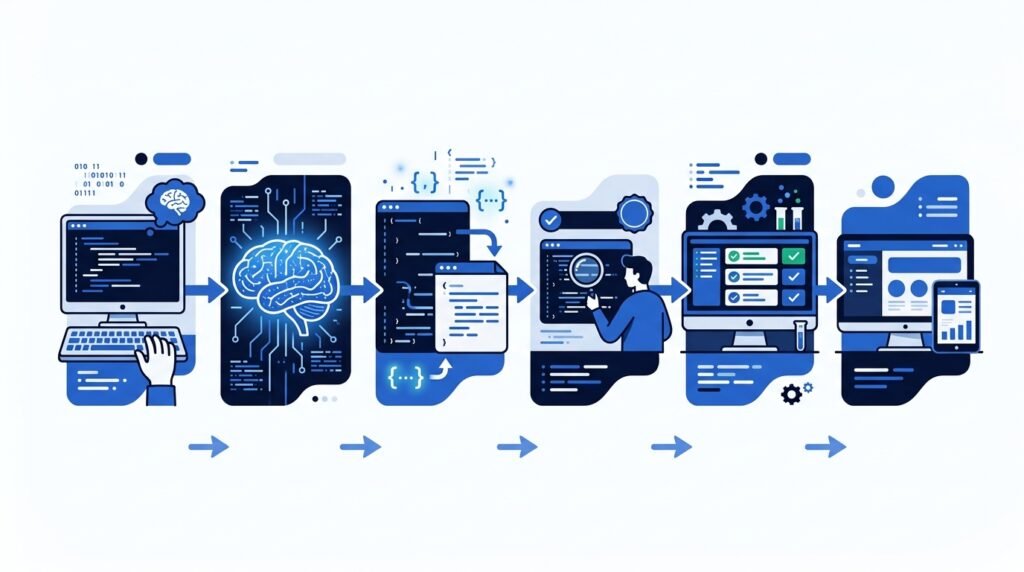
Most AI coding assistants are powered by Large Language Models (LLMs) trained on vast amounts of publicly available code, programming documentation, and technical resources. They analyze your prompt, understand the surrounding context, and generate code suggestions based on patterns learned during training.
Many coding assistants also integrate directly into popular development environments such as Visual Studio Code, JetBrains IDEs, or dedicated AI-first editors. This allows them to provide real-time code completions, explain errors, and suggest improvements without leaving your coding environment.
While these tools are remarkably capable, they should be viewed as productivity aids rather than infallible experts. Developers should always review, test, and understand AI-generated code before using it in production.
Benefits of Using AI Coding Assistants
AI coding assistants offer advantages for both beginners and experienced developers.
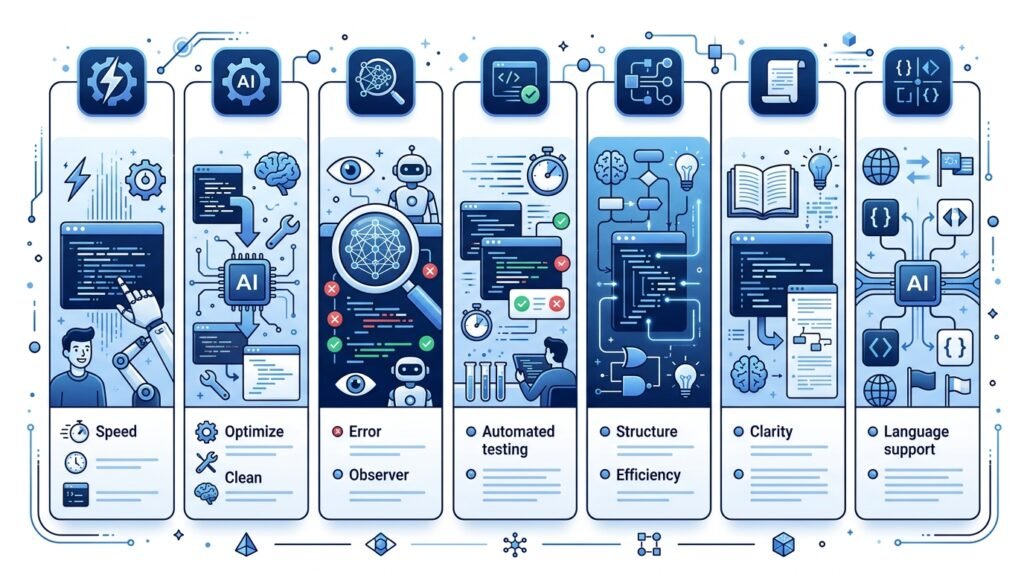
Faster Development
Generate boilerplate code, repetitive functions, and templates within seconds.
Learn While You Build
Many AI assistants explain programming concepts and code logic in simple language, making them valuable learning companions.
Better Debugging
Instead of spending hours tracking down errors, AI can identify common mistakes and suggest potential fixes.
Improved Productivity
Automating repetitive coding tasks allows developers to focus on architecture, problem-solving, and creativity.
Better Documentation
Many tools can generate comments, documentation, and API descriptions automatically, saving valuable development time.
Best AI Coding Assistants Compared
If you’re short on time, here’s a quick comparison of the best AI coding assistants available today.
| AI Coding Assistant | Best For | Free Plan | IDE Integration | Beginner Friendly |
| Cursor | AI-first coding experience | ✅ Yes | Cursor IDE | ⭐⭐⭐⭐⭐ |
| GitHub Copilot | Professional software development | Limited | VS Code, JetBrains, Neovim | ⭐⭐⭐⭐☆ |
| Claude | Code explanation & debugging | ✅ Yes | Web | ⭐⭐⭐⭐⭐ |
| ChatGPT | Learning programming & generating code | ✅ Yes | Web | ⭐⭐⭐⭐⭐ |
| Gemini | Google ecosystem & coding help | ✅ Yes | Web | ⭐⭐⭐⭐☆ |
| Amazon Q Developer | AWS development | ✅ Yes | VS Code, JetBrains | ⭐⭐⭐☆☆ |
| Windsurf | AI-native software development | ✅ Yes | Windsurf IDE | ⭐⭐⭐⭐☆ |
How We Evaluated These AI Coding Assistants
There are dozens of AI coding tools available today, but not all of them deliver the same experience. To create this list, we evaluated each assistant using practical criteria that matter to both beginners and experienced developers.
Our evaluation considered:
- Ease of use for beginners
- Accuracy and quality of generated code
- Debugging and code explanation capabilities
- IDE integration and developer workflow
- Programming language support
- Free plan availability and pricing
- Overall value for learning and professional development
Rather than focusing on marketing claims, our recommendations prioritize tools that provide consistent real-world value.
1. Cursor
Best For: Developers who want an AI-first coding experience
Cursor has quickly become one of the most popular AI-powered code editors by building artificial intelligence directly into the development workflow instead of treating it as an add-on.
Unlike traditional editors, Cursor understands your project context, allowing you to ask questions, edit multiple files, generate new code, and refactor existing projects using natural language.
For many developers, Cursor feels less like autocomplete and more like collaborating with an experienced programming partner.
Key Features
- AI-powered code generation
- Project-wide understanding
- Multi-file editing
- Intelligent debugging assistance
- Built-in chat interface
- Fast code refactoring
Pros
✔ Extremely beginner-friendly
✔ Excellent code quality
✔ Understands large codebases
✔ Clean and modern interface
✔ Supports many programming languages
Cons
✘ Some advanced features require a paid plan
✘ Works best inside the Cursor editor
Pricing
- Free plan available
- Paid plans available for higher usage
Our Verdict
If you’re starting with AI-assisted programming today, Cursor offers one of the most complete and intuitive experiences available. Its ability to understand your project and make coordinated changes across multiple files makes it an excellent choice for both beginners and professionals.
Overall Rating: ⭐⭐⭐⭐⭐ (5/5)
2. GitHub Copilot
Best For: Professional developers using Visual Studio Code
GitHub Copilot is one of the pioneers of AI-assisted programming and remains a favorite among software engineers. Integrated directly into popular IDEs such as Visual Studio Code and JetBrains, Copilot provides real-time code suggestions as you type.
Instead of generating entire projects from prompts, Copilot excels at accelerating everyday coding tasks by completing functions, generating repetitive code, and suggesting improvements based on the surrounding context.
Key Features
- Intelligent code completion
- Function generation
- Unit test generation
- Code suggestions in real time
- Multi-language support
- IDE integration
Pros
✔ Excellent autocomplete
✔ Deep IDE integration
✔ Supports dozens of programming languages
✔ Saves significant development time
✔ Strong enterprise adoption
Cons
✘ Subscription required for full access
✘ Less conversational than some AI chat tools
Pricing
- Free plan for eligible users
- Paid subscription for professionals
Our Verdict
GitHub Copilot is ideal for developers who spend most of their day inside an IDE. Rather than replacing programming knowledge, it enhances productivity by reducing repetitive coding tasks and helping developers maintain focus.
Overall Rating: ⭐⭐⭐⭐⭐ (5/5)
3. Claude
Best For: Understanding, explaining, and debugging code
Claude stands out because of its ability to explain programming concepts in clear, natural language. While it isn’t integrated into IDEs in the same way as Cursor or GitHub Copilot, it excels at helping developers understand complex code, troubleshoot errors, review architecture, and generate clean implementations from detailed prompts.
For beginners, Claude often feels like an experienced programming mentor rather than just a code generator.
Key Features
- Natural language code explanations
- Bug detection and troubleshooting
- Code review assistance
- Refactoring suggestions
- Long-context conversations
- Supports many programming languages
Pros
✔ Excellent explanations for beginners
✔ Strong debugging capabilities
✔ Produces readable, well-structured code
✔ Handles large code snippets effectively
✔ Easy to use in a browser
Cons
✘ No dedicated IDE integration
✘ Requires internet access
Pricing
- Free plan available
- Premium plans available for higher limits
Our Verdict
If your goal is to learn programming while building projects, Claude is one of the best AI coding assistants available. Its ability to explain why code works—not just generate it—makes it particularly valuable for students and self-learners.
Overall Rating: ⭐⭐⭐⭐⭐ (5/5)
4. ChatGPT
Best For: Learning programming, generating code, and solving coding problems
ChatGPT has become one of the most widely used AI coding assistants because it combines code generation with conversational explanations. Instead of simply suggesting code, it can explain concepts, debug errors, review algorithms, generate documentation, and help developers understand why a particular solution works.
For beginners, ChatGPT serves as both a coding assistant and a personal programming tutor.
Key Features
- Generate code from natural language prompts
- Explain programming concepts
- Debug and fix errors
- Convert code between programming languages
- Generate SQL queries, regular expressions, and scripts
- Create documentation and code comments
Pros
✔ Extremely beginner-friendly
✔ Supports virtually every major programming language
✔ Excellent for learning new concepts
✔ Strong debugging and explanation capabilities
✔ Free version available
Cons
✘ Not directly integrated into most IDEs
✘ Generated code should always be reviewed and tested
Pricing
- Free plan available
- Paid subscription unlocks more advanced models and higher usage limits
Our Verdict
If you’re new to programming or frequently switch between different programming languages, ChatGPT is one of the best all-around AI coding assistants. Its ability to explain code clearly makes it particularly valuable for students, self-learners, and developers exploring unfamiliar technologies.
Overall Rating: ⭐⭐⭐⭐⭐ (5/5)
5. Gemini
Best For: Developers using Google’s ecosystem
Gemini combines conversational AI with coding assistance, making it a practical choice for developers already working with Google services. It can generate code, explain programming concepts, review snippets, and help solve technical problems across a wide range of languages.
Its integration with Google’s ecosystem makes it especially useful for Android developers and users of Google Workspace.
Key Features
- Code generation
- Code explanation
- Debugging assistance
- Multi-language support
- Google ecosystem integration
- Natural language programming
Pros
✔ Easy to use
✔ Strong reasoning capabilities
✔ Helpful for Android and web development
✔ Free plan available
✔ Supports many programming languages
Cons
✘ IDE integration is more limited than dedicated coding assistants
✘ Some advanced capabilities require paid access
Pricing
- Free plan available
- Premium plans available
Our Verdict
Gemini is an excellent option for developers who already use Google’s products and want an AI assistant that can handle both coding and general productivity tasks.
Overall Rating: ⭐⭐⭐⭐☆ (4.5/5)
6. Amazon Q Developer
Best For: AWS cloud development
Amazon Q Developer is designed for developers building applications on Amazon Web Services (AWS). Beyond code generation, it helps with cloud architecture, infrastructure, security recommendations, and AWS service integration.
If most of your work happens inside the AWS ecosystem, Amazon Q can significantly streamline development workflows.
Key Features
- AI-powered code generation
- AWS documentation assistance
- Cloud architecture guidance
- Security recommendations
- IDE integration
- Code transformation
Pros
✔ Excellent for AWS developers
✔ Strong cloud knowledge
✔ Helps with infrastructure tasks
✔ IDE integration available
Cons
✘ Less useful outside the AWS ecosystem
✘ Beginners may not need its cloud-focused features
Pricing
- Free tier available
- Additional enterprise features available through paid plans
Our Verdict
Amazon Q Developer is a specialized tool rather than a general-purpose coding assistant. It’s an excellent choice for cloud developers but may offer limited value for users who don’t work with AWS.
Overall Rating: ⭐⭐⭐⭐☆ (4/5)
7. Windsurf
Best For: AI-native software development
Windsurf is one of the newer AI-first development environments designed to integrate artificial intelligence into nearly every stage of software development. Instead of relying solely on autocomplete, it enables developers to edit multiple files, understand project context, and collaborate with AI throughout the development process.
Its workflow feels closer to collaborating with an experienced teammate than using a traditional code editor.
Key Features
- AI-powered code generation
- Multi-file editing
- Project-wide understanding
- Intelligent debugging
- Code refactoring
- Integrated AI chat
Pros
✔ Modern AI-first workflow
✔ Excellent context awareness
✔ Beginner-friendly interface
✔ Fast project navigation
Cons
✘ Newer ecosystem than established competitors
✘ Some advanced features require a subscription
Pricing
- Free plan available
- Paid plans available
Our Verdict
Windsurf is a promising AI coding assistant for developers who want an AI-native development experience. While its ecosystem is still growing, its project awareness and streamlined workflow make it an exciting alternative to traditional IDEs.
Overall Rating: ⭐⭐⭐⭐☆ (4.5/5)
Which AI Coding Assistant Should You Choose?
The best AI coding assistant depends on your goals, experience level, and development workflow.
| If You Are… | Recommended Tool |
| Complete Beginner | ChatGPT, Claude |
| Student Learning Programming | ChatGPT, Claude, Gemini |
| Professional Software Developer | Cursor, GitHub Copilot |
| Full-Stack Developer | Cursor, GitHub Copilot |
| AWS Developer | Amazon Q Developer |
| Android Developer | Gemini |
| Looking for an AI-First IDE | Cursor, Windsurf |
Our Recommendations
🥇 Best Overall: Cursor
🥈 Best for Professional Developers: GitHub Copilot
🥉 Best for Learning Programming: ChatGPT
🏅 Best Code Explanations: Claude
🏅 Best Cloud Development: Amazon Q Developer
🏅 Best Google Ecosystem: Gemini
Best Practices for Using AI Coding Assistants
AI coding assistants can significantly improve productivity, but they deliver the best results when used thoughtfully.
- Review all AI-generated code before using it.
- Understand the logic instead of copying solutions blindly.
- Write clear prompts describing your requirements.
- Test generated code thoroughly.
- Avoid sharing confidential source code with public AI tools unless your organization’s policies permit it.
- Use AI to accelerate learning, not replace programming fundamentals.
These habits help you build reliable software while improving your own programming skills.
Common Mistakes to Avoid When Using AI Coding Assistants
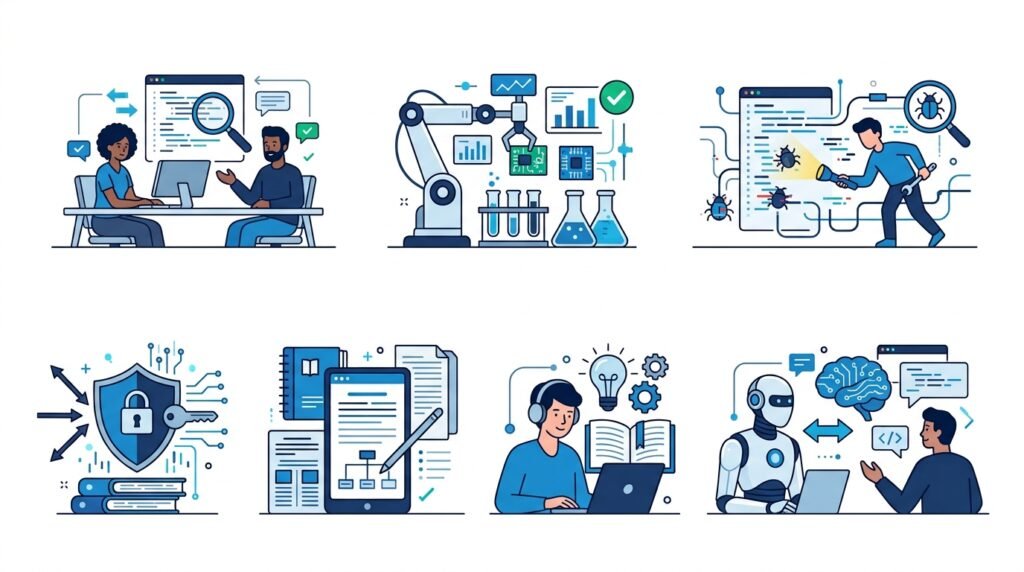
AI coding assistants can significantly improve productivity, but relying on them without proper judgment can lead to bugs, security issues, and missed learning opportunities. Here are some common mistakes to avoid.
1. Copying Code Without Understanding It
AI-generated code may appear correct but could contain logical errors, inefficiencies, or security vulnerabilities. Always take time to understand how the code works before using it.
2. Skipping Testing
Never assume AI-generated code is production-ready. Test your code thoroughly to ensure it behaves as expected and handles edge cases correctly.
3. Sharing Sensitive Information
Avoid pasting confidential source code, API keys, passwords, or proprietary business logic into public AI tools unless you fully understand the platform’s privacy policies and your organization’s security guidelines.
4. Using Vague Prompts
The quality of AI-generated code depends heavily on your prompt. Instead of asking, “Write a login page,” provide details such as the programming language, framework, authentication method, and desired functionality.
5. Depending on AI for Everything
AI should enhance your development workflow—not replace critical thinking. Understanding programming fundamentals will help you evaluate AI suggestions and build better software.
Frequently Asked Questions (FAQs)
What is an AI coding assistant?
An AI coding assistant is a software tool that uses artificial intelligence to help developers write, explain, debug, refactor, and optimize code. Many assistants integrate directly into code editors or provide conversational interfaces for programming assistance.
Which AI coding assistant is best for beginners?
For beginners, ChatGPT, Claude, and Cursor are excellent choices because they not only generate code but also explain programming concepts in a clear and easy-to-understand way.
Can AI coding assistants replace software developers?
No. AI coding assistants are designed to improve developer productivity, not replace software engineers. Human expertise is still essential for software architecture, problem-solving, testing, security, and decision-making.
Are AI coding assistants free?
Many AI coding assistants offer free plans with basic features. Premium subscriptions typically provide access to more advanced AI models, higher usage limits, and additional developer-focused capabilities.
Which programming languages do AI coding assistants support?
Most modern AI coding assistants support popular programming languages, including:
- Python
- JavaScript
- TypeScript
- Java
- C++
- C#
- Go
- Rust
- PHP
- SQL
- HTML & CSS
Support varies slightly between tools.
Is GitHub Copilot better than ChatGPT?
They serve different purposes.
- GitHub Copilot is ideal for developers who want AI integrated directly into their code editor for real-time code completion.
- ChatGPT is better for learning, debugging, explaining concepts, and solving broader programming problems through conversation.
The better choice depends on your workflow and experience level.
Should beginners use AI coding assistants?
Yes—as long as they use them responsibly. AI coding assistants can accelerate learning by explaining code, suggesting improvements, and helping solve errors. However, beginners should focus on understanding the solutions rather than simply copying them.
Final Verdict
AI coding assistants have become valuable companions for developers of all experience levels. From generating boilerplate code to explaining complex algorithms and identifying bugs, these tools can significantly improve productivity and make programming more approachable.
If you’re just getting started, ChatGPT, Claude, and Cursor offer an excellent balance of simplicity, learning support, and practical features. Professional developers who spend most of their day inside an IDE may benefit more from GitHub Copilot or Cursor, while cloud-focused teams can gain additional value from Amazon Q Developer.
The best AI coding assistant isn’t necessarily the one with the most features—it’s the one that fits your workflow, helps you learn, and enables you to write better software more efficiently. Start with a free plan, experiment with real projects, and choose the tool that best supports your development goals.
Continue Your AI Journey
Keep building your AI knowledge with these beginner-friendly guides.
-

AI Interview Preparation: How to Use AI Tools to Land Your Next Job
Learn more : AI Interview Preparation: How to Use AI Tools to Land Your Next Job🕒 14-16 min read • Updated: July 2026 AI Interview Preparation: How to Use AI Tools to Ace…
-

7 Ways to Use AI for Research: Faster & Smarter Workflows (2026)
Learn more : 7 Ways to Use AI for Research: Faster & Smarter Workflows (2026)🕒 15 min read • Updated: July 2026 Introduction Research has always been about discovering new information, asking…
-

AI for Teachers: 15 Practical Workflows to Streamline Your Classroom
Learn more : AI for Teachers: 15 Practical Workflows to Streamline Your Classroom🕒 15 min read • Updated: July 2026 Introduction Teaching is one of the most rewarding professions, but…
-

AI for Productivity: 15 Practical Workflows to Work Smarter in 2026
Learn more : AI for Productivity: 15 Practical Workflows to Work Smarter in 2026🕒 12-14 min read • Updated: July 2026 Introduction Imagine completing your daily work in less time while…
-

The 2026 Guide to AI in Sales: Tools & Workflows to Close Deals Faster
Learn more : The 2026 Guide to AI in Sales: Tools & Workflows to Close Deals Faster🕒 12-14 min read • Updated: July 2026 Introduction Artificial intelligence (AI) is transforming the way businesses find…
-

AI for Project Management: 15 Time-Saving Workflows & Prompt Templates
Learn more : AI for Project Management: 15 Time-Saving Workflows & Prompt Templates🕒 12-14 min read • Updated: July 2026 Quick Answer AI for project management uses artificial intelligence to…
Related Articles
Explore more guides and resources related to this topic.
-

ChatGPT Complete Guide for Beginners (2026): Master AI Step-by-Step
Learn more : ChatGPT Complete Guide for Beginners (2026): Master AI Step-by-Step🕒 20-25 min read • Updated: Aug 2026 Introduction Introduction Artificial intelligence is changing how people learn, work,…
-

Master Prompt Engineering in 2026: A Step-by-Step Beginner’s Guide
Learn more : Master Prompt Engineering in 2026: A Step-by-Step Beginner’s Guide🕒 18-20 min read • Updated: Aug 2026 Introduction Artificial intelligence (AI) tools like ChatGPT, Claude, Gemini, and…
-
Large Language Models (LLMs) Explained: The Complete 2026 Beginner’s Guide
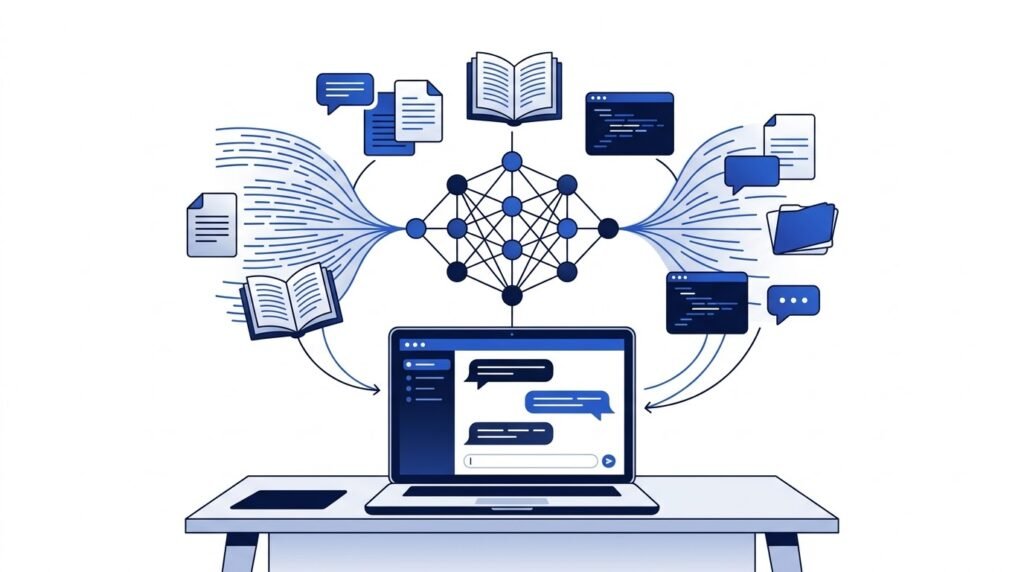
Learn more : Large Language Models (LLMs) Explained: The Complete 2026 Beginner’s Guide🕒 14-16 min read • Updated: Aug 2026 Introduction Artificial Intelligence has become part of everyday life. Whether…
-

Best AI Image Generators in 2026: 10 Free & Paid Tools Tested
Learn more : Best AI Image Generators in 2026: 10 Free & Paid Tools Tested🕒 15 min read • Updated: July 2026 introduction Creating stunning images no longer requires years of design…
-
10 Best AI Chatbots in 2026: Tested & Ranked for Every Use Case
Learn more : 10 Best AI Chatbots in 2026: Tested & Ranked for Every Use Case🕒 10-12 min read • Updated: July 2026 introduction Artificial intelligence has made chatbots far more capable than…
-
ChatGPT vs Microsoft Copilot (2026): Tested, Pricing & Workflow Comparison
Learn more : ChatGPT vs Microsoft Copilot (2026): Tested, Pricing & Workflow Comparison🕒 10-12 min read • Updated: July 2026 Introduction Choosing between ChatGPT and Microsoft Copilot can be challenging,…
Recommended AI Tools
Looking for more AI tools beyond coding? Explore our curated collection of beginner-friendly AI software for writing, design, productivity, learning, research, and software development in our Recommended AI Tools hub.
References
- OpenAI. ChatGPT. https://openai.com/chatgpt/
- Anthropic. Claude Documentation. https://docs.anthropic.com/
- Amazon Web Services. Amazon Q Developer User Guide. https://docs.aws.amazon.com/amazonq/latest/qdeveloper-ug/
- GitHub. GitHub Copilot Documentation. https://docs.github.com/en/copilot
- Cursor. Official Documentation. https://docs.cursor.com/
- Google. Gemini. https://gemini.google/
Leave a Reply