🕒 10-12 min read • Updated: July 2026
Table of Contents
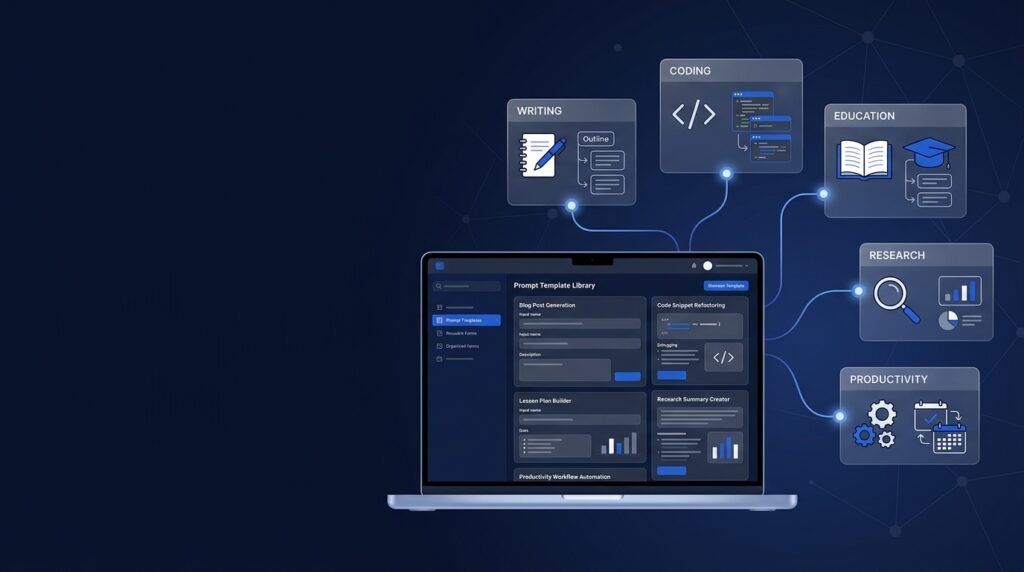
Introduction
If you’ve ever found yourself rewriting the same AI prompt repeatedly, you’re not alone. Whether you’re using ChatGPT to draft emails, Claude to summarize documents, or Midjourney to create artwork, starting from scratch each time can be slow and inconsistent.
That’s where prompt templates come in.
A prompt template is a reusable framework that helps you communicate with AI more effectively. Instead of inventing a new prompt for every task, you create a structured template that can be customized with specific details. This saves time, improves consistency, and often produces better results.
Prompt templates are widely used by content creators, marketers, developers, educators, researchers, and businesses because they make AI workflows more reliable and easier to scale.
In this guide, you’ll learn what prompt templates are, how they work, when to use them, practical examples, and best practices for creating templates that generate consistently useful responses.
Key Takeaways
- Prompt templates provide a reusable structure for communicating with AI.
- They improve consistency, efficiency, and the quality of AI-generated responses.
- Good templates combine clear instructions with placeholders for customization.
- Different tasks require different template structures.
- Even the best template should be tested and refined over time.
What Are Prompt Templates?
A prompt template is a reusable prompt structure that contains fixed instructions alongside placeholders that you replace with task-specific information.
Think of it as a form rather than a finished sentence.
Instead of writing a completely new prompt every time, you simply fill in the missing information while keeping the overall structure the same.
For example, instead of repeatedly writing:
Explain photosynthesis for a sixth-grade student.
Explain gravity for a sixth-grade student.
Explain the water cycle for a sixth-grade student.
You could create this template:
Explain {topic} for a {audience} using {style}.
Now you only replace the placeholders:
- Topic → Photosynthesis
- Audience → Sixth-grade student
- Style → Simple examples
The underlying prompt stays consistent while the variables change.
Why Prompt Templates Matter
Many beginners focus only on writing individual prompts.
Professionals often think differently.
Rather than creating hundreds of unique prompts, they develop reusable systems.
Prompt templates help because they:
- reduce repetitive work
- improve response consistency
- save time
- make collaboration easier
- simplify complex workflows
- reduce the chances of forgetting important instructions
For businesses, prompt templates also help maintain consistent outputs across teams.
How Prompt Templates Work
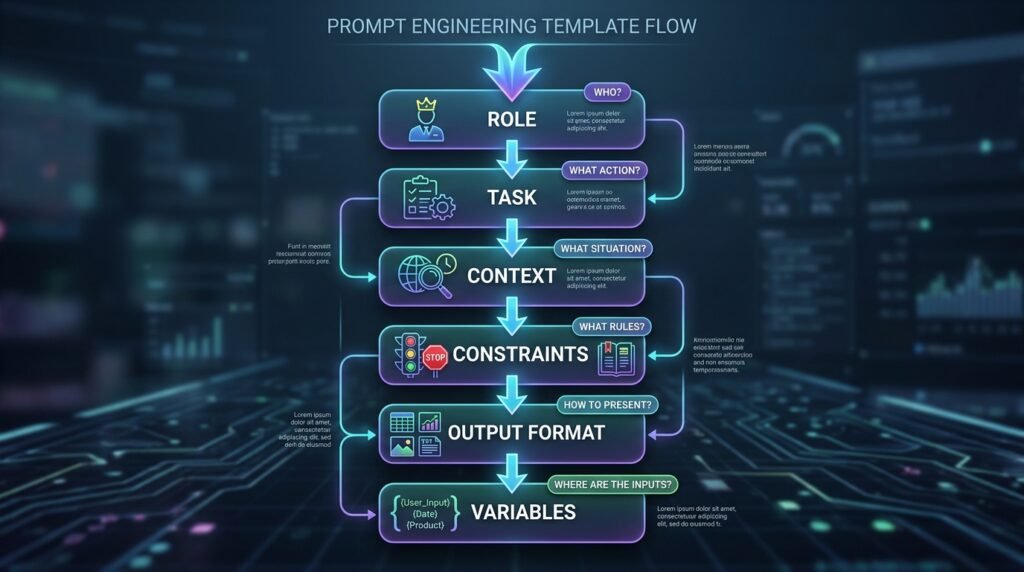
Every prompt template has two main components.
1. Fixed Instructions
These remain the same every time.
Example:
Act as an experienced science teacher.
Explain the topic clearly.
Use simple language.
Include one real-world example.
These instructions define how the AI should respond.
2. Variable Placeholders
These change depending on the task.
For example:
Topic: {topic}
Audience: {audience}
Length: {length}
Each placeholder acts like a blank field waiting to be filled.
When combined:
Act as an experienced science teacher.
Explain {topic} for {audience}.
Keep the explanation under {length} words.
Include one practical example.
The template can now be reused hundreds of times.
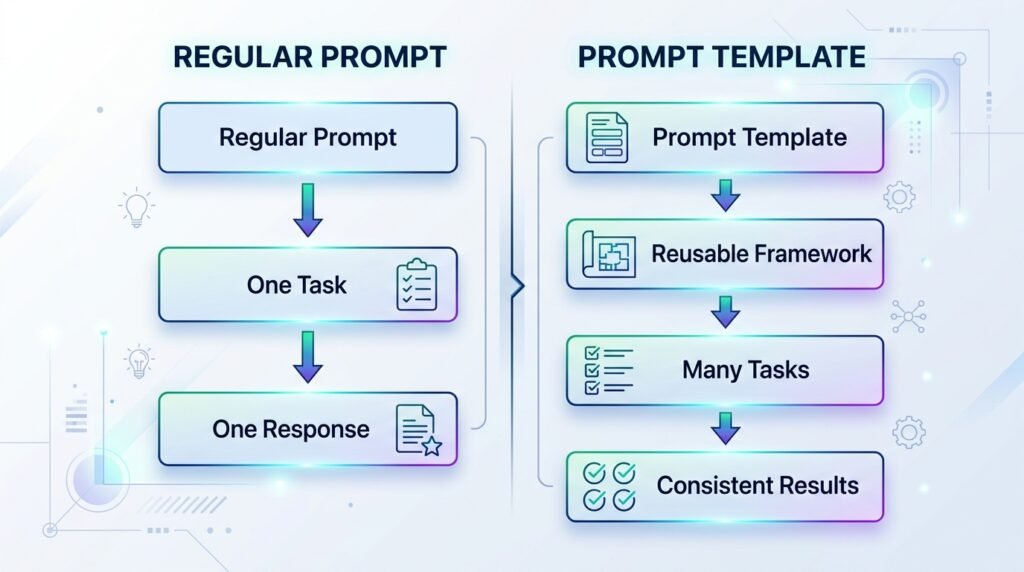
Prompt Templates vs Regular Prompts
Many people confuse templates with ordinary prompts.
They are related but serve different purposes.
| Feature | Regular Prompt | Prompt Template |
| Written for one task | ✅ | ❌ |
| Reusable | ❌ | ✅ |
| Contains placeholders | ❌ | ✅ |
| Easy to scale | Limited | Excellent |
| Best for repetitive work | ❌ | ✅ |
If you’re asking AI a one-off question, a regular prompt is often enough.
If you’re performing the same type of task repeatedly, a template is usually the better choice.
Where Prompt Templates Are Used
Prompt templates are useful across many industries.
Content Creation
Example template:
Write a {content_type} about {topic}.
Target audience:
{audience}
Tone:
{tone}
Length:
{word_count}
Include:
{requirements}
Example output:
- Blog articles
- Newsletters
- LinkedIn posts
- YouTube scripts
Education
Teachers can reuse templates such as:
Explain {topic} to a {grade_level} student.
Include:
• simple explanation
• one analogy
• one quiz question
Only the topic changes.
Everything else stays the same.
Customer Support
Businesses often create templates like:
Respond to this customer complaint.
Customer issue:
{issue}
Tone:
Professional
Goal:
Resolve the problem politely.
Offer:
{solution}
This helps maintain a consistent customer experience.
Programming
Developers frequently use templates for debugging.
Example:
Review the following code.
Language:
{language}
Goal:
Find bugs.
Explain each issue.
Suggest improvements.
Code:
{paste_code}
The programming language and code change, but the review process stays the same.
Real-World Example
Imagine you’re writing product descriptions for an online store.
Without a template:
Every product requires a completely new prompt.
With a template:
Write a product description.
Product:
{product}
Target customer:
{customer}
Tone:
Professional
Length:
150 words
Include:
Benefits
Key features
Call to action
Now you simply replace:
- Product
- Customer
Everything else remains identical.
This approach not only saves time but also creates a consistent writing style across all product descriptions.
Types of Prompt Templates
Not all prompt templates serve the same purpose. The best template depends on what you’re trying to accomplish.
Below are some of the most common categories you’ll encounter.
1. Writing Templates
These help generate consistent written content.
Common uses:
- Blog posts
- Emails
- Social media posts
- Product descriptions
- Marketing copy
Example
Act as an experienced {profession}.
Write a {content_type} about {topic}.
Audience:
{target_audience}
Tone:
{tone}
Length:
{word_count}
Include:
{requirements}
2. Learning Templates
Perfect for students and self-learners.
Example
Explain {topic} as if teaching a beginner.
Include:
• Simple definition
• Real-world example
• Common mistakes
• Quick summary
• Three practice questions
3. Coding Templates
Developers often reuse prompt templates when writing or reviewing code.
Example
Review the following {language} code.
Goal:
{goal}
Tasks:
• Find bugs
• Explain problems
• Suggest improvements
• Rewrite if necessary
Code:
{paste code}
4. Research Templates
Useful when gathering information.
Example
Research the topic:
{topic}
Provide:
• Overview
• Key concepts
• Benefits
• Limitations
• Recent developments
• Reliable sources
5. Brainstorming Templates
These help generate ideas.
Example
Generate {number} ideas for:
{topic}
Audience:
{audience}
Constraints:
{constraints}
6. Decision-Making Templates
AI can also help compare options.
Example
Compare:
{Option A}
vs
{Option B}
Compare using:
• Features
• Pros
• Cons
• Cost
• Best use cases
Give a final recommendation.
Ready-to-Use Prompt Templates
Below are practical templates you can customize immediately.
Template 1 — Blog Article
Act as an expert writer.
Write a blog post about:
{topic}
Audience:
{audience}
Tone:
Friendly and educational
Length:
{word_count}
Include:
• Introduction
• Headings
• Examples
• FAQ
• Conclusion
Template 2 — Email Writing
Write a professional email.
Purpose:
{purpose}
Recipient:
{recipient}
Tone:
{tone}
Length:
Short and clear
End with an appropriate call to action.
Template 3 — Explain Any Topic
Explain:
{topic}
Audience:
Complete beginner
Use:
Simple language
One analogy
One real-world example
Avoid unnecessary jargon.
Template 4 — YouTube Script
Create a YouTube script.
Topic:
{topic}
Length:
{duration}
Style:
Educational
Include:
Hook
Main points
Examples
Summary
Call to action
Template 5 — Meeting Summary
Summarize the following meeting.
Include:
Key decisions
Action items
Deadlines
Questions
Meeting notes:
{paste notes}
Template 6 — Social Media Post
Write a LinkedIn post.
Topic:
{topic}
Audience:
Professionals
Tone:
Helpful
Length:
150 words
End with a discussion question.
Choosing the Right Prompt Template
A common beginner mistake is using the same template for every task.
Instead, match the template to your goal.
| Goal | Recommended Template |
| Learn something | Learning Template |
| Write articles | Writing Template |
| Create code | Coding Template |
| Research topics | Research Template |
| Generate ideas | Brainstorming Template |
| Compare products | Decision Template |
A good template reduces the amount of editing needed after the AI generates its response.
Best Practices for Creating Prompt Templates
A reusable template is more than a collection of instructions. It should be easy to understand, flexible, and produce consistent results.
Start with a Clear Goal
Before writing a template, decide exactly what you want AI to accomplish.
Instead of:
Help me write.
Use:
Write a beginner-friendly blog introduction about renewable energy.
Specific goals produce more focused outputs.
Use Placeholders
Avoid hardcoding every detail.
Instead of writing:
Explain machine learning to high school students.
Create:
Explain {topic} to {audience}.
This makes the template reusable.
Define the AI’s Role
Assigning a role helps establish context.
Examples:
- Act as a science teacher.
- Act as a professional editor.
- Act as a career coach.
- Act as a software engineer.
The role should match the task.
Specify the Desired Output
Tell the AI exactly how the response should be organized.
For example:
- Bullet list
- Table
- Step-by-step guide
- Summary
- Markdown
- JSON
The clearer the format, the more consistent the results.
Include Constraints
Good templates define boundaries.
Examples:
- Maximum 200 words
- Beginner-friendly language
- Avoid technical jargon
- Include three examples
- Cite reliable sources where possible
Constraints reduce ambiguity.
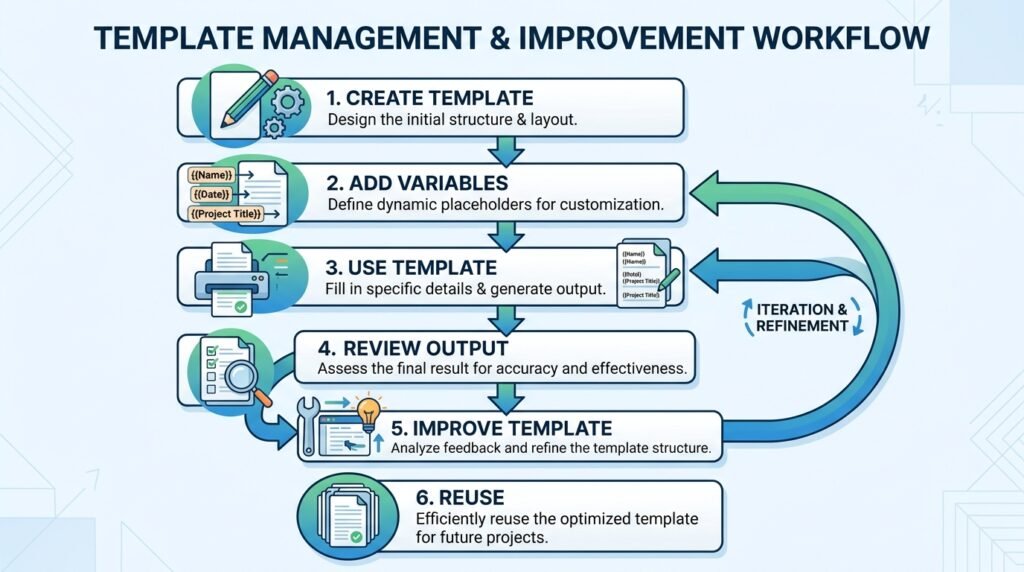
Test and Refine
A template rarely becomes perfect on the first attempt.
Run it multiple times.
Adjust wording.
Add missing instructions.
Remove unnecessary complexity.
Over time, your template becomes more reliable.
Common Mistakes When Using Prompt Templates
Even well-designed templates can produce poor results if they’re used incorrectly.
Being Too Vague
Poor example:
Write something about AI.
Better:
Write a 500-word beginner’s guide explaining what generative AI is, including one real-world example.
Adding Too Many Instructions
Trying to solve every problem with one enormous prompt often makes responses less focused.
Keep templates concise and purposeful.
Forgetting the Audience
Always specify who the content is for.
For example:
- Beginners
- Children
- Business owners
- Developers
The audience affects tone, vocabulary, and examples.
Never Updating Templates
AI models improve over time.
A template that worked well last year may benefit from small adjustments today.
Review your most-used templates periodically.
Assuming Templates Guarantee Perfect Results
Templates improve consistency—they don’t eliminate the need for human review.
Always verify important information, especially when using AI for education, healthcare, legal matters, finance, or technical documentation.
Frequently Asked Questions
1. What is a prompt template?
A prompt template is a reusable prompt structure that contains fixed instructions along with placeholders for task-specific information. Instead of writing a new prompt every time, you simply replace the placeholders with relevant details.
2. Are prompt templates only for ChatGPT?
No. Prompt templates work with most modern AI assistants, including ChatGPT, Claude, Gemini, Perplexity, Microsoft Copilot, and many other large language models. You may need to make small adjustments depending on the platform, but the overall structure remains useful.
3. Do prompt templates guarantee better AI responses?
Not always. A good prompt template increases the chances of receiving consistent, relevant responses, but output quality also depends on the AI model, the information you provide, and the complexity of the task.
4. Can beginners use prompt templates?
Absolutely. In fact, prompt templates are especially helpful for beginners because they provide a clear structure and reduce the guesswork involved in writing prompts.
5. What’s the difference between a prompt and a prompt template?
A regular prompt is usually written for a single task.
A prompt template is designed to be reused multiple times by replacing placeholders such as {topic}, {audience}, or {tone}.
6. How many placeholders should a prompt template include?
There is no fixed number. Include only the placeholders that are necessary for the task. Too many variables can make a template difficult to use, while too few may limit its flexibility.
7. Should I always use templates?
No. Templates are most useful for repetitive tasks such as writing articles, summarizing documents, creating lesson plans, generating code reviews, or drafting emails. For one-time questions, a simple prompt is often sufficient.
Conclusion
Prompt templates are one of the simplest ways to improve both the efficiency and consistency of your interactions with AI.
Rather than starting from scratch every time, a well-designed template provides a reliable structure that you can adapt to different tasks with minimal effort. Whether you’re writing content, learning a new topic, reviewing code, conducting research, or brainstorming ideas, prompt templates help you communicate your goals more clearly.
Remember that templates are starting points—not rigid rules. As your experience with AI grows, continue testing, refining, and improving your templates based on the results you receive.
The best prompt templates evolve over time, just like any other productivity tool.
As you continue your prompt engineering journey, understanding techniques such as zero-shot prompting, few-shot prompting, and advanced prompt design will help you create even more effective AI interactions.
Leave a Reply