🕒 12-15 min read • Updated: July 2026
Table of Contents
Introduction
Whether you’re learning your first programming language, debugging a stubborn error, or building a production application, AI coding assistants have become valuable tools for developers. Among the most popular options are Claude and ChatGPT, both capable of generating code, explaining programming concepts, reviewing existing code, and helping solve technical problems.
With two powerful AI assistants offering similar capabilities, choosing between them isn’t always straightforward. While both can write code and answer technical questions, they differ in areas such as coding style, debugging approach, explanation quality, integrations, and overall developer experience.
The best choice depends on how you work. A beginner learning Python may have different needs than a software engineer reviewing thousands of lines of code or a web developer building full-stack applications.
In this guide, we’ll compare Claude vs ChatGPT for coding across the areas that matter most—including coding accuracy, debugging, code explanations, programming language support, context handling, pricing, and real-world use cases—to help you decide which AI assistant fits your workflow.
Key Takeaways
- ChatGPT is an excellent all-around coding assistant with strong ecosystem integrations and broad support for developers.
- Claude excels at understanding larger codebases, explaining complex logic, and reviewing long or multi-file projects.
- Both AI assistants support popular programming languages such as Python, JavaScript, Java, C++, SQL, and more.
- Beginners generally benefit from ChatGPT’s learning-oriented responses, while experienced developers may appreciate Claude’s detailed reasoning for complex coding tasks.
- The right choice depends on your goals, workflow, and preferred development environment rather than a single “winner.”
Claude vs ChatGPT for Coding: At a Glance
| Feature | Claude | ChatGPT |
| Best For | Large codebases, code reviews, detailed explanations | General coding, learning, rapid development |
| Beginner Friendly | ⭐⭐⭐⭐☆ | ⭐⭐⭐⭐⭐ |
| Code Generation | ⭐⭐⭐⭐⭐ | ⭐⭐⭐⭐⭐ |
| Debugging | ⭐⭐⭐⭐⭐ | ⭐⭐⭐⭐☆ |
| Explaining Code | ⭐⭐⭐⭐⭐ | ⭐⭐⭐⭐☆ |
| Programming Language Support | Excellent | Excellent |
| IDE & Ecosystem | Growing | Extensive |
| Overall Recommendation | Great for experienced developers | Best all-around choice for most users |
Quick Answer: If you’re new to programming or want a versatile AI assistant for coding and everyday tasks, ChatGPT is the better starting point. If you regularly analyze large codebases, refactor existing projects, or value detailed technical explanations, Claude is an excellent alternative.

What Makes a Good AI Coding Assistant?
Before comparing Claude and ChatGPT, it’s worth understanding what developers typically expect from an AI coding assistant.
A useful coding assistant should help you:
- Generate clean and readable code
- Explain programming concepts clearly
- Debug errors efficiently
- Refactor and improve existing code
- Understand unfamiliar codebases
- Suggest best practices
- Save time on repetitive programming tasks
Rather than focusing on a single benchmark, this comparison evaluates how each AI assistant performs across real-world development scenarios.
How We Compared Claude and ChatGPT
AI models evolve rapidly, with new features and updates released throughout the year. Instead of focusing on isolated benchmarks or a single coding task, we compared Claude and ChatGPT based on how developers actually use AI in day-to-day programming.
Our evaluation focuses on the factors that have the biggest impact on productivity:
- Code generation quality – Can the AI produce clean, functional, and maintainable code?
- Debugging assistance – How well does it identify and explain programming errors?
- Code explanations – Can it break down complex logic in a way that’s easy to understand?
- Large codebase handling – How effectively can it analyze long files or multiple pieces of code?
- Programming language support – Does it perform consistently across popular languages?
- Developer experience – How useful is it for beginners, students, and experienced developers?
- Pricing and accessibility – Which option offers the best value for different types of users?
Rather than choosing a single “winner,” this comparison highlights where each AI assistant performs best so you can select the one that matches your workflow.

Claude vs ChatGPT: Code Generation
Writing new code is one of the most common reasons developers use AI assistants. Whether you’re creating a simple Python script, building a React application, or generating SQL queries, both Claude and ChatGPT can significantly reduce development time.
However, they don’t always generate code in the same way.
ChatGPT
ChatGPT is designed to produce code quickly while adapting to different programming languages and frameworks. It performs particularly well when generating:
- Python scripts
- JavaScript applications
- HTML and CSS layouts
- SQL queries
- API integrations
- Automation scripts
Its responses are usually concise and practical, making it a great choice when you want a working solution quickly. Developers can also refine the output through follow-up prompts, asking ChatGPT to optimize, simplify, or expand the generated code.
Strengths
- Fast code generation
- Supports a wide range of programming languages
- Excellent for rapid prototyping
- Works well with iterative prompting
Claude
Claude takes a slightly different approach. Instead of producing the shortest possible answer, it often focuses on writing code that is well-structured, readable, and accompanied by thoughtful explanations.
This makes Claude especially useful when working on larger software projects where maintainability and clarity are just as important as functionality.
Claude is particularly strong at:
- Writing organized code
- Following project structure
- Explaining implementation decisions
- Suggesting improvements and best practices
Many developers appreciate Claude’s ability to provide context alongside the code rather than simply generating a solution.
Verdict: Code Generation
Both AI assistants produce high-quality code for common programming tasks, but their strengths differ slightly.
- Choose ChatGPT if you want fast code generation, rapid iteration, and broad framework support.
- Choose Claude if you prefer cleaner code organization, detailed explanations, and a more thoughtful coding style.
| Category | Winner |
| Speed | 🏆 ChatGPT |
| Readability | 🏆 Claude |
| Beginner Friendliness | 🏆 ChatGPT |
| Maintainable Code | 🏆 Claude |
| Overall | 🤝 Tie |
Takeaway: For most everyday coding tasks, both Claude and ChatGPT perform exceptionally well. Your choice should depend more on your workflow than on raw coding ability.
Claude vs ChatGPT for Debugging
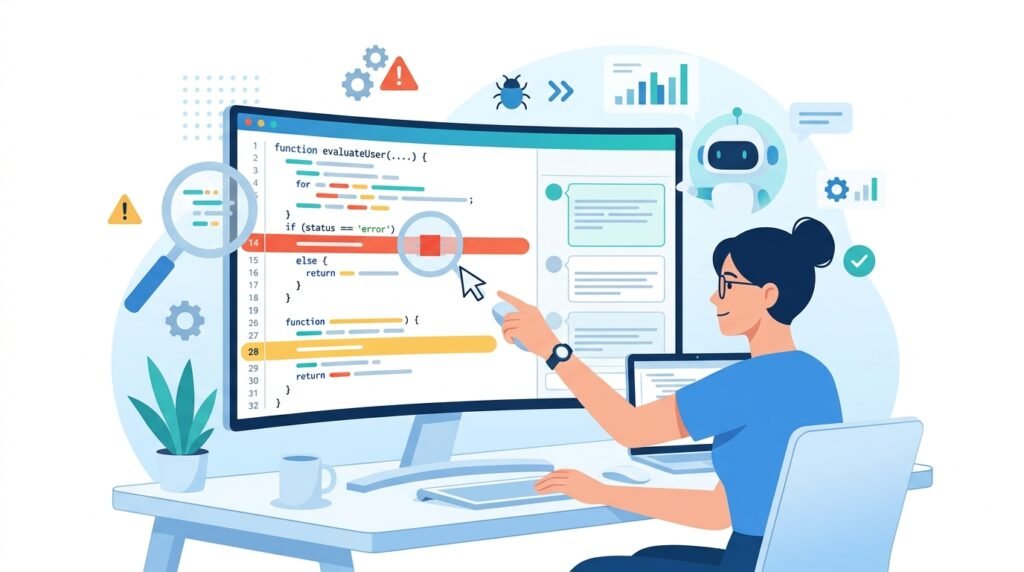
Debugging is where AI coding assistants can save developers the most time. Instead of spending hours tracing an error, you can ask an AI assistant to explain the issue, identify potential causes, and suggest fixes.
Both Claude and ChatGPT are capable of debugging code, but they often approach problems differently.
ChatGPT
ChatGPT is particularly effective at identifying common programming errors and suggesting practical solutions quickly. Whether you’re dealing with syntax errors, runtime exceptions, logic bugs, or API integration issues, it usually provides a clear explanation followed by one or more possible fixes.
For example, if a Python script throws an exception or a React component fails to render correctly, ChatGPT often explains:
- what caused the error,
- why it happened,
- and how to fix it step by step.
Its conversational style also makes it easy to continue troubleshooting through follow-up questions until the issue is resolved.
ChatGPT excels at:
- Syntax errors
- Runtime exceptions
- Framework-specific issues
- API debugging
- Front-end development problems
- Step-by-step troubleshooting
Claude
Claude takes a more analytical approach to debugging. Rather than immediately suggesting a fix, it often spends more time examining the surrounding code and reasoning through possible causes before proposing a solution.
This can be especially valuable when debugging:
- larger applications,
- complex business logic,
- multi-file projects,
- or code with subtle logical errors.
Claude also tends to explain why a bug exists, making it useful for developers who want to understand the underlying problem rather than simply applying a patch.
Claude excels at:
- Logical errors
- Code reviews
- Architecture-related issues
- Refactoring suggestions
- Explaining debugging decisions
- Understanding broader project context
Side-by-Side Comparison
| Debugging Task | Claude | ChatGPT |
| Syntax Errors | ⭐⭐⭐⭐☆ | ⭐⭐⭐⭐⭐ |
| Runtime Errors | ⭐⭐⭐⭐☆ | ⭐⭐⭐⭐⭐ |
| Logic Bugs | ⭐⭐⭐⭐⭐ | ⭐⭐⭐⭐☆ |
| Multi-file Analysis | ⭐⭐⭐⭐⭐ | ⭐⭐⭐⭐☆ |
| Error Explanations | ⭐⭐⭐⭐⭐ | ⭐⭐⭐⭐☆ |
| Quick Fixes | ⭐⭐⭐⭐☆ | ⭐⭐⭐⭐⭐ |
Winner: Debugging
Neither AI assistant is universally better at debugging—they simply shine in different situations.
Choose ChatGPT if you:
- want quick fixes,
- are debugging common programming issues,
- or prefer a faster back-and-forth troubleshooting experience.
Choose Claude if you:
- are reviewing complex applications,
- need detailed reasoning,
- or want help understanding why a bug occurs instead of only fixing it.
Our Verdict: ChatGPT is generally the better choice for everyday debugging tasks because of its speed and interactive troubleshooting. Claude stands out when analyzing more complex code or providing deeper explanations that help developers learn from their mistakes.
Which AI Explains Code Better?
Generating code is useful, but understanding why the code works is even more important—especially if you’re learning programming or maintaining someone else’s project.
This is an area where both Claude and ChatGPT perform well, but their teaching styles are noticeably different.
ChatGPT
ChatGPT explains code in a structured and approachable way, making it especially suitable for beginners.
When asked to explain a function, algorithm, or code snippet, it typically:
- breaks the code into smaller sections,
- describes what each part does,
- explains key programming concepts,
- and provides examples when helpful.
This teaching style makes ChatGPT a strong companion for students, self-learners, and developers exploring unfamiliar technologies.
Best for:
- Learning programming
- Understanding syntax
- Interview preparation
- Explaining algorithms
- Studying new frameworks
Claude
Claude often provides more detailed and context-rich explanations.
Instead of only describing what the code does, it frequently explains:
- why a particular approach was chosen,
- alternative implementation strategies,
- possible edge cases,
- performance considerations,
- and opportunities for improvement.
This deeper level of reasoning can be particularly valuable for experienced developers reviewing complex codebases or designing software systems.
Best for:
- Understanding software architecture
- Reviewing complex logic
- Learning design patterns
- Code reviews
- Refactoring discussions
Comparison
| Feature | Claude | ChatGPT |
| Beginner-Friendly Explanations | ⭐⭐⭐⭐☆ | ⭐⭐⭐⭐⭐ |
| Technical Depth | ⭐⭐⭐⭐⭐ | ⭐⭐⭐⭐☆ |
| Step-by-Step Teaching | ⭐⭐⭐⭐☆ | ⭐⭐⭐⭐⭐ |
| Architecture Discussions | ⭐⭐⭐⭐⭐ | ⭐⭐⭐⭐☆ |
| Practical Examples | ⭐⭐⭐⭐☆ | ⭐⭐⭐⭐⭐ |
Winner: Code Explanations
If you’re just starting your programming journey, ChatGPT is generally easier to learn from because of its structured, conversational explanations and teaching-oriented style.
If you’re an experienced developer looking to understand architectural decisions, trade-offs, or more complex implementation details, Claude often provides deeper technical reasoning.
Takeaway: ChatGPT is better suited for learning and day-to-day coding assistance, while Claude is especially valuable when you want a more detailed discussion of complex programming concepts and design decisions.
Claude vs ChatGPT for Large Codebases
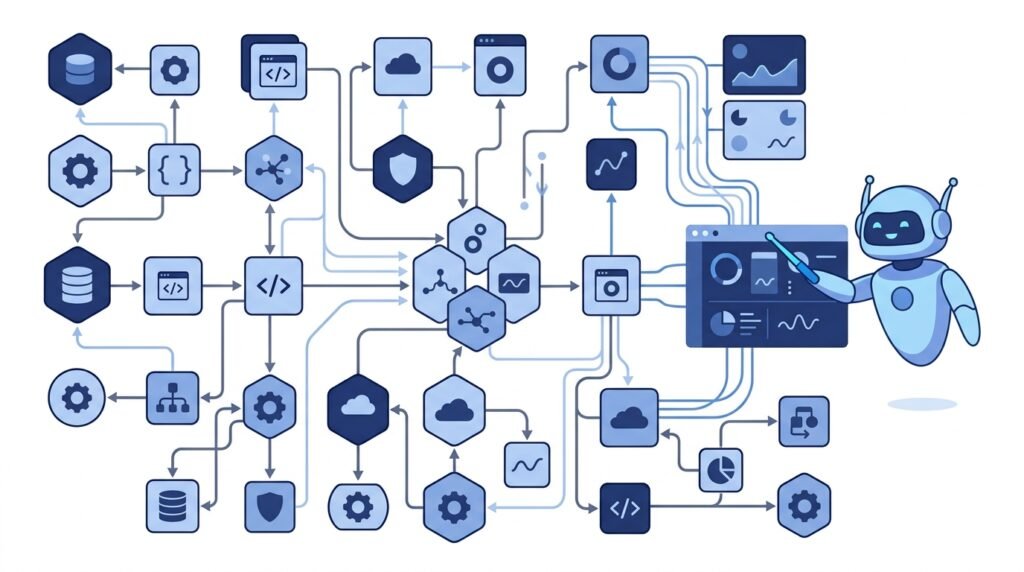
As software projects grow, developers often need to work with hundreds or even thousands of lines of code spread across multiple files. In these situations, an AI assistant’s ability to understand larger amounts of information becomes just as important as its coding skills.
Whether you’re reviewing an existing application, refactoring legacy code, or debugging a complex project, maintaining context across multiple files can significantly improve the quality of AI-generated suggestions.
Both Claude and ChatGPT are capable of handling substantial amounts of code, but their strengths become more apparent as project complexity increases.
Claude
Claude is widely appreciated for analyzing lengthy code snippets and maintaining context throughout detailed technical discussions.
For example, you can ask Claude to:
- Review an entire module.
- Explain how multiple functions interact.
- Suggest improvements to existing architecture.
- Identify duplicate or inefficient code.
- Recommend refactoring opportunities.
- Summarize complex code before making changes.
Rather than focusing only on individual functions, Claude often discusses how different parts of the project relate to each other, making it particularly useful for code reviews and understanding unfamiliar codebases.
Claude is especially useful for:
- Reviewing existing projects
- Refactoring applications
- Understanding legacy code
- Software architecture discussions
- Documentation analysis
ChatGPT
ChatGPT also performs well with large coding tasks and has become increasingly capable of handling longer conversations and complex programming workflows, particularly in newer model versions.
Its biggest strength lies in maintaining an interactive development process.
Developers frequently use ChatGPT to:
- Build applications step by step
- Improve code iteratively
- Generate new features
- Debug one issue at a time
- Explain unfamiliar libraries
- Continue long programming conversations
Instead of replacing your development workflow, ChatGPT often feels like collaborating with another developer who continuously builds upon previous prompts.
Comparison
| Task | Claude | ChatGPT |
| Reviewing Large Projects | ⭐⭐⭐⭐⭐ | ⭐⭐⭐⭐☆ |
| Understanding Existing Code | ⭐⭐⭐⭐⭐ | ⭐⭐⭐⭐☆ |
| Refactoring | ⭐⭐⭐⭐⭐ | ⭐⭐⭐⭐☆ |
| Building New Features | ⭐⭐⭐⭐☆ | ⭐⭐⭐⭐⭐ |
| Interactive Development | ⭐⭐⭐⭐☆ | ⭐⭐⭐⭐⭐ |
| Multi-step Programming Sessions | ⭐⭐⭐⭐☆ | ⭐⭐⭐⭐⭐ |
Winner: Large Codebases
If your work primarily involves reviewing existing applications, understanding complex project structures, or analyzing large amounts of code, Claude is often the stronger choice because of its detailed reasoning and project-level analysis.
If you’re actively building software, adding features, or iterating rapidly during development, ChatGPT provides a smoother conversational workflow that many developers find productive.
Our Verdict: Claude has an advantage when analyzing and reasoning about large codebases, while ChatGPT excels during iterative development where continuous back-and-forth interaction is important.
Programming Language Support
A good AI coding assistant should be able to work across a wide variety of programming languages and frameworks. Whether you’re developing websites, building APIs, analyzing data, or writing automation scripts, both Claude and ChatGPT support many of today’s most popular technologies.
Neither assistant is limited to a single programming language. Instead, they can generate code, explain concepts, identify bugs, and suggest improvements across multiple ecosystems.
Popular Languages Supported
| Programming Language | Claude | ChatGPT |
| Python | ✅ Excellent | ✅ Excellent |
| JavaScript | ✅ Excellent | ✅ Excellent |
| TypeScript | ✅ Excellent | ✅ Excellent |
| Java | ✅ Very Good | ✅ Very Good |
| C# | ✅ Very Good | ✅ Very Good |
| C++ | ✅ Very Good | ✅ Very Good |
| Go | ✅ Very Good | ✅ Very Good |
| Rust | ✅ Good | ✅ Very Good |
| PHP | ✅ Very Good | ✅ Very Good |
| SQL | ✅ Excellent | ✅ Excellent |
| HTML & CSS | ✅ Excellent | ✅ Excellent |
Beyond languages themselves, both AI assistants can help with popular frameworks and technologies such as React, Next.js, Node.js, Django, Flask, Laravel, Spring Boot, TensorFlow, and many others.
The quality of the output often depends less on the language and more on how clearly the coding task is described. Providing context, expected behavior, and relevant code snippets usually results in more accurate and useful responses.
Winner: Programming Language Support
For most developers, there is no clear winner in terms of language coverage. Both Claude and ChatGPT support the programming languages commonly used in web development, software engineering, data science, and automation.
The more meaningful difference lies in how they assist you:
- ChatGPT tends to be stronger for rapid prototyping, experimenting with new frameworks, and iterative development.
- Claude often provides more detailed reasoning and structured explanations, especially when reviewing or improving existing code.
Takeaway: Regardless of whether you write Python, JavaScript, Java, C++, SQL, or another popular language, both AI assistants are capable programming partners. Your workflow and preferred style of interaction are likely to have a bigger impact on your experience than the language itself.
Claude vs ChatGPT: Integrations & Developer Experience
A coding assistant is more useful when it fits naturally into your development workflow. Beyond generating code, developers often rely on integrations with IDEs, version control systems, and productivity tools to work more efficiently.
This is an area where the overall ecosystem matters just as much as the AI model itself.
ChatGPT
ChatGPT has grown into a broader AI platform with support for coding, writing, data analysis, and productivity. Depending on your subscription and workflow, it can be used alongside development environments and other software tools, making it a versatile assistant for many tasks beyond programming.
Developers commonly use ChatGPT to:
- Generate and review code
- Explain programming concepts
- Create technical documentation
- Draft SQL queries
- Write API documentation
- Brainstorm software architecture
- Analyze datasets
Because it supports a wide range of use cases, many developers use ChatGPT as their primary AI assistant throughout the day—not just while coding.
Claude
Claude offers a clean and focused experience that many developers appreciate, particularly when they need thoughtful analysis or in-depth technical discussions.
Rather than emphasizing a broad ecosystem, Claude focuses on helping users reason through complex programming tasks, review code, and improve software quality.
It’s especially valuable for:
- Reviewing pull requests
- Explaining unfamiliar code
- Refactoring applications
- Writing technical documentation
- Planning software architecture
Many developers prefer Claude when they need detailed technical conversations rather than quick answers.
Comparison
| Feature | Claude | ChatGPT |
| Coding Assistance | ⭐⭐⭐⭐⭐ | ⭐⭐⭐⭐⭐ |
| Documentation | ⭐⭐⭐⭐⭐ | ⭐⭐⭐⭐☆ |
| General Productivity | ⭐⭐⭐⭐☆ | ⭐⭐⭐⭐⭐ |
| Learning Support | ⭐⭐⭐⭐☆ | ⭐⭐⭐⭐⭐ |
| Overall Ecosystem | ⭐⭐⭐⭐☆ | ⭐⭐⭐⭐⭐ |
Verdict
If you’re looking for an AI assistant that supports coding alongside writing, research, productivity, and day-to-day work, ChatGPT offers a more versatile experience.
If your primary goal is reviewing code, understanding software architecture, and discussing complex technical topics, Claude provides a focused developer experience.
Claude vs ChatGPT Pricing
Pricing is another important consideration, especially for students, hobbyists, freelancers, and small development teams.
Both Claude and ChatGPT offer free access, with paid plans designed for users who need higher usage limits, access to more advanced models, and additional features.
Because pricing and features can change over time, it’s always a good idea to check each provider’s official website before making a decision.
Pricing Comparison
| Feature | Claude | ChatGPT |
| Free Plan | ✅ Yes | ✅ Yes |
| Paid Subscription | ✅ Available | ✅ Available |
| Suitable for Beginners | ✅ Yes | ✅ Yes |
| Suitable for Professionals | ✅ Yes | ✅ Yes |
| Enterprise Options | ✅ Available | ✅ Available |
Which Offers Better Value?
For occasional coding and learning, both free plans provide a solid starting point.
If you’re using AI daily for software development, a paid subscription can offer faster responses, higher usage limits, and access to more capable models. The better value depends on your workflow rather than price alone.
- Choose ChatGPT if you want an AI assistant that supports coding, writing, research, and productivity in one place.
- Choose Claude if your focus is primarily on programming, code analysis, and technical reasoning.
Pros and Cons
Claude
Pros
- Excellent at understanding large codebases
- Clear and detailed code explanations
- Strong logical reasoning
- Helpful for refactoring and code reviews
- Well-suited for complex programming discussions
Cons
- Smaller overall ecosystem
- Can provide longer responses than necessary
- Less focused on rapid iteration compared with ChatGPT
ChatGPT
Pros
- Fast and reliable code generation
- Beginner-friendly explanations
- Strong support across many programming languages
- Versatile beyond coding
- Large ecosystem and broad productivity features
Cons
- Some responses may require refinement for complex projects
- Quality depends on prompt clarity
- May prioritize concise solutions over deeper architectural discussion
Claude vs ChatGPT for Coding: Which Should You Choose?
There isn’t a universal winner because the best AI assistant depends on your experience level and the type of work you do.
Choose ChatGPT if you:
✅ You’re learning programming.
✅ You build websites and applications.
✅ You want fast code generation.
✅ You need help with debugging.
✅ You use AI for writing, research, and productivity in addition to coding.
Choose Claude if you:
✅ You review large codebases.
✅ You refactor existing applications.
✅ You want detailed explanations.
✅ You work on complex software projects.
✅ You value thoughtful technical reasoning.
Our Recommendation
For most beginners and everyday developers, ChatGPT is the better overall AI coding assistant because it combines strong coding capabilities with a broader ecosystem, interactive conversations, and support for many non-coding tasks.
Claude, however, is an excellent choice for developers who frequently analyze complex code, review software architecture, or work with larger projects where detailed reasoning is especially valuable.
Instead of thinking of one as universally better than the other, consider which strengths align most closely with your workflow. Many developers even use both tools together, relying on ChatGPT for rapid development and Claude for deeper analysis and code review.
Frequently Asked Questions
Is Claude better than ChatGPT for coding?
It depends on your workflow. Claude is often preferred for reviewing large codebases, explaining complex programming concepts, and refactoring existing applications. ChatGPT is generally better for rapid code generation, interactive debugging, and learning programming. Both are capable coding assistants, but the best choice depends on your specific needs.
Which AI is better for beginner programmers?
For most beginners, ChatGPT is the better starting point. Its conversational explanations, step-by-step guidance, and broad range of learning resources make it easier to understand programming concepts and solve common coding problems.
Can Claude write code in multiple programming languages?
Yes. Claude supports many popular programming languages, including Python, JavaScript, TypeScript, Java, C++, SQL, Go, PHP, Rust, HTML, and CSS. It can also help explain code, debug issues, and suggest improvements across different frameworks and technologies.
Is ChatGPT good for professional software development?
Yes. Many developers use ChatGPT to generate code, debug applications, write documentation, review logic, and automate repetitive programming tasks. However, AI-generated code should always be tested, reviewed, and validated before being used in production environments.
Which AI is better for debugging code?
Both AI assistants can identify and explain programming errors effectively. ChatGPT is often faster at troubleshooting common coding issues, while Claude tends to provide more detailed reasoning when analyzing complex bugs or larger software projects.
Can Claude and ChatGPT replace software developers?
No. While both tools can automate repetitive coding tasks and improve productivity, they cannot replace the critical thinking, system design, domain expertise, and decision-making skills of experienced software developers. They work best as coding assistants rather than replacements.
Which AI is better for learning programming?
ChatGPT is generally the better choice for learning programming because it explains concepts in a beginner-friendly way, provides examples, and supports interactive follow-up questions. Claude is also an effective learning tool, particularly for understanding more advanced programming concepts and software design.
Should I use both Claude and ChatGPT?
Many developers do. Some use ChatGPT for brainstorming ideas, generating code, and debugging, while relying on Claude for reviewing larger codebases, understanding complex logic, or refining architecture decisions. Using both can help you benefit from each assistant’s strengths.
Conclusion
Both Claude and ChatGPT are among the best AI coding assistants available today, and either can help developers write code faster, debug more efficiently, and better understand programming concepts.
If you’re looking for an all-around AI assistant that combines coding support with writing, research, and productivity, ChatGPT is the stronger choice for most users. Its beginner-friendly explanations, broad ecosystem, and interactive workflow make it a practical companion for everyday development.
If your work involves reviewing large codebases, refactoring applications, or analyzing complex technical problems, Claude stands out with its detailed reasoning and thoughtful explanations.
Rather than asking which AI is universally better, consider which one best matches the way you work. The right choice depends on your projects, experience level, and development workflow.
As AI coding assistants continue to evolve, both platforms are likely to introduce new capabilities. Staying familiar with each tool will help you choose the best assistant for different programming tasks.
Continue Your AI Journey
Keep building your AI knowledge with these beginner-friendly guides.
-
10 Best AI Chatbots in 2026: Tested & Ranked for Every Use Case
Learn more : 10 Best AI Chatbots in 2026: Tested & Ranked for Every Use Case🕒 10-12 min read • Updated: July 2026 introduction Artificial intelligence has made chatbots far more capable than…
-
Claude vs ChatGPT for Coding (2026): Tested & Benchmarked for Developers
Learn more : Claude vs ChatGPT for Coding (2026): Tested & Benchmarked for Developers🕒 12-15 min read • Updated: July 2026 Introduction Whether you’re learning your first programming language, debugging a…
-
ChatGPT vs Microsoft Copilot (2026): Tested, Pricing & Workflow Comparison
Learn more : ChatGPT vs Microsoft Copilot (2026): Tested, Pricing & Workflow Comparison🕒 10-12 min read • Updated: July 2026 Introduction Choosing between ChatGPT and Microsoft Copilot can be challenging,…
-
Perplexity AI vs ChatGPT (2026): Features, Pricing & Accuracy Tested
Learn more : Perplexity AI vs ChatGPT (2026): Features, Pricing & Accuracy Tested🕒 15 min read • Updated: July 2026 Introduction Choosing between Perplexity AI and ChatGPT can be surprisingly…
-
Claude vs Gemini (2026): Tested & Compared for Coding, Writing, & Search
Learn more : Claude vs Gemini (2026): Tested & Compared for Coding, Writing, & Search🕒 15 min read • Updated: July 2026 Introduction Choosing the right AI assistant can significantly improve how…
-

ChatGPT vs Claude (2026): Tested Head-to-Head for Coding, Writing & Workflows
Learn more : ChatGPT vs Claude (2026): Tested Head-to-Head for Coding, Writing & Workflows🕒 10-12 min read • Updated: July 2026 Introduction Artificial intelligence assistants have become essential tools for students,…
Related Articles
Explore more guides and resources related to this topic.
-

ChatGPT Complete Guide for Beginners (2026): Master AI Step-by-Step
Learn more : ChatGPT Complete Guide for Beginners (2026): Master AI Step-by-Step🕒 20-25 min read • Updated: Aug 2026 Introduction Introduction Artificial intelligence is changing how people learn, work,…
-

Master Prompt Engineering in 2026: A Step-by-Step Beginner’s Guide
Learn more : Master Prompt Engineering in 2026: A Step-by-Step Beginner’s Guide🕒 18-20 min read • Updated: Aug 2026 Introduction Artificial intelligence (AI) tools like ChatGPT, Claude, Gemini, and…
-

Large Language Models (LLMs) Explained: The Complete 2026 Beginner’s Guide
Learn more : Large Language Models (LLMs) Explained: The Complete 2026 Beginner’s Guide🕒 14-16 min read • Updated: Aug 2026 Introduction Artificial Intelligence has become part of everyday life. Whether…
-

Best AI Image Generators in 2026: 10 Free & Paid Tools Tested
Learn more : Best AI Image Generators in 2026: 10 Free & Paid Tools Tested🕒 15 min read • Updated: July 2026 introduction Creating stunning images no longer requires years of design…
-
10 Best AI Chatbots in 2026: Tested & Ranked for Every Use Case
Learn more : 10 Best AI Chatbots in 2026: Tested & Ranked for Every Use Case🕒 10-12 min read • Updated: July 2026 introduction Artificial intelligence has made chatbots far more capable than…
-
ChatGPT vs Microsoft Copilot (2026): Tested, Pricing & Workflow Comparison
Learn more : ChatGPT vs Microsoft Copilot (2026): Tested, Pricing & Workflow Comparison🕒 10-12 min read • Updated: July 2026 Introduction Choosing between ChatGPT and Microsoft Copilot can be challenging,…
Recommended AI Tools
If you’re exploring AI for programming and productivity, consider these beginner-friendly tools:
| Tool | Best For |
| ChatGPT | General coding, debugging, and learning |
| Claude | Code reviews, large codebases, and technical explanations |
| GitHub Copilot | AI-assisted code completion inside your IDE |
| Perplexity AI | Research, documentation, and technical references |
| Gemini | Google Workspace integration and coding assistance |
References
- Anthropic Documentation – Official documentation for Claude, including model capabilities, API guides, and developer resources.
- Anthropic Claude Overview – Official overview of Claude, its features, and supported use cases.
- OpenAI ChatGPT Overview – Official information about ChatGPT, its capabilities, and supported workflows.
- OpenAI API Documentation – Official developer documentation for integrating OpenAI models into applications.
- GitHub Docs – GitHub Copilot Documentation – Documentation covering AI-assisted coding workflows and best practices.
- Python Documentation – Official Python language documentation referenced when discussing programming examples.
- Mozilla Developer Network (MDN) Web Docs – Trusted reference for JavaScript, HTML, CSS, and modern web development concepts.
- Microsoft Learn – Official learning platform for Microsoft technologies, development tools, and software engineering practices.
- Google AI for Developers – Official documentation for Google’s AI technologies and developer resources.
- OWASP Foundation – Industry-recognized guidance on secure software development and application security.
Leave a Reply