
🕒 10-12 min read • Updated: July 2026
Table of Contents
Introduction
Choosing between ChatGPT and Microsoft Copilot can be challenging, especially if you’re new to AI. Both are among the most popular AI assistants available today, helping millions of people write content, answer questions, summarize information, generate ideas, analyze data, and improve productivity. At first glance, they may seem similar—but they are designed with different strengths in mind.
If you need an AI assistant for writing, brainstorming, coding, learning, or creative tasks, ChatGPT is one of the most versatile options available. On the other hand, if you spend most of your day working in Word, Excel, Outlook, Teams, or other Microsoft 365 apps, Microsoft Copilot offers a more integrated experience that can streamline your daily workflow.
The right choice depends less on which tool is “better” and more on how you plan to use it.
In this comprehensive comparison, we’ll evaluate ChatGPT and Microsoft Copilot across their features, pricing, writing quality, coding capabilities, research performance, Microsoft 365 integration, ease of use, privacy, and overall value. By the end, you’ll have a clear understanding of which AI assistant is the better fit for your personal, academic, or professional needs.
Quick Answer
Choose ChatGPT if you want:
- Creative writing and content creation
- Coding assistance and debugging
- Brainstorming ideas
- Learning new topics
- A flexible AI assistant for everyday use
Choose Microsoft Copilot if you want:
- AI integrated into Microsoft Word, Excel, PowerPoint, Outlook, and Teams
- Productivity features for work
- Help analyzing spreadsheets and documents
- An AI assistant that fits naturally into the Microsoft ecosystem
Bottom line: For most beginners and general users, ChatGPT offers greater flexibility and a wider range of use cases. However, Microsoft Copilot is often the better choice for professionals and organizations that already rely on Microsoft 365.
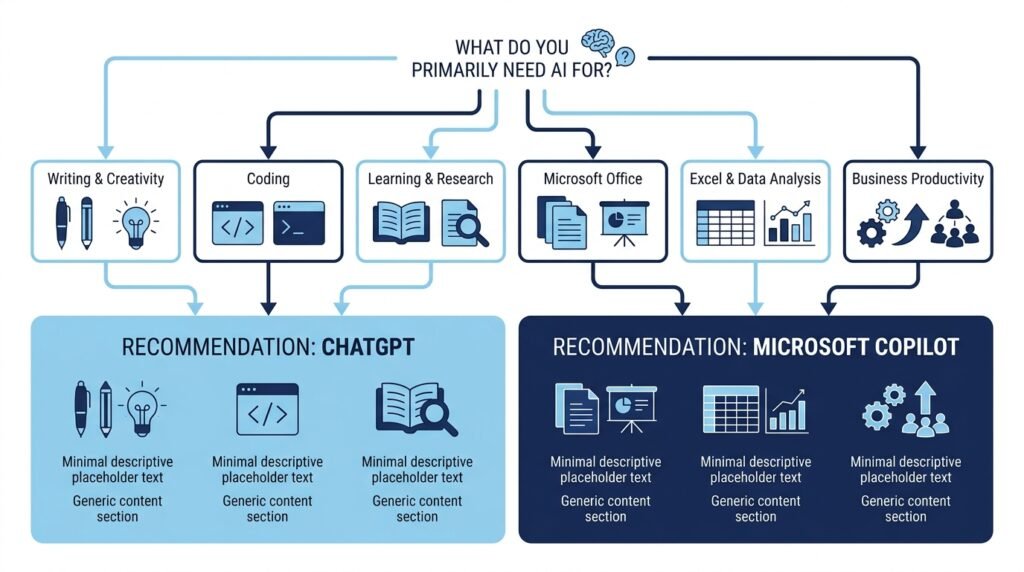
Which AI Assistant Should You Choose?
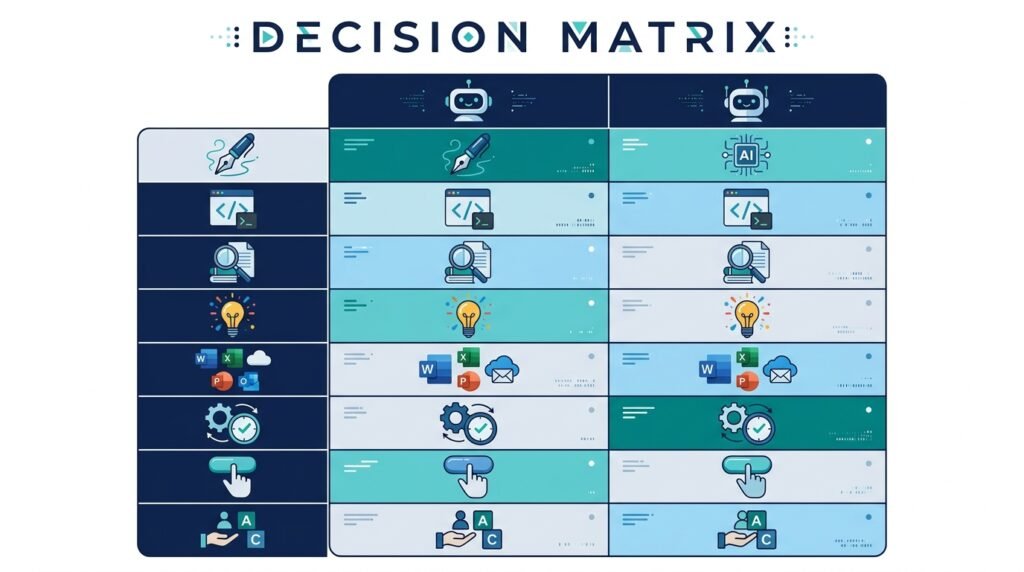
| If you want to… | Choose |
|---|---|
| Write blog posts and articles | 🏆 ChatGPT |
| Get help with coding | 🏆 ChatGPT |
| Research and learn new topics | 🏆 ChatGPT |
| Draft emails in Outlook | 🏆 Microsoft Copilot |
| Analyze Excel spreadsheets | 🏆 Microsoft Copilot |
| Create PowerPoint presentations | 🏆 Microsoft Copilot |
| Work across many different tasks | 🏆 ChatGPT |
| Boost productivity in Microsoft 365 | 🏆 Microsoft Copilot |
ChatGPT vs Microsoft Copilot at a Glance
| Feature | ChatGPT | Microsoft Copilot |
| Best For | Writing, learning, creativity, coding | Microsoft 365 productivity |
| Free Version | ✅ Yes | ✅ Yes |
| Paid Plan | ChatGPT Plus | Microsoft Copilot Pro |
| Writing Assistance | ⭐⭐⭐⭐⭐ | ⭐⭐⭐⭐☆ |
| Coding Support | ⭐⭐⭐⭐⭐ | ⭐⭐⭐⭐☆ |
| Research & Summarization | ⭐⭐⭐⭐☆ | ⭐⭐⭐⭐☆ |
| Microsoft 365 Integration | ⭐⭐☆☆☆ | ⭐⭐⭐⭐⭐ |
| Image Generation | ✅ Yes | ✅ Yes |
| Ease of Use | ⭐⭐⭐⭐⭐ | ⭐⭐⭐⭐☆ |
| Best Overall for Most Users | 🏆 ChatGPT | — |
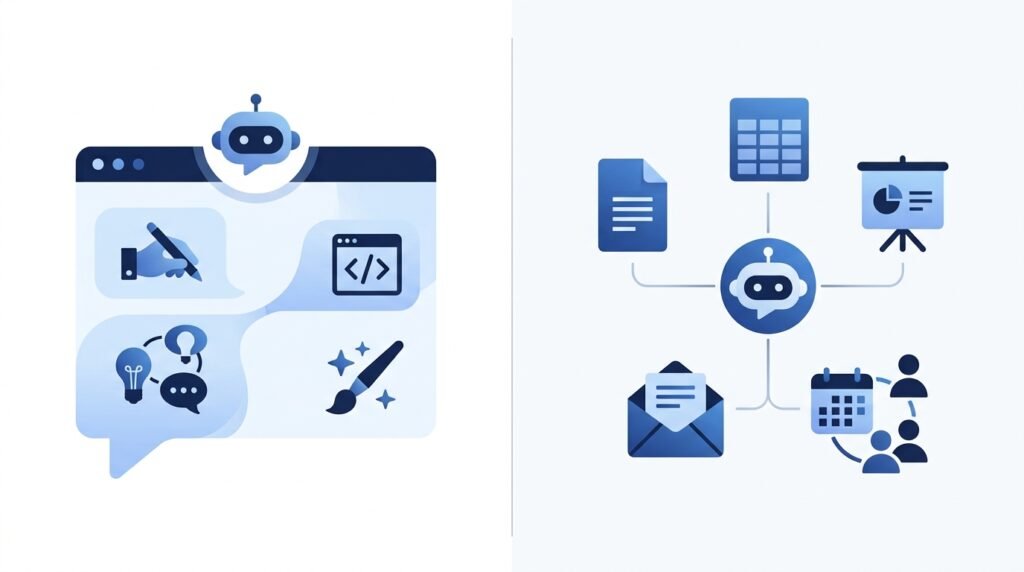
How We Evaluated ChatGPT and Microsoft Copilot
Rather than focusing only on feature lists, we compared both AI assistants using the criteria that matter most to everyday users:
- Ease of use for beginners
- Writing and content creation quality
- Accuracy and helpfulness of responses
- Coding assistance
- Research capabilities
- Productivity features
- Integration with other software
- Pricing and overall value
- Free plan limitations
- Best use cases for different types of users
This practical approach is intended to help you choose the assistant that best matches your workflow—not simply declare a single “winner.”
What Is ChatGPT?
ChatGPT is an AI-powered conversational assistant developed by OpenAI. It can answer questions, explain complex topics, write articles, generate code, summarize documents, brainstorm ideas, translate languages, and assist with countless everyday tasks through natural conversation.
One of ChatGPT’s biggest strengths is its versatility. Whether you’re a student studying for exams, a marketer creating campaigns, a developer writing code, or a business owner planning projects, ChatGPT adapts to a wide variety of use cases without requiring specialized knowledge.
The platform offers both a free version and premium plans with access to more advanced models and additional capabilities. Its growing ecosystem of features, including custom GPTs, file analysis, and multimodal interactions, has made it one of the most widely used AI assistants in the world.
Continue learning: Read our complete guide to What Is ChatGPT? to understand how it works and where it excels.
What Is Microsoft Copilot?
Microsoft Copilot is Microsoft’s AI-powered assistant designed to help users work more efficiently across the Microsoft ecosystem. Unlike standalone AI chatbots, Copilot is deeply integrated into Microsoft products such as Word, Excel, PowerPoint, Outlook, Teams, Edge, and Windows, making it especially valuable for professionals and organizations already using Microsoft 365.
You can use Microsoft Copilot to draft emails, summarize long documents, analyze spreadsheets, create presentations, answer questions, generate images, and automate repetitive tasks—all without leaving your existing workflow.
Behind the scenes, Microsoft Copilot combines advanced language models with Microsoft’s productivity platform. Depending on the product and subscription, it can also access information from your documents, emails, meetings, and calendar (subject to your organization’s permissions), allowing it to provide more context-aware assistance than a standalone chatbot.
Microsoft offers both a free version and paid plans with additional capabilities, making Copilot suitable for casual users as well as businesses looking to improve productivity across their teams.
Continue Learning: Explore our complete guide to What Is Microsoft Copilot? to learn about its features, pricing, and best use cases.
ChatGPT vs Microsoft Copilot: Feature-by-Feature Comparison
While both ChatGPT and Microsoft Copilot use advanced AI models to generate human-like responses, they are built with different priorities. ChatGPT focuses on flexibility and creative problem-solving, whereas Microsoft Copilot emphasizes productivity within the Microsoft ecosystem.
Let’s compare them across the areas that matter most.
1. Writing and Content Creation
Whether you’re writing blog posts, emails, reports, essays, or social media content, both AI assistants can help you create high-quality text. However, they differ in flexibility and workflow.
ChatGPT
ChatGPT is widely regarded as one of the strongest AI assistants for writing. It can:
- Draft articles, emails, and reports
- Rewrite and improve existing content
- Adjust tone and writing style
- Brainstorm ideas
- Generate outlines
- Translate text
- Create marketing copy
- Assist with storytelling and creative writing
Its conversational interface also makes it easy to refine content through multiple follow-up prompts until you achieve the desired result.
Microsoft Copilot
Microsoft Copilot excels when your writing happens inside Microsoft applications.
For example, you can:
- Draft emails directly in Outlook
- Rewrite documents in Word
- Summarize lengthy reports
- Generate presentation content in PowerPoint
- Create meeting summaries in Teams
Instead of switching between different tools, Copilot works alongside the applications you already use.
Verdict
🏆 Winner: ChatGPT
For most users, ChatGPT offers greater flexibility, stronger creative writing capabilities, and more control over the writing process.
If your daily work revolves around Microsoft Word and Outlook, however, Microsoft Copilot provides a smoother, more integrated experience.
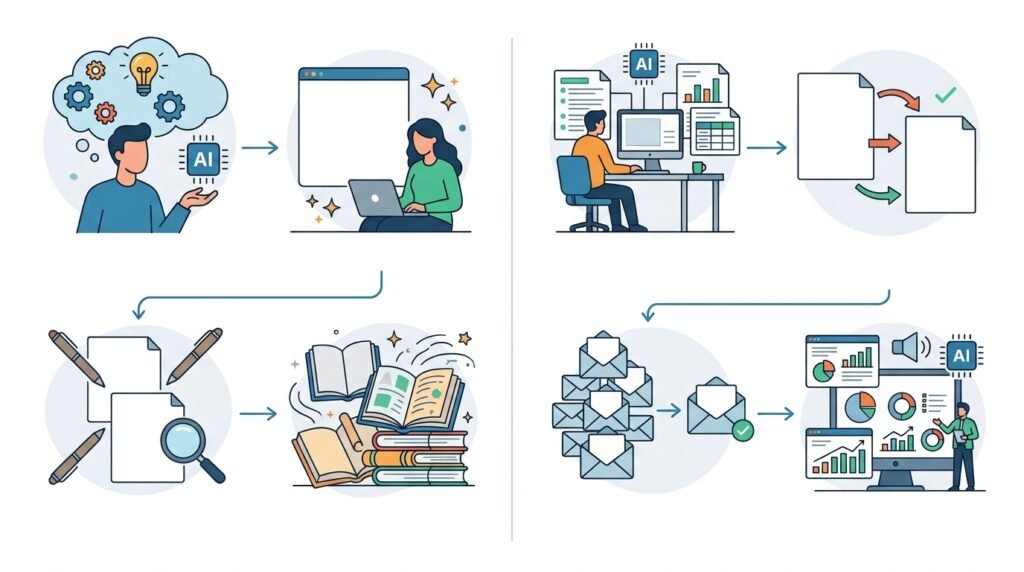
2. Coding and Programming Assistance
AI has become an invaluable tool for developers, helping with everything from writing code to debugging complex problems.
Both ChatGPT and Microsoft Copilot can generate code, explain programming concepts, identify errors, and suggest improvements. However, their strengths differ depending on your workflow.
ChatGPT
ChatGPT is particularly useful for developers who need detailed explanations alongside code generation. It can:
- Write code in multiple programming languages
- Explain complex algorithms
- Debug errors
- Optimize existing code
- Generate SQL queries
- Help with APIs and frameworks
- Teach programming concepts step by step
Its conversational style makes it especially helpful for beginners who want to understand why a solution works rather than simply copying code.
Microsoft Copilot
Microsoft Copilot is well suited for developers working within Microsoft’s ecosystem. It integrates smoothly with Microsoft tools and can assist with coding tasks while also helping manage documentation, meetings, and project communication.
For general programming questions, Copilot performs well, but developers seeking deeper technical explanations or iterative problem-solving may find ChatGPT more adaptable.
Verdict
🏆 Winner: ChatGPT
For most developers, students, and learners, ChatGPT provides a more comprehensive coding experience with clearer explanations and greater flexibility across a wide range of programming tasks.
3. Research and Accuracy
Whether you’re researching a topic, summarizing information, or looking for quick answers, both ChatGPT and Microsoft Copilot can save significant time. However, they approach research differently.
ChatGPT
ChatGPT is excellent at explaining concepts in a clear and conversational way. It can:
- Break down complex topics into simple explanations
- Summarize long articles and documents
- Generate study notes
- Brainstorm ideas
- Answer follow-up questions in depth
Depending on the version and features you use, ChatGPT may also browse the web for more up-to-date information. This makes it useful for researching current events, recent developments, and topics that change frequently.
Microsoft Copilot
Microsoft Copilot is designed with web-assisted search in mind and integrates closely with Microsoft’s search ecosystem. It can quickly summarize online information, provide references for many responses, and help users gather information without leaving the Microsoft environment.
If your work involves researching documents stored in Microsoft 365, Copilot can also summarize internal files, meeting notes, and emails (subject to your organization’s permissions and subscription).
Verdict
🏆 Winner: Tie
Choose ChatGPT if you prefer detailed explanations, interactive discussions, and educational learning.
Choose Microsoft Copilot if you primarily research information while working within Microsoft 365 and need quick summaries of documents or web content.
4. Productivity and Microsoft 365 Integration
This is where Microsoft Copilot clearly differentiates itself.
ChatGPT
ChatGPT works exceptionally well as a standalone AI assistant. You can use it to:
- Draft reports
- Create presentations
- Write emails
- Summarize meetings
- Plan projects
- Brainstorm ideas
- Analyze information
However, you’ll generally need to copy or transfer the generated content into your preferred applications unless you’re using additional integrations or connectors.
Microsoft Copilot
Microsoft Copilot is built directly into many Microsoft products, allowing you to work without constantly switching between applications.
Examples include:
- Writing and editing documents in Word
- Creating formulas and analyzing data in Excel
- Building presentations in PowerPoint
- Drafting and summarizing emails in Outlook
- Recapping meetings in Teams
- Assisting across Windows and Edge
This deep integration reduces manual work and helps automate everyday office tasks.
Verdict
🏆 Winner: Microsoft Copilot
If you already rely on Microsoft 365 for work or school, Copilot offers a smoother and more efficient experience by bringing AI directly into the tools you use every day.

5. Pricing Comparison
Both ChatGPT and Microsoft Copilot offer free versions, making them accessible for beginners. However, their paid plans unlock additional capabilities for users who need more advanced features or higher usage limits.
| Feature | ChatGPT | Microsoft Copilot |
| Free Plan | ✅ Available | ✅ Available |
| Premium Plan | ChatGPT Plus | Copilot Pro |
| Best Value For | General AI use, creativity, coding | Microsoft 365 users |
| Enterprise Options | ✅ Available | ✅ Available |
Which Offers Better Value?
If you’re looking for a versatile AI assistant that can help with writing, learning, coding, brainstorming, and creative tasks, ChatGPT Plus generally provides excellent value.
If your daily workflow revolves around Microsoft Word, Excel, Outlook, and Teams, Microsoft Copilot Pro may deliver greater productivity because of its deep integration with Microsoft 365.
Verdict
🏆 Winner: Depends on Your Workflow
Neither service is universally better. The best value comes from choosing the assistant that fits the software you already use.
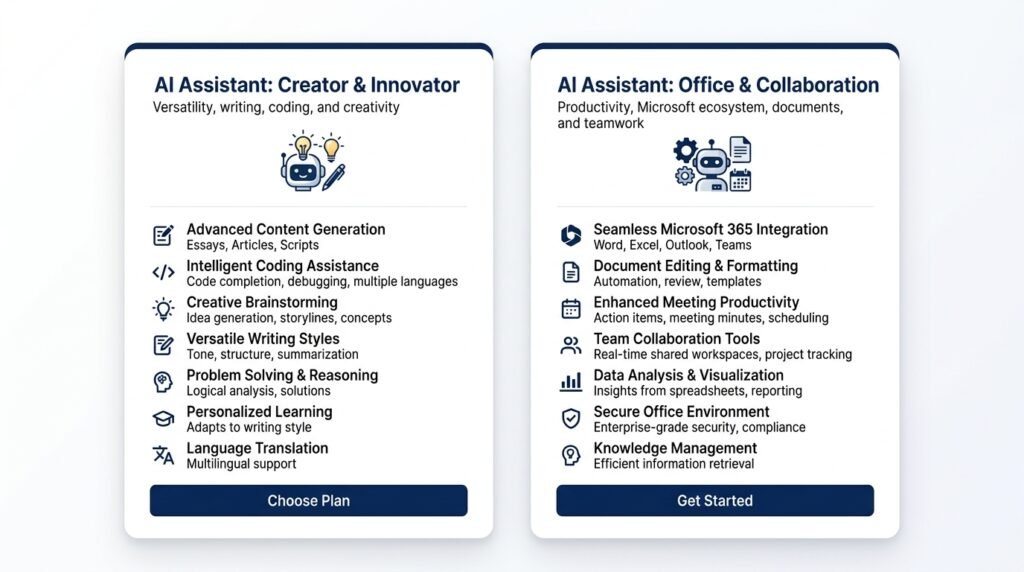
6. Ease of Use
Both AI assistants are designed to be beginner-friendly, but the experience differs depending on how you interact with them.
ChatGPT
ChatGPT offers a clean, conversational interface that makes it easy to ask questions, refine responses, upload files, and continue discussions naturally. Beginners can start using it within minutes without needing any technical knowledge.
Microsoft Copilot
Microsoft Copilot is equally approachable, especially for users already familiar with Microsoft products. Because it appears inside applications like Word, Excel, and Outlook, many tasks feel like a natural extension of existing workflows rather than learning a completely new tool.
Verdict
🏆 Winner: ChatGPT
For most first-time AI users, ChatGPT has a gentler learning curve and a more intuitive conversational experience.
For experienced Microsoft 365 users, however, Copilot may feel more seamless because it integrates directly into familiar applications.
ChatGPT vs Microsoft Copilot: Pros and Cons
Both ChatGPT and Microsoft Copilot are powerful AI assistants, but neither is the perfect choice for everyone. Understanding their strengths and limitations can help you decide which one aligns better with your goals and workflow.
ChatGPT
Pros
- Highly versatile for writing, coding, brainstorming, and learning
- Excellent conversational experience with natural follow-up interactions
- Produces high-quality creative and long-form content
- Supports file uploads, data analysis, and image generation (depending on the plan)
- Suitable for students, professionals, creators, developers, and businesses
- Works across different devices and platforms without relying on a specific ecosystem
Cons
- Microsoft 365 integration is limited compared to Copilot
- Some advanced features require a paid subscription
- Real-time information and certain capabilities may depend on the selected model or plan
Microsoft Copilot
Pros
- Deep integration with Microsoft Word, Excel, Outlook, PowerPoint, Teams, and Windows
- Helps automate repetitive workplace tasks
- Excellent for summarizing documents, meetings, and emails
- Familiar interface for Microsoft 365 users
- Supports image generation and web-assisted responses
Cons
- Delivers the most value within the Microsoft ecosystem
- Less flexible for creative writing and extended conversations
- Some advanced business features require Microsoft 365 and Copilot Pro subscriptions
Who Should Choose ChatGPT?
ChatGPT is the better choice if you want an AI assistant that can adapt to almost any task.
It’s particularly well suited for:
- Students learning new subjects or preparing assignments
- Writers, bloggers, and content creators
- Developers who need coding assistance and debugging support
- Freelancers and entrepreneurs managing multiple projects
- Researchers looking for detailed explanations
- Anyone exploring AI for personal or professional productivity
If your work involves switching between different types of tasks—writing one moment, coding the next, then brainstorming ideas—ChatGPT offers the flexibility to handle all of them from a single interface.
Best for: General AI assistance, creativity, learning, and coding.
Who Should Choose Microsoft Copilot?
Microsoft Copilot is the better choice if most of your work happens inside the Microsoft ecosystem.
It’s ideal for:
- Microsoft 365 subscribers
- Office professionals
- Business teams
- Project managers
- Analysts working with Excel
- Employees who regularly use Outlook, Teams, Word, and PowerPoint
Rather than replacing your existing workflow, Copilot enhances it by bringing AI directly into the applications you already use.
If your goal is to save time on emails, reports, spreadsheets, presentations, and meetings, Microsoft Copilot can become a valuable productivity companion.
Best for: Microsoft 365 users and workplace productivity.
Final Verdict: ChatGPT vs Microsoft Copilot
There isn’t a single winner for everyone. The better AI assistant depends on how and where you work.
Choose ChatGPT if you want:
- A flexible AI assistant for everyday tasks
- Better creative writing and brainstorming
- Strong coding assistance
- Help with learning and research
- One tool for multiple personal and professional use cases
Choose Microsoft Copilot if you want:
- AI built directly into Microsoft Word, Excel, Outlook, Teams, and PowerPoint
- Better productivity within Microsoft 365
- Help managing documents, meetings, and emails
- An AI assistant designed for workplace collaboration
Our Recommendation
For most beginners and general users, ChatGPT is the stronger overall choice because it offers greater flexibility, a more natural conversational experience, and broader support for writing, coding, learning, and creativity.
However, if you’re already invested in the Microsoft ecosystem and spend much of your day using Microsoft 365 applications, Microsoft Copilot may provide greater day-to-day productivity thanks to its seamless integration with your existing workflow.
Bottom line: Choose the AI assistant that fits the way you work—not simply the one with the longest feature list.
Frequently Asked Questions (FAQs)
Is ChatGPT better than Microsoft Copilot?
Neither is universally better. ChatGPT is generally more versatile for writing, coding, learning, and creative tasks, while Microsoft Copilot excels at productivity within the Microsoft 365 ecosystem.
Is Microsoft Copilot free?
Yes. Microsoft Copilot offers a free version with core AI features. Additional capabilities are available through paid plans such as Copilot Pro and Microsoft 365 subscriptions.
Which AI assistant is better for students?
ChatGPT is typically the better choice for students because it provides detailed explanations, tutoring-style conversations, writing assistance, and coding support across a wide range of subjects.
Which AI is better for coding?
ChatGPT is generally the stronger option for coding, thanks to its detailed explanations, debugging assistance, and support for many programming languages.
Can Microsoft Copilot replace ChatGPT?
For users who primarily work in Microsoft 365, Copilot may handle many daily productivity tasks. However, ChatGPT remains more versatile for creative writing, brainstorming, learning, and broader conversational use.
Does Microsoft Copilot use GPT models?
Microsoft Copilot uses advanced AI models, including technology developed through Microsoft’s partnership with OpenAI. The exact models and capabilities may vary depending on the Copilot product and subscription.
Which AI assistant is better for writing?
ChatGPT is generally preferred for blog posts, articles, storytelling, brainstorming, and long-form content. Microsoft Copilot is particularly effective for drafting emails, reports, and documents within Microsoft Word and Outlook.
Which AI assistant offers better value?
If you need a general-purpose AI assistant for a variety of tasks, ChatGPT often provides better overall value. If your work depends heavily on Microsoft 365, Microsoft Copilot may offer greater productivity benefits through its built-in integrations.
Continue Your AI Journey
Keep building your AI knowledge with these beginner-friendly guides.
-

10 Best AI Chatbots in 2026: Tested & Ranked for Every Use Case
Learn more : 10 Best AI Chatbots in 2026: Tested & Ranked for Every Use Case🕒 10-12 min read • Updated: July 2026 introduction Artificial intelligence has made chatbots far more capable than…
-

Claude vs ChatGPT for Coding (2026): Tested & Benchmarked for Developers
Learn more : Claude vs ChatGPT for Coding (2026): Tested & Benchmarked for Developers🕒 12-15 min read • Updated: July 2026 Introduction Whether you’re learning your first programming language, debugging a…
-

ChatGPT vs Microsoft Copilot (2026): Tested, Pricing & Workflow Comparison
Learn more : ChatGPT vs Microsoft Copilot (2026): Tested, Pricing & Workflow Comparison🕒 10-12 min read • Updated: July 2026 Introduction Choosing between ChatGPT and Microsoft Copilot can be challenging,…
-

Perplexity AI vs ChatGPT (2026): Features, Pricing & Accuracy Tested
Learn more : Perplexity AI vs ChatGPT (2026): Features, Pricing & Accuracy Tested🕒 15 min read • Updated: July 2026 Introduction Choosing between Perplexity AI and ChatGPT can be surprisingly…
-

Claude vs Gemini (2026): Tested & Compared for Coding, Writing, & Search
Learn more : Claude vs Gemini (2026): Tested & Compared for Coding, Writing, & Search🕒 15 min read • Updated: July 2026 Introduction Choosing the right AI assistant can significantly improve how…
-

ChatGPT vs Claude (2026): Tested Head-to-Head for Coding, Writing & Workflows
Learn more : ChatGPT vs Claude (2026): Tested Head-to-Head for Coding, Writing & Workflows🕒 10-12 min read • Updated: July 2026 Introduction Artificial intelligence assistants have become essential tools for students,…
Related Articles
Explore more guides and resources related to this topic.
-

ChatGPT Complete Guide for Beginners (2026): Master AI Step-by-Step
Learn more : ChatGPT Complete Guide for Beginners (2026): Master AI Step-by-Step🕒 20-25 min read • Updated: Aug 2026 Introduction Introduction Artificial intelligence is changing how people learn, work,…
-

Master Prompt Engineering in 2026: A Step-by-Step Beginner’s Guide
Learn more : Master Prompt Engineering in 2026: A Step-by-Step Beginner’s Guide🕒 18-20 min read • Updated: Aug 2026 Introduction Artificial intelligence (AI) tools like ChatGPT, Claude, Gemini, and…
-

Large Language Models (LLMs) Explained: The Complete 2026 Beginner’s Guide
Learn more : Large Language Models (LLMs) Explained: The Complete 2026 Beginner’s Guide🕒 14-16 min read • Updated: Aug 2026 Introduction Artificial Intelligence has become part of everyday life. Whether…
-

Best AI Image Generators in 2026: 10 Free & Paid Tools Tested
Learn more : Best AI Image Generators in 2026: 10 Free & Paid Tools Tested🕒 15 min read • Updated: July 2026 introduction Creating stunning images no longer requires years of design…
-
10 Best AI Chatbots in 2026: Tested & Ranked for Every Use Case
Learn more : 10 Best AI Chatbots in 2026: Tested & Ranked for Every Use Case🕒 10-12 min read • Updated: July 2026 introduction Artificial intelligence has made chatbots far more capable than…
-
ChatGPT vs Microsoft Copilot (2026): Tested, Pricing & Workflow Comparison
Learn more : ChatGPT vs Microsoft Copilot (2026): Tested, Pricing & Workflow Comparison🕒 10-12 min read • Updated: July 2026 Introduction Choosing between ChatGPT and Microsoft Copilot can be challenging,…
References
Official Sources
- OpenAI – ChatGPT Official Website
- OpenAI Help Center
- OpenAI Pricing
- Microsoft Copilot Official Website
- Microsoft Copilot Documentation
- Microsoft 365 Copilot Overview
Leave a Reply