🕒 14 min read • Updated: July 2026
Table of Contents
Introduction
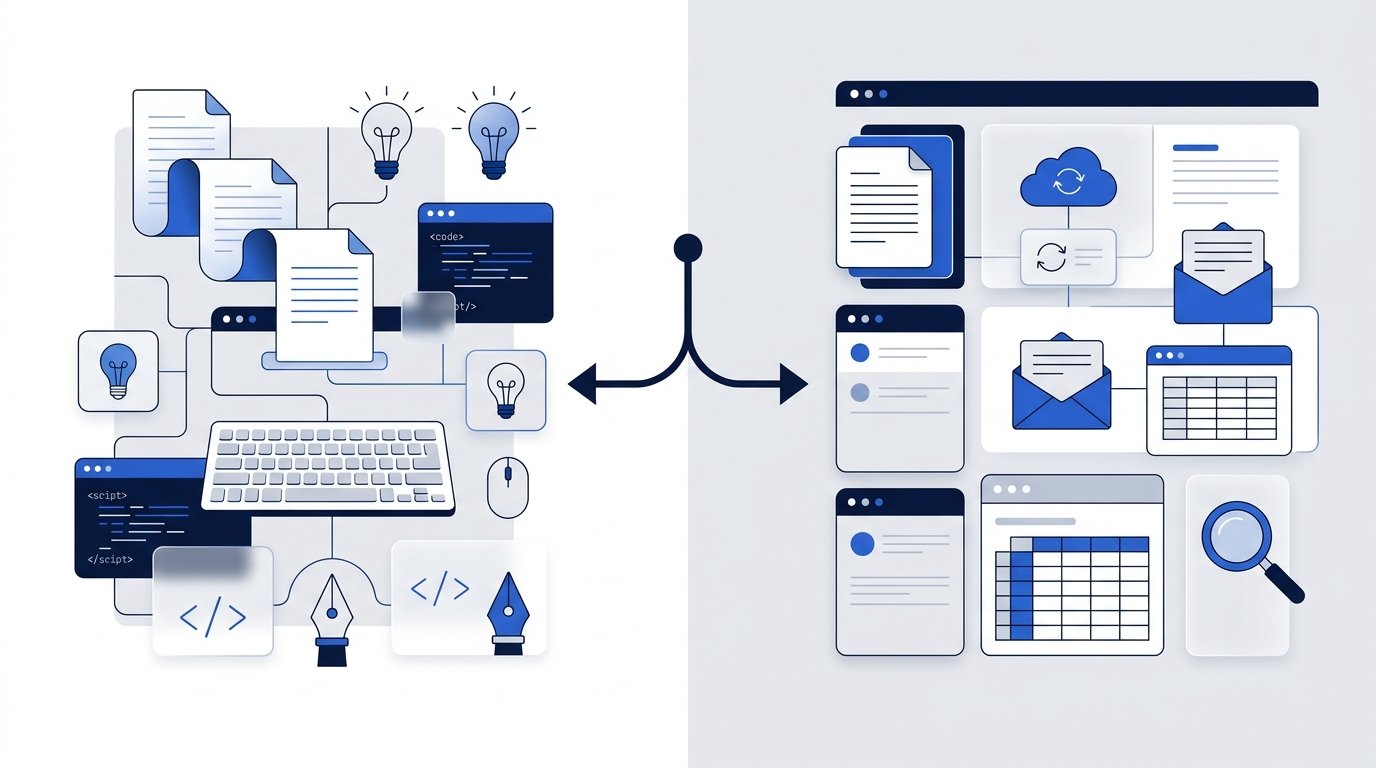
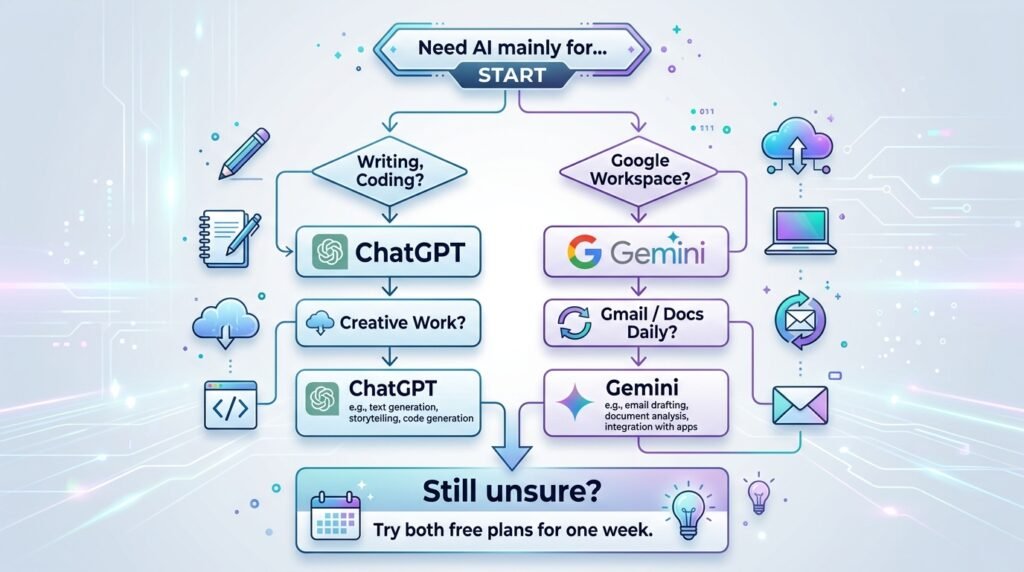
Choosing between ChatGPT and Gemini isn’t as straightforward as picking the AI assistant with the most features. Both are among the world’s most capable AI chatbots, helping millions of people write content, answer questions, generate ideas, analyze documents, write code, and improve productivity.
Yet despite these similarities, they excel in different areas.
ChatGPT is widely known for its conversational experience, creative writing, coding assistance, and extensive ecosystem of AI tools. Gemini, developed by Google, stands out for its deep integration with Google Workspace, strong multimodal capabilities, and seamless connection to services like Gmail, Docs, Drive, and Search.
So, which AI assistant is right for you?
The answer depends on how you plan to use AI. A student preparing assignments has different needs than a software developer, content creator, researcher, or small business owner.
In this comprehensive comparison, we’ll evaluate ChatGPT and Gemini across the factors that matter most—including features, ease of use, writing quality, coding assistance, research capabilities, pricing, privacy, and real-world use cases. Rather than declaring a one-size-fits-all winner, we’ll help you understand where each tool performs best so you can choose the AI assistant that fits your workflow.
Quick Answer
If you’re looking for the short version:
- Choose ChatGPT if you want stronger creative writing, brainstorming, coding support, and a mature AI ecosystem.
- Choose Gemini if you rely heavily on Google Workspace, use Gmail, Docs, Drive, or prefer an AI assistant integrated with Google’s services.
- Use both if your work benefits from combining ChatGPT’s conversational strengths with Gemini’s Google ecosystem integration.
Bottom line: Neither tool is universally better. The best choice depends on your goals, workflow, and preferred ecosystem.
ChatGPT vs Gemini at a Glance
| Feature | ChatGPT | Gemini |
| Developer | OpenAI | |
| Best For | Writing, coding, brainstorming | Productivity, research, Google Workspace |
| Free Plan | ✅ Yes | ✅ Yes |
| Paid Version | ✅ Yes | ✅ Yes |
| Image Generation | ✅ Available | ✅ Available |
| File Uploads | ✅ Yes | ✅ Yes |
| Web Access | ✅ Available | ✅ Available |
| Mobile Apps | ✅ Yes | ✅ Yes |
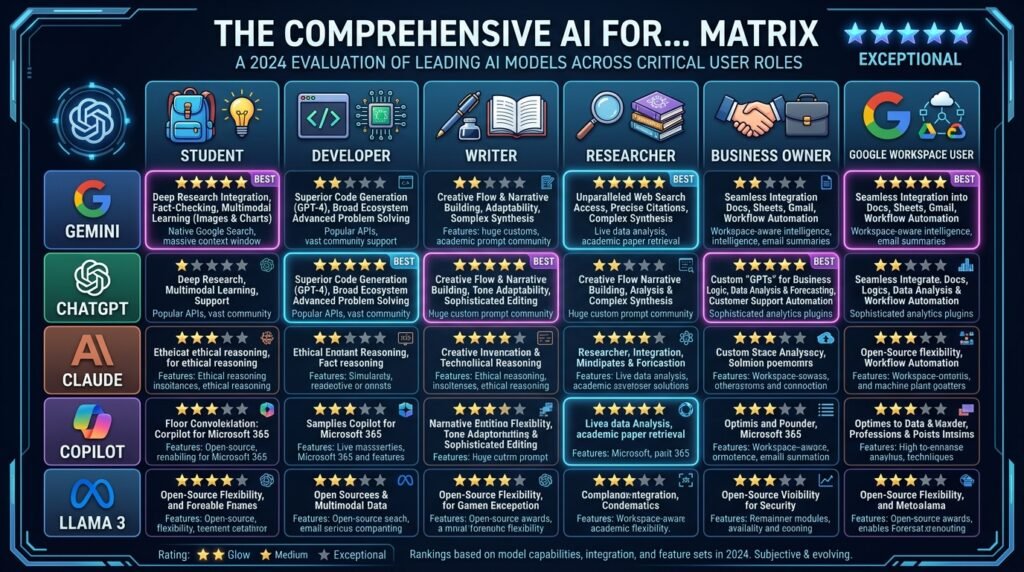
| Beginner Friendly | ⭐⭐⭐⭐⭐ | ⭐⭐⭐⭐⭐ |
| Overall | Excellent | Excellent |
Key Takeaway: ChatGPT generally excels in creativity and coding, while Gemini shines for users who already work within Google’s ecosystem. Both are excellent AI assistants, but each serves different priorities.
Why You Can Trust This Comparison
Choosing an AI assistant is an important decision, especially if you plan to use it daily for work, learning, or business. Rather than focusing on marketing claims, this comparison evaluates ChatGPT and Gemini using practical criteria that matter to most users.
Our evaluation is based on:
- Ease of use for beginners
- Writing and communication quality
- Coding assistance
- Research capabilities
- Productivity features
- Ecosystem integration
- Pricing and accessibility
- Real-world use cases
- Overall value for different types of users
Because AI platforms evolve rapidly, features and pricing may change over time. We recommend checking each provider’s official documentation for the latest updates before making a decision.
What We’ll Compare
To help you find the right AI assistant, this guide covers:
- What ChatGPT and Gemini are
- Core features and capabilities
- Ease of use
- Writing quality
- Coding performance
- Research and fact-finding
- Multimodal capabilities
- Google Workspace integration
- Pricing and free plans
- Privacy considerations
- Pros and cons
- Which AI assistant is best for students, professionals, developers, creators, and businesses
By the end of this guide, you’ll have a clear understanding of where each tool performs best and which one aligns with your needs.
| Category | ChatGPT | Gemini |
|---|---|---|
| Ease of Use | ⭐⭐⭐⭐⭐ | ⭐⭐⭐⭐⭐ |
| Writing | ⭐⭐⭐⭐⭐ | ⭐⭐⭐⭐☆ |
| Coding | ⭐⭐⭐⭐⭐ | ⭐⭐⭐⭐☆ |
| Research | ⭐⭐⭐⭐☆ | ⭐⭐⭐⭐⭐ |
| Productivity | ⭐⭐⭐⭐☆ | ⭐⭐⭐⭐⭐ |
| Creativity | ⭐⭐⭐⭐⭐ | ⭐⭐⭐⭐☆ |
| Value for Beginners | ⭐⭐⭐⭐⭐ | ⭐⭐⭐⭐⭐ |
What Is ChatGPT?
ChatGPT is a conversational AI assistant developed by OpenAI that helps users generate text, answer questions, write code, analyze files, brainstorm ideas, and automate a wide variety of everyday tasks.
Since its public launch in 2022, ChatGPT has become one of the world’s most widely used AI tools, serving students, professionals, developers, educators, marketers, and businesses alike. It supports natural conversations, making it easy to ask follow-up questions, refine responses, and collaborate on complex tasks.
Over time, ChatGPT has evolved beyond a simple chatbot. Depending on your plan, it can assist with writing, coding, image generation, document analysis, web browsing, data interpretation, and more—all from a single interface.
ChatGPT is particularly well suited for:
- Writing articles, emails, and reports
- Brainstorming ideas and solving problems
- Programming and debugging code
- Summarizing long documents
- Learning new concepts
- Creating presentations and study materials
- Automating repetitive writing tasks
For many users, ChatGPT acts as an everyday productivity assistant rather than just a chatbot.
New to ChatGPT? Explore our complete What Is ChatGPT? guide to learn how it works, its key features, pricing, and practical use cases before deciding whether it’s the right AI assistant for you.
What Is Gemini?
Gemini is Google’s AI assistant, designed to help users write, research, organize information, analyze documents, generate content, and interact naturally using text, images, and other forms of input.
Unlike many AI assistants, Gemini is deeply integrated with the Google ecosystem, making it especially useful for people who already rely on Gmail, Google Docs, Drive, Sheets, Maps, and other Google Workspace applications.
Gemini combines conversational AI with Google’s extensive information ecosystem, allowing users to draft emails, summarize documents, organize information, and complete everyday productivity tasks more efficiently.
It also supports multimodal interactions, enabling users to work with text, images, files, and other content in a single conversation.
Gemini is particularly well suited for:
- Google Workspace users
- Students and researchers
- Document summarization
- Organizing information
- Productivity workflows
- Everyday AI assistance
- Collaborative work within Google’s ecosystem
If much of your daily work already happens inside Google’s apps, Gemini can feel like a natural extension of your existing workflow.
Want to learn more? Read our comprehensive What Is Gemini? guide for a detailed overview of its features, capabilities, pricing, and best use cases.
ChatGPT vs Gemini: Key Differences at a Glance
Before comparing each feature in depth, here’s a quick overview of how the two AI assistants differ.
| Category | ChatGPT | Gemini |
| Developer | OpenAI | |
| Primary Strength | Creative conversations, writing, coding | Google ecosystem and productivity |
| Best For | Content creators, developers, professionals | Students, researchers, Google Workspace users |
| Ease of Use | ⭐⭐⭐⭐⭐ | ⭐⭐⭐⭐⭐ |
| Learning Curve | Very Easy | Very Easy |
| Google Workspace Integration | Limited | Excellent |
| Coding Assistance | Excellent | Very Good |
| Creative Writing | Excellent | Very Good |
| Research Assistance | Very Good | Excellent |
| Multimodal Support | Excellent | Excellent |
| Free Plan | Available | Available |
| Paid Plan | Available | Available |
Key Takeaway: If your priority is creativity, coding, or flexible AI assistance, ChatGPT is often the stronger choice. If you spend most of your day using Google’s ecosystem, Gemini offers a more integrated experience. For many users, both tools complement each other rather than compete directly.
Why This Comparison Matters
It’s easy to compare AI assistants based on marketing claims or isolated benchmarks, but those don’t always reflect everyday use.
The better question is:
Which AI assistant helps you complete your tasks more effectively?
That’s why the rest of this guide focuses on real-world scenarios instead of technical specifications alone. We’ll compare ChatGPT and Gemini where it matters most—writing, coding, research, productivity, pricing, ease of use, and the types of users each platform serves best.
ChatGPT vs Gemini: Feature-by-Feature Comparison
At first glance, ChatGPT and Gemini offer many of the same capabilities. Both can answer questions, generate content, analyze files, write code, summarize documents, and help with everyday productivity.
However, once you start using them regularly, the differences become much more noticeable. Some tasks feel more natural in ChatGPT, while others benefit from Gemini’s close integration with Google’s ecosystem.
Let’s compare them across the areas that matter most.
Ease of Use
Both ChatGPT and Gemini are designed for beginners, with clean interfaces that make it easy to start a conversation and receive AI-generated responses.
ChatGPT focuses on a simple conversational experience. Whether you’re brainstorming ideas, asking follow-up questions, or working through a complex project, the interaction feels natural and easy to refine over multiple prompts.
Gemini offers a similarly intuitive experience but adds the advantage of being closely integrated with Google’s services. If you already use Gmail, Google Docs, Drive, or other Workspace apps, Gemini can fit naturally into your existing workflow.
| Feature | ChatGPT | Gemini |
| Beginner Friendly | ⭐⭐⭐⭐⭐ | ⭐⭐⭐⭐⭐ |
| Easy Interface | ⭐⭐⭐⭐⭐ | ⭐⭐⭐⭐⭐ |
| Conversation Flow | ⭐⭐⭐⭐⭐ | ⭐⭐⭐⭐☆ |
| Google Workspace Integration | ⭐⭐⭐☆☆ | ⭐⭐⭐⭐⭐ |
Recommendation
- Choose ChatGPT if you want a flexible conversational AI experience.
- Choose Gemini if your daily work revolves around Google’s productivity tools.
Writing & Content Creation
Writing is one of the most common reasons people use AI assistants.
Both ChatGPT and Gemini can help draft emails, blog posts, reports, summaries, social media content, and marketing copy. They can also rewrite text, adjust tone, and improve clarity.
ChatGPT is widely recognized for producing natural, engaging, and adaptable writing. It often excels at brainstorming ideas, storytelling, creative writing, and refining content through multiple iterations.
Gemini performs well for structured writing, professional communication, and documents created within Google Workspace. Users who frequently work in Google Docs may find its workflow especially convenient.
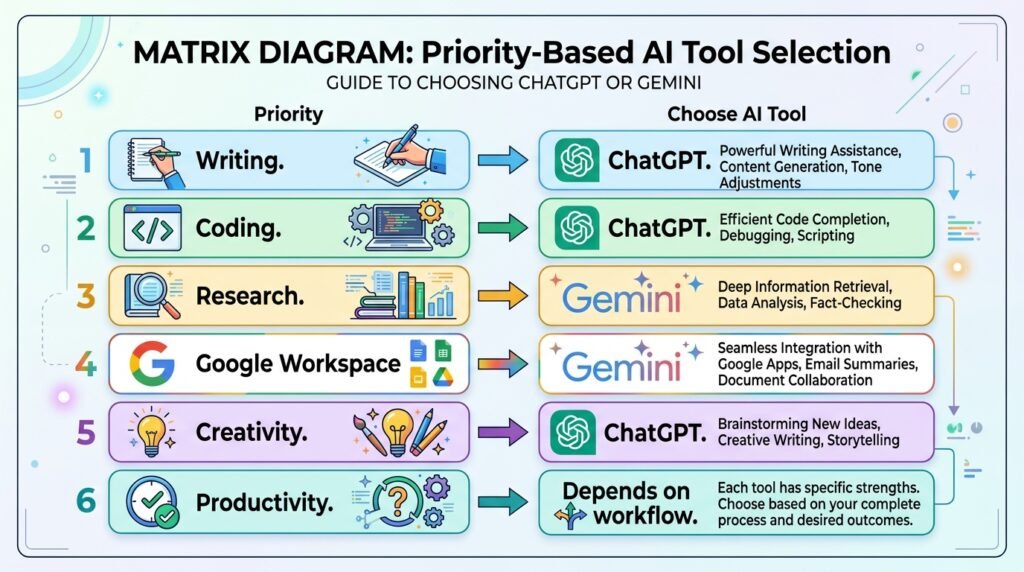
| Writing Task | Better Choice |
| Blog Writing | ChatGPT |
| Creative Writing | ChatGPT |
| Marketing Copy | ChatGPT |
| Professional Emails | Both |
| Document Editing | Gemini |
| Brainstorming | ChatGPT |
Best Choice
If your work involves frequent writing, brainstorming, or content creation, ChatGPT generally offers a more flexible and creative writing experience.
Coding & Programming
Developers often compare ChatGPT and Gemini based on how well they explain code, solve programming problems, and assist with debugging.
Both tools support popular programming languages and can generate code snippets, explain concepts, and troubleshoot common issues.
ChatGPT is particularly strong at explaining complex programming concepts in simple language and helping developers iterate through debugging sessions.
Gemini also provides useful coding assistance, especially for users working within Google’s development ecosystem.
| Coding Task | Better Choice |
| Learning Programming | ChatGPT |
| Debugging | ChatGPT |
| Explaining Code | ChatGPT |
| Writing Small Scripts | Both |
| Google Cloud Development | Gemini |
Best Choice
For most beginners and professional developers, ChatGPT currently provides a slightly stronger coding experience, particularly for learning and iterative problem-solving.
Research & Information Gathering
Research is another area where both assistants are frequently used.
Whether you’re summarizing articles, understanding complex topics, comparing products, or gathering information for reports, both platforms can significantly reduce research time.
Gemini benefits from Google’s long-standing expertise in organizing information and integrates naturally with Google’s broader ecosystem, making it particularly useful for users already working with Google services.
ChatGPT is also highly capable for research, especially when users need detailed explanations, structured responses, or help synthesizing information into actionable insights.
Best Choice
- Gemini is an excellent option for users deeply invested in Google’s ecosystem and research workflows.
- ChatGPT is often preferred when the goal is deeper explanations, brainstorming, or transforming research into polished content.
Reasoning & Problem Solving
Beyond answering questions, AI assistants are increasingly used to solve complex problems, analyze scenarios, and think through multi-step tasks.
ChatGPT generally performs well when users need detailed explanations, structured reasoning, or collaborative problem-solving through follow-up conversations.
Gemini also handles reasoning tasks effectively and is particularly useful when those tasks involve information already connected to Google’s ecosystem.
Examples
Both tools can help you:
- Analyze business ideas
- Solve logical problems
- Create study plans
- Explain difficult concepts
- Break down complex projects
- Generate decision frameworks
For users who frequently refine ideas through multiple iterations, ChatGPT often provides a smoother conversational experience.
Multimodal Capabilities
Modern AI assistants work with more than just text.
Both ChatGPT and Gemini support multimodal interactions, allowing users to work with combinations of text, images, files, and other types of content depending on the features available in their plans.
Typical multimodal tasks include:
- Uploading PDFs for analysis
- Understanding charts and images
- Summarizing presentations
- Interpreting screenshots
- Working with mixed content
Recommendation
Both platforms provide strong multimodal capabilities for everyday users. The better choice depends less on the feature itself and more on which ecosystem and workflow you prefer.
Quick Tip: If your primary goal is writing, coding, and brainstorming, ChatGPT is often the stronger choice. If your daily work revolves around Gmail, Google Docs, Drive, and other Google services, Gemini may feel more integrated into your workflow.
ChatGPT vs Gemini for Different Users
The best AI assistant depends on how you plan to use it. While both ChatGPT and Gemini are capable across a wide range of tasks, each platform has strengths that make it a better fit for certain users and workflows.
Use the recommendations below to find the option that best matches your needs.
For Students
Students often use AI to explain difficult concepts, summarize notes, create study plans, solve homework problems, and prepare for exams.
Both ChatGPT and Gemini can support learning, but they do so in slightly different ways.
Choose ChatGPT if you:
- Want detailed explanations of complex topics
- Need help understanding concepts step by step
- Practice coding or mathematics
- Brainstorm essays or presentations
- Prefer conversational learning
Choose Gemini if you:
- Already use Google Docs, Drive, Gmail, and Classroom
- Collaborate with classmates using Google Workspace
- Want AI integrated into your existing study workflow
Recommendation: For most students, ChatGPT is an excellent learning companion because of its conversational explanations and interactive guidance. If your school relies heavily on Google Workspace, Gemini may provide a smoother day-to-day experience.
For Content Creators & Writers
Whether you’re writing blog posts, newsletters, YouTube scripts, marketing copy, or social media content, AI can significantly speed up the creative process.
ChatGPT is particularly effective for:
- Brainstorming ideas
- Outlining articles
- Rewriting content
- Adjusting tone
- Generating creative copy
- Long-form writing
Gemini performs well for:
- Drafting professional documents
- Editing content in Google Docs
- Collaborative writing within Google Workspace
Recommendation: If content creation is your primary use case, ChatGPT is generally the stronger choice due to its flexible writing style and iterative editing experience.
For Developers & Programmers
AI has become an essential coding assistant, helping developers generate code, explain programming concepts, debug errors, and learn new technologies.
ChatGPT is well suited for:
- Explaining code
- Debugging
- Learning programming
- Building small projects
- Exploring new frameworks
Gemini can be valuable for:
- Developers already using Google’s development ecosystem
- Cloud-related workflows
- General coding assistance
Recommendation: For most developers, ChatGPT offers a more polished coding experience, especially for learning and iterative problem-solving.
For Researchers
Researchers, analysts, and knowledge workers often need AI to summarize documents, organize information, compare sources, and simplify complex topics.
ChatGPT is particularly useful for:
- Explaining concepts in depth
- Synthesizing information
- Structuring reports
- Brainstorming research questions
Gemini integrates naturally with Google’s productivity ecosystem, making it convenient for users who manage research materials within Google services.
Recommendation: If your work revolves around organizing information inside Google Workspace, Gemini is a strong choice. If you need detailed analysis and well-structured explanations, ChatGPT often provides a more conversational research experience.
For Business Professionals
Professionals use AI to save time on everyday tasks such as writing emails, preparing presentations, summarizing meetings, analyzing documents, and generating reports.
Choose ChatGPT if you:
- Frequently write proposals, reports, or presentations
- Need help brainstorming ideas
- Want assistance with strategic planning
- Handle diverse knowledge work
Choose Gemini if you:
- Spend most of your day in Gmail, Docs, Sheets, and Drive
- Want AI integrated into Google’s productivity ecosystem
- Collaborate extensively through Google Workspace
Recommendation: The better choice depends on your existing workflow. ChatGPT excels as a versatile productivity assistant, while Gemini shines when Google Workspace is at the center of your workday.
For Small Business Owners
Small business owners often wear multiple hats, using AI for marketing, customer communication, planning, content creation, and productivity.
ChatGPT can help with:
- Marketing copy
- Business plans
- Email campaigns
- Customer communication
- Website content
- Brainstorming business ideas
Gemini is useful for:
- Managing documents
- Organizing information
- Working within Google Workspace
- Team collaboration
Recommendation: For businesses seeking an all-purpose AI assistant, ChatGPT is often the more versatile option. If your operations already rely heavily on Google Workspace, Gemini can complement those tools effectively.
For Beginners
If you’re completely new to AI, simplicity matters just as much as features.
Both ChatGPT and Gemini are easy to get started with and offer free plans, making them accessible for first-time users.
Choose ChatGPT if you want:
- A conversational learning experience
- Help exploring different AI use cases
- Strong support for writing, coding, and creativity
Choose Gemini if you want:
- AI integrated with familiar Google apps
- A productivity-focused assistant
- A seamless Google Workspace experience
Recommendation: Both are excellent starting points. If you’re unsure which to try first, ChatGPT is often a great introduction to conversational AI, while Gemini is a natural choice for users already invested in Google’s ecosystem.
Our Testing Methodology
We evaluated ChatGPT and Gemini across the areas that matter most to everyday users:
- Ease of use for beginners
- Writing and content creation
- Coding assistance
- Research and information retrieval
- Productivity features
- Ecosystem integrations
- Pricing and overall value
- Suitability for different user types
Rather than declaring a universal winner, our recommendations focus on which AI assistant performs best for specific tasks and workflows. This approach reflects real-world usage and aligns with Naeveor’s goal of helping readers make informed decisions.
Recommendations by Use Case
| Your Goal | Recommended AI Assistant | Why |
| Learn new concepts | ChatGPT | Clear explanations and interactive conversations |
| Write articles and marketing content | ChatGPT | Flexible, creative writing assistance |
| Generate code and debug programs | ChatGPT | Strong coding support and iterative problem-solving |
| Use AI with Gmail and Google Docs | Gemini | Deep Google Workspace integration |
| Organize research and documents | Gemini | Works naturally with Google’s productivity tools |
| Everyday productivity | Both | Choose based on your preferred ecosystem |
| Complete beginner | Either | Both have approachable interfaces and free plans |
Key Takeaway: There isn’t a universal winner. The best AI assistant is the one that fits the way you work. Many users find that using both ChatGPT and Gemini together allows them to take advantage of each platform’s strengths rather than limiting themselves to a single tool.
ChatGPT vs Gemini: Pros and Cons
No AI assistant is perfect. While both ChatGPT and Gemini are among the most capable AI tools available today, each has strengths and limitations that may influence your decision.
Understanding these trade-offs can help you choose the platform that best aligns with your workflow.
ChatGPT: Pros and Cons
Pros
✅ Excellent conversational experience that feels natural and easy to refine
✅ Produces high-quality creative writing, brainstorming, and long-form content
✅ Strong coding assistance with code generation, debugging, and explanations
✅ Supports a wide range of tasks, from productivity to learning and content creation
✅ Rich ecosystem with custom GPTs, integrations, and advanced AI features
✅ Beginner-friendly interface with a short learning curve
Cons
❌ Some advanced capabilities require a paid subscription
❌ Features and model availability may change over time
❌ Users deeply invested in Google Workspace may prefer tighter native integration
Gemini: Pros and Cons
Pros
✅ Deep integration with Google Workspace, including Gmail, Docs, Drive, and Sheets
✅ Strong support for productivity and document-based workflows
✅ Excellent multimodal capabilities for working with text, images, and files
✅ Familiar experience for users already using Google’s services
✅ Beginner-friendly interface with a free plan available
Cons
❌ Creative writing can sometimes feel more structured than conversational
❌ The experience is most compelling for users already invested in the Google ecosystem
❌ Workflow flexibility may vary depending on the task compared with dedicated conversational AI tools
ChatGPT vs Gemini Pricing
One of the biggest questions users ask is whether they need to pay for AI.
The good news is that both ChatGPT and Gemini offer free versions, making it easy to explore their capabilities before committing to a subscription.
However, paid plans unlock additional features, higher usage limits, and access to more advanced AI models.
| Feature | ChatGPT | Gemini |
| Free Plan | ✅ Yes | ✅ Yes |
| Paid Subscription | ✅ Available | ✅ Available |
| Advanced AI Models | Paid | Paid |
| Higher Usage Limits | Paid | Paid |
| Business Plans | Available | Available |
Tip: If you’re new to AI, start with the free version of each platform. After a week or two of real-world use, you’ll have a much better sense of which assistant fits your workflow before considering a paid plan.
ChatGPT vs Gemini: Which One Should You Choose?
After comparing features, writing quality, coding assistance, research capabilities, productivity, and pricing, one thing becomes clear:
There isn’t a single winner for everyone.
The better choice depends on what you want to accomplish.
Choose ChatGPT if you:
- Write articles, emails, or marketing content regularly
- Need help with coding and debugging
- Brainstorm ideas frequently
- Prefer conversational, iterative problem-solving
- Want a versatile AI assistant for many different tasks
Choose Gemini if you:
- Use Gmail, Google Docs, Drive, and other Google Workspace tools every day
- Want AI integrated into your existing productivity workflow
- Frequently work with Google-based collaboration tools
- Prefer an assistant that fits naturally within Google’s ecosystem
Consider Using Both
Many professionals, students, and businesses use both ChatGPT and Gemini rather than relying exclusively on one platform.
For example:
- Use ChatGPT for brainstorming, writing, coding, and creative work.
- Use Gemini for managing documents, collaborating in Google Workspace, and organizing information.
By choosing the right tool for each task, you can often achieve better results than by sticking to a single AI assistant.
Our Testing Methodology
We evaluated ChatGPT and Gemini across the areas that matter most to everyday users:
Ease of use for beginners
Writing and content creation
Coding assistance
Research and information retrieval
Productivity features
Ecosystem integrations
Pricing and overall value
Suitability for different user types
Rather than declaring a universal winner, our recommendations focus on which AI assistant performs best for specific tasks and workflows. This approach reflects real-world usage and aligns with Naeveor’s goal of helping readers make informed decisions.
Our Verdict
If you’re looking for a flexible, all-purpose AI assistant that performs exceptionally well across writing, coding, creativity, and everyday productivity, ChatGPT is likely the better fit for most users.
If your work is deeply connected to Google Workspace and you value seamless integration with Gmail, Docs, Drive, and other Google services, Gemini is an excellent choice.
Rather than asking “Which AI assistant is better?”, a more useful question is:
“Which AI assistant is better for the way I work?”
Answering that question will lead you to the right choice.
Frequently Asked Questions
Is ChatGPT better than Gemini?
Neither AI assistant is universally better. ChatGPT generally excels in creative writing, coding, and conversational problem-solving, while Gemini stands out for users who rely on Google’s ecosystem and productivity tools.
Which AI assistant is better for students?
Both are excellent options. ChatGPT is particularly useful for learning concepts, brainstorming, and explaining topics, while Gemini integrates well with Google Workspace, which many students already use.
Which is better for coding?
ChatGPT is widely preferred for coding assistance, debugging, explaining code, and learning programming concepts. Gemini also supports coding tasks and can be a strong choice for developers working within Google’s ecosystem.
Can I use ChatGPT and Gemini together?
Yes. Many users combine both tools to take advantage of their different strengths—for example, using ChatGPT for content creation and Gemini for document management and collaboration.
Which AI assistant is better for writing?
ChatGPT is generally stronger for creative writing, long-form content, and brainstorming, while Gemini performs well for professional documents and collaborative writing in Google Workspace.
Which has the better free plan?
Both offer free plans that are suitable for getting started. The best option depends on the features you need and how you plan to use the AI assistant.
Who Should Avoid ChatGPT?
Users who exclusively work within Google Workspace and prioritize native integration.
Who Should Avoid Gemini?
Users whose primary focus is creative writing, extensive coding support, or iterative brainstorming.
How We Evaluated ChatGPT and Gemini
Our comparison is based on publicly available product documentation, official feature announcements, pricing information, and hands-on evaluation of common use cases such as writing, coding, research, productivity, and beginner usability. Because AI platforms evolve rapidly, features and pricing may change over time. We recommend checking the official OpenAI and Google documentation for the latest updates before making a purchasing decision.
Conclusion
ChatGPT and Gemini have become two of the most influential AI assistants available today, and both continue to evolve rapidly. Rather than competing in every area, each platform brings unique strengths to different types of work.
If your priority is creative writing, coding, brainstorming, and versatile everyday assistance, ChatGPT is a compelling choice. If your workflow revolves around Gmail, Google Docs, Drive, and other Google services, Gemini offers a more integrated productivity experience.
For many users, the smartest approach isn’t choosing one over the other—it’s understanding when each tool is the better fit. As AI becomes an increasingly important part of work, learning, and creativity, knowing how to use these assistants effectively can have a much greater impact than simply choosing the platform with the longest feature list.
Whether you start with ChatGPT, Gemini, or both, the key is to experiment, build better prompting skills, and incorporate AI into the tasks that matter most to you.
Continue Your AI Journey
Keep building your AI knowledge with these beginner-friendly guides.
-

10 Best AI Chatbots in 2026: Tested & Ranked for Every Use Case
Learn more : 10 Best AI Chatbots in 2026: Tested & Ranked for Every Use Case🕒 10-12 min read • Updated: July 2026 introduction Artificial intelligence has made chatbots far more capable than…
-

Claude vs ChatGPT for Coding (2026): Tested & Benchmarked for Developers
Learn more : Claude vs ChatGPT for Coding (2026): Tested & Benchmarked for Developers🕒 12-15 min read • Updated: July 2026 Introduction Whether you’re learning your first programming language, debugging a…
-

ChatGPT vs Microsoft Copilot (2026): Tested, Pricing & Workflow Comparison
Learn more : ChatGPT vs Microsoft Copilot (2026): Tested, Pricing & Workflow Comparison🕒 10-12 min read • Updated: July 2026 Introduction Choosing between ChatGPT and Microsoft Copilot can be challenging,…
-

Perplexity AI vs ChatGPT (2026): Features, Pricing & Accuracy Tested
Learn more : Perplexity AI vs ChatGPT (2026): Features, Pricing & Accuracy Tested🕒 15 min read • Updated: July 2026 Introduction Choosing between Perplexity AI and ChatGPT can be surprisingly…
-
Claude vs Gemini (2026): Tested & Compared for Coding, Writing, & Search
Learn more : Claude vs Gemini (2026): Tested & Compared for Coding, Writing, & Search🕒 15 min read • Updated: July 2026 Introduction Choosing the right AI assistant can significantly improve how…
-

ChatGPT vs Claude (2026): Tested Head-to-Head for Coding, Writing & Workflows
Learn more : ChatGPT vs Claude (2026): Tested Head-to-Head for Coding, Writing & Workflows🕒 10-12 min read • Updated: July 2026 Introduction Artificial intelligence assistants have become essential tools for students,…
Related Articles
Explore more guides and resources related to this topic.
-

ChatGPT Complete Guide for Beginners (2026): Master AI Step-by-Step
Learn more : ChatGPT Complete Guide for Beginners (2026): Master AI Step-by-Step🕒 20-25 min read • Updated: Aug 2026 Introduction Introduction Artificial intelligence is changing how people learn, work,…
-

Master Prompt Engineering in 2026: A Step-by-Step Beginner’s Guide
Learn more : Master Prompt Engineering in 2026: A Step-by-Step Beginner’s Guide🕒 18-20 min read • Updated: Aug 2026 Introduction Artificial intelligence (AI) tools like ChatGPT, Claude, Gemini, and…
-

Large Language Models (LLMs) Explained: The Complete 2026 Beginner’s Guide
Learn more : Large Language Models (LLMs) Explained: The Complete 2026 Beginner’s Guide🕒 14-16 min read • Updated: Aug 2026 Introduction Artificial Intelligence has become part of everyday life. Whether…
-

Best AI Image Generators in 2026: 10 Free & Paid Tools Tested
Learn more : Best AI Image Generators in 2026: 10 Free & Paid Tools Tested🕒 15 min read • Updated: July 2026 introduction Creating stunning images no longer requires years of design…
-
10 Best AI Chatbots in 2026: Tested & Ranked for Every Use Case
Learn more : 10 Best AI Chatbots in 2026: Tested & Ranked for Every Use Case🕒 10-12 min read • Updated: July 2026 introduction Artificial intelligence has made chatbots far more capable than…
-
ChatGPT vs Microsoft Copilot (2026): Tested, Pricing & Workflow Comparison
Learn more : ChatGPT vs Microsoft Copilot (2026): Tested, Pricing & Workflow Comparison🕒 10-12 min read • Updated: July 2026 Introduction Choosing between ChatGPT and Microsoft Copilot can be challenging,…
Leave a Reply