🕒 14-16 min read • Updated: July 2026
Table of Contents
Introduction
Artificial intelligence has rapidly become part of everyday life, and one of the most recognizable AI tools is ChatGPT. Whether you’re writing emails, learning new skills, generating ideas, or solving technical problems, you’ve likely heard people recommend using ChatGPT.
But what exactly is ChatGPT, and why has it become so popular?
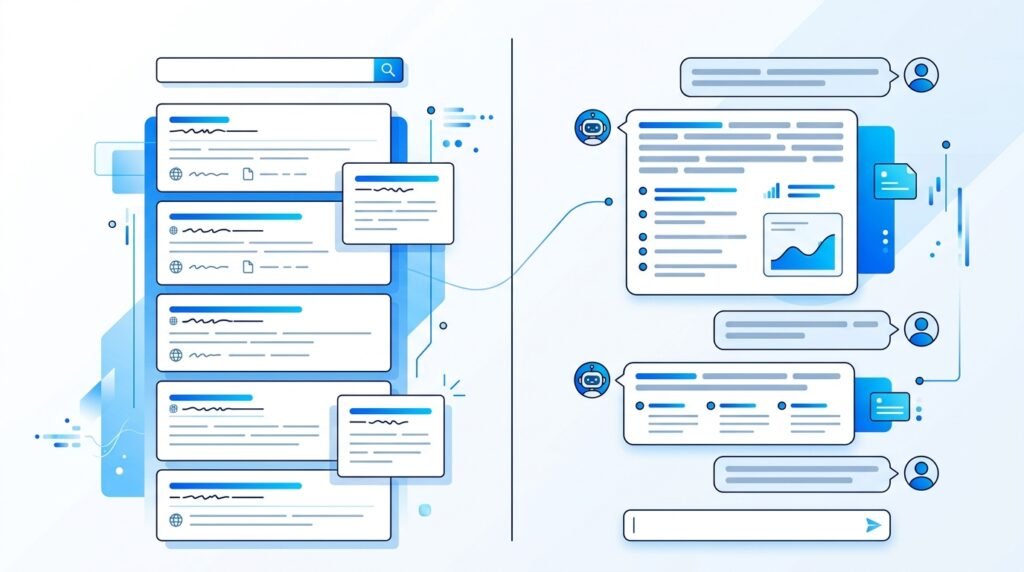
Unlike traditional search engines that provide links to websites, ChatGPT is designed to understand natural language and generate human-like responses. It can answer questions, explain complex topics, write content, help with coding, summarize information, brainstorm ideas, and much more.
However, like any AI tool, ChatGPT has strengths and limitations. Understanding both is essential if you want to use it effectively and responsibly.
In this beginner-friendly guide, you’ll learn what ChatGPT is, how it works, its key features, practical applications, benefits, limitations, and tips for getting better results.
Key Takeaways
- ChatGPT is an AI-powered conversational assistant developed by OpenAI.
- It understands natural language and generates human-like responses.
- ChatGPT can help with writing, coding, research, learning, brainstorming, and productivity.
- Better prompts generally lead to better responses.
- ChatGPT is a powerful assistant, but its answers should be reviewed for accuracy in important situations.
What Is ChatGPT?
ChatGPT is an AI chatbot developed by OpenAI that allows users to interact with artificial intelligence using everyday language.
Instead of requiring programming knowledge or special commands, users simply type a question or request, known as a prompt, and ChatGPT generates a response based on patterns it learned during training.
For example, you can ask ChatGPT to:
- Explain a difficult concept
- Write an email
- Generate ideas
- Translate text
- Summarize an article
- Help debug code
- Create a study plan
Because conversations feel natural, many people use ChatGPT as a personal learning assistant, writing partner, brainstorming companion, or productivity tool.
Example
Instead of searching:
“Best way to write a resume”
You could ask:
“Help me write a professional resume for a software engineering internship.”
ChatGPT provides a personalized response rather than simply showing search results.
Why Was ChatGPT Created?
The goal of ChatGPT is to make artificial intelligence easier for people to use.
Traditional AI systems often required technical expertise, specialized software, or programming knowledge. ChatGPT lowers that barrier by allowing users to communicate with AI using plain language.
This makes AI more accessible to:
- Students
- Professionals
- Teachers
- Creators
- Business owners
- Developers
- Anyone curious about AI
How Does ChatGPT Work?
Although ChatGPT feels like it’s having a conversation, it doesn’t think or understand information in the same way humans do.
Instead, it uses a type of artificial intelligence called a Large Language Model (LLM).
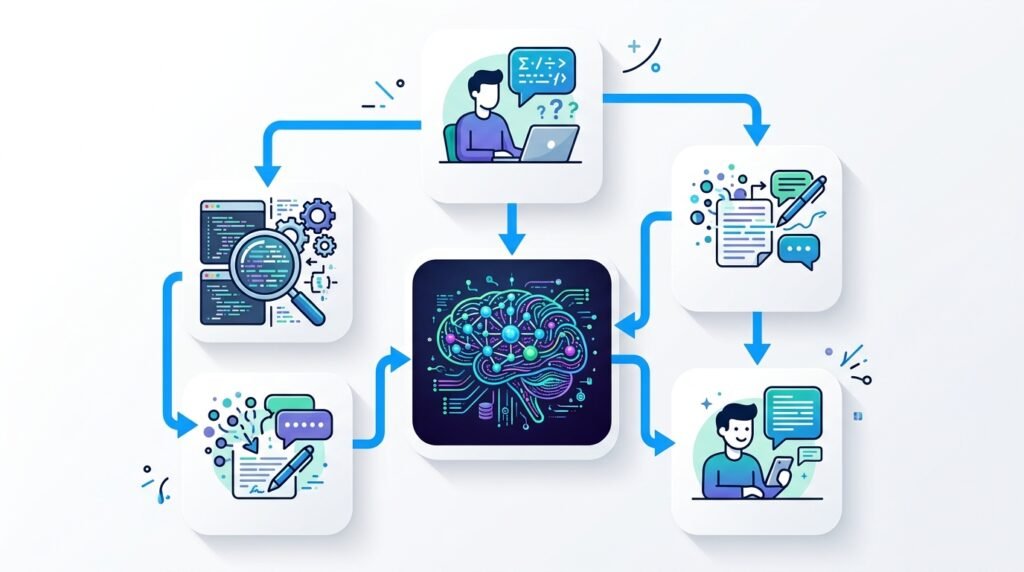
An LLM is trained on vast amounts of text from books, articles, websites, and other publicly available or licensed sources. During training, the model learns patterns in language, enabling it to predict the most likely next words in a response.
When you ask a question:
- ChatGPT processes your prompt.
- It analyzes the context.
- It predicts the most appropriate sequence of words.
- It generates a response almost instantly.
Rather than searching the internet for every answer, ChatGPT primarily generates responses based on the knowledge and patterns it learned during training. Some versions and configurations can also access web browsing or connected tools, but this depends on the model and features being used.
Recommended Reading: How ChatGPT works?
Simple Analogy
Imagine reading millions of books, articles, and conversations.
Over time, you become very good at recognizing how people communicate.
Instead of memorizing every sentence, you learn patterns that help you predict what makes sense in different situations.
That’s similar to how ChatGPT generates responses.
Key Features of ChatGPT
Natural Conversations
You can communicate using everyday language without learning special commands.
Context Awareness
ChatGPT remembers earlier parts of a conversation within the current chat, allowing follow-up questions without repeating everything.
Example:
User:
Explain machine learning.
Later:
Give me three examples.
ChatGPT understands that “three examples” refers to machine learning.
Writing Assistance
ChatGPT can help create:
- Emails
- Blog posts
- Reports
- Social media content
- Product descriptions
- Marketing copy
- Study notes
Learning Support
Students often use ChatGPT to:
- Understand concepts
- Practice questions
- Simplify difficult topics
- Create study plans
- Learn programming
Coding Assistance
Developers use ChatGPT to:
- Generate code examples
- Explain programming concepts
- Debug errors
- Learn new frameworks
- Understand documentation
Brainstorming
ChatGPT can generate ideas for:
- Businesses
- YouTube videos
- Blog topics
- Marketing campaigns
- Product names
- Presentations
- Creative writing
Common Uses of ChatGPT
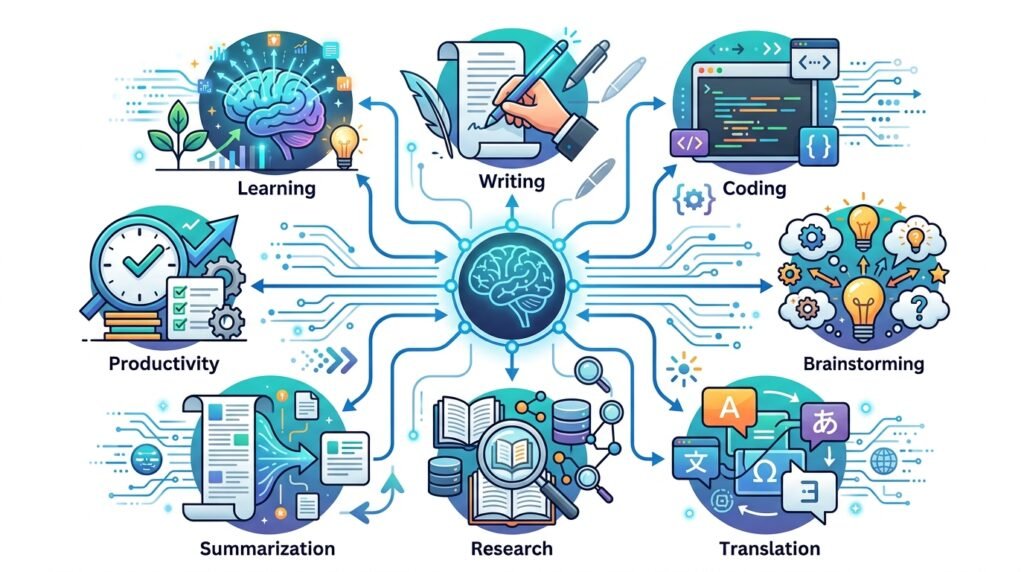
One reason ChatGPT has become widely adopted is its versatility. People across different industries use it to save time, learn faster, and complete everyday tasks.
Some common uses include:
| Use Case | Example |
| Learning | Explaining difficult concepts |
| Writing | Drafting articles and emails |
| Coding | Debugging programs |
| Research | Summarizing information |
| Productivity | Creating task lists and schedules |
| Business | Writing marketing content |
| Education | Generating quizzes and lesson ideas |
| Creativity | Brainstorming stories and ideas |
Real-World Example
A university student preparing for an exam might ask:
“Explain photosynthesis like I’m 12 years old.”
Instead of reading several complex articles, the student receives a simplified explanation that can be followed up with additional questions.
Similarly, a small business owner could ask:
“Write a professional welcome email for new customers.”
Within seconds, ChatGPT generates a draft that can be edited and personalized.

Benefits of ChatGPT
ChatGPT has become one of the most widely used AI tools because it can help people complete tasks more efficiently. While it isn’t a replacement for human expertise, it can be a valuable assistant when used thoughtfully.
Saves Time
Many routine tasks that once took hours can now be completed in minutes.
Examples include:
- Drafting emails
- Creating outlines
- Summarizing long documents
- Brainstorming ideas
- Explaining difficult concepts
Example
Instead of spending an hour creating a presentation outline, you can ask:
“Create a presentation outline about renewable energy for high school students.”
ChatGPT provides a structured starting point that you can refine.
Makes Learning More Accessible
Unlike traditional textbooks or search engines, ChatGPT allows users to ask follow-up questions until they understand a topic.
For example:
Explain neural networks.
Then ask:
Explain it using a classroom analogy.
Or:
Explain it like I’m 10 years old.
This conversational approach makes learning more interactive.
Improves Productivity
Professionals use ChatGPT to assist with:
- Meeting summaries
- Content drafting
- Brainstorming
- Planning projects
- Writing documentation
- Organizing information
Rather than replacing human decision-making, ChatGPT often helps reduce repetitive work.
Encourages Creativity
Creative professionals use ChatGPT to generate ideas for:
- Articles
- Stories
- Video scripts
- Marketing campaigns
- Product names
- Business ideas
Even if the first response isn’t perfect, it can provide inspiration and help overcome creative blocks.
Supports Multiple Industries
ChatGPT is useful across many fields.
Examples include:
| Industry | Example Use |
| Education | Explaining lessons and creating quizzes |
| Marketing | Writing campaigns and ad copy |
| Software Development | Code explanations and debugging |
| Customer Support | Drafting responses |
| Business | Brainstorming strategies and documentation |
| Healthcare | Summarizing medical literature (with human review) |
| Finance | Explaining financial concepts (not financial advice) |
Limitations of ChatGPT
Although ChatGPT is powerful, it is not perfect. Understanding its limitations helps users use it more responsibly.
It Can Make Mistakes
ChatGPT sometimes generates responses that sound convincing but contain factual errors or outdated information.
This is sometimes referred to as an “AI hallucination.”
For important decisions involving health, law, finance, or safety, always verify information using reliable sources.
Knowledge May Be Incomplete
Depending on the model and whether web access is enabled, ChatGPT may not always have the latest information.
For recent news or rapidly changing topics, consult current and authoritative sources.
It Doesn’t Truly Understand Information
Although ChatGPT produces human-like responses, it doesn’t think or reason like a person.
It predicts likely words based on patterns rather than possessing consciousness or personal understanding.
Responses Depend on Your Prompt
The quality of ChatGPT’s output often depends on how clearly you communicate your request.
Vague prompts usually produce vague answers.
Specific prompts generally produce better results.
ChatGPT Free vs Paid
One of the most common questions beginners ask is whether they should use the free version or upgrade to a paid subscription.
The answer depends on how often you use ChatGPT and what features you need.
| Feature | Free Plan | Paid Plan |
| Basic conversations | ✅ | ✅ |
| Faster responses | Limited | ✅ |
| Access to newer models | Limited | ✅ |
| Advanced reasoning | Limited | ✅ |
| File uploads | Limited (varies) | More extensive |
| Image generation and advanced tools | Limited (varies) | More features |
| Priority during high demand | ❌ | ✅ |
For many beginners, the free version is sufficient while learning the basics. Users with more demanding workflows may benefit from a paid plan.
Practical Examples
Student
Prompt:
Explain photosynthesis in simple language.
Result:
A clear explanation suitable for studying.
Software Developer
Prompt:
Explain this Python error and suggest possible fixes.
Result:
A step-by-step explanation with debugging suggestions.
Content Creator
Prompt:
Generate ten YouTube video ideas about artificial intelligence for beginners.
Result:
A list of content ideas that can be refined further.
Small Business Owner
Prompt:
Write a professional email announcing a seasonal discount.
Result:
A draft that saves time while still allowing personalization.
Best Practices for Using ChatGPT
Following a few simple practices can significantly improve the quality of ChatGPT’s responses.
Be Specific
Instead of asking:
Tell me about AI.
Try:
Explain artificial intelligence for beginners using simple examples.
Provide Context
The more context you provide, the better ChatGPT can tailor its response.
For example:
Instead of:
Write an email.
Try:
Write a friendly email welcoming a new customer to an online course.
Ask Follow-Up Questions
You don’t need to start over each time.
If the first response isn’t exactly what you need, ask ChatGPT to:
- Simplify it
- Add examples
- Expand a section
- Rewrite it for a different audience
Verify Important Information
Always fact-check information related to:
- Health
- Legal matters
- Taxes
- Investments
- Scientific research
ChatGPT should complement—not replace—trusted sources and professional advice.
Experiment with Prompting
Different prompts often produce different results.
Learning how to write clear prompts is one of the most valuable skills when using AI.
Common Mistakes Beginners Make
Expecting Perfect Answers
ChatGPT is helpful, but it isn’t always correct.
Review and edit important outputs.
Asking Very Broad Questions
Questions like:
Tell me everything about AI.
usually produce less useful answers than focused questions.
Not Giving Enough Context
Providing background information helps ChatGPT generate more relevant responses.
Copying Responses Without Reviewing Them
Always review AI-generated content for:
- Accuracy
- Tone
- Grammar
- Relevance
Assuming ChatGPT Replaces Expertise
ChatGPT can support professionals but should not replace qualified advice in specialized fields.
Frequently Asked Questions
Is ChatGPT free?
Yes. ChatGPT offers a free version, while paid plans provide additional features, faster performance, and access to more advanced models.
Who created ChatGPT?
ChatGPT was developed by OpenAI, an artificial intelligence research and technology company.
Can ChatGPT browse the internet?
Some versions of ChatGPT include web browsing capabilities, while others rely primarily on the information learned during training. Available features depend on the model and subscription.
Is ChatGPT always accurate?
No. ChatGPT can occasionally generate incorrect or outdated information. It’s important to verify important facts using reliable sources.
Can ChatGPT write code?
Yes. ChatGPT can generate code, explain programming concepts, help debug errors, and assist with learning many programming languages. However, developers should always review and test generated code.
Can ChatGPT replace Google Search?
Not entirely. ChatGPT excels at generating explanations and assisting with tasks, while search engines remain valuable for finding current information, official documentation, and original sources.
Is ChatGPT safe to use?
Generally, yes. However, avoid sharing sensitive personal, financial, or confidential information in conversations.
How can I get better answers from ChatGPT?
Write clear prompts, provide context, ask follow-up questions, and review the responses critically. Developing prompt-writing skills can greatly improve results.
Conclusion
ChatGPT has changed the way people interact with artificial intelligence by making advanced language models accessible through natural conversation. Whether you’re a student exploring new topics, a professional looking to improve productivity, or a creator searching for fresh ideas, ChatGPT can be a valuable tool when used thoughtfully.
At the same time, it’s important to recognize its limitations. ChatGPT is designed to assist—not replace—human judgment. Verifying important information, providing clear prompts, and reviewing AI-generated content are essential habits for responsible use.
As you continue learning about artificial intelligence, understanding how ChatGPT works will also make it easier to explore other AI tools and advanced techniques such as prompt engineering, automation, and AI agents.
Continue Learning
If you found this guide helpful, continue your AI learning journey with these beginner-friendly articles:
- What Is Artificial Intelligence?
- What Is Generative AI?
- How Does ChatGPT Work?
- What Is Prompt Engineering?
- Prompt Engineering Techniques
- Best AI Tools for Beginners
Further Reading
If you’d like to explore ChatGPT and AI in more depth, these official resources are excellent starting points:
- OpenAI – ChatGPT: https://openai.com/chatgpt
- OpenAI Help Center: https://help.openai.com/
- OpenAI Documentation: https://platform.openai.com/docs
- NIST AI Risk Management Framework: https://www.nist.gov/itl/ai-risk-management-framework
- Stanford Human-Centered AI: https://hai.stanford.edu/
Leave a Reply