🕒 10-12 min read • Updated: July 2026
Table of Contents
introduction
Artificial intelligence has made chatbots far more capable than simply answering questions. Today’s AI chatbots can help you write emails, summarize documents, generate code, analyze data, brainstorm ideas, conduct research, and even act as personal learning assistants. With so many options available, choosing the right one can feel overwhelming—especially if you’re just getting started.
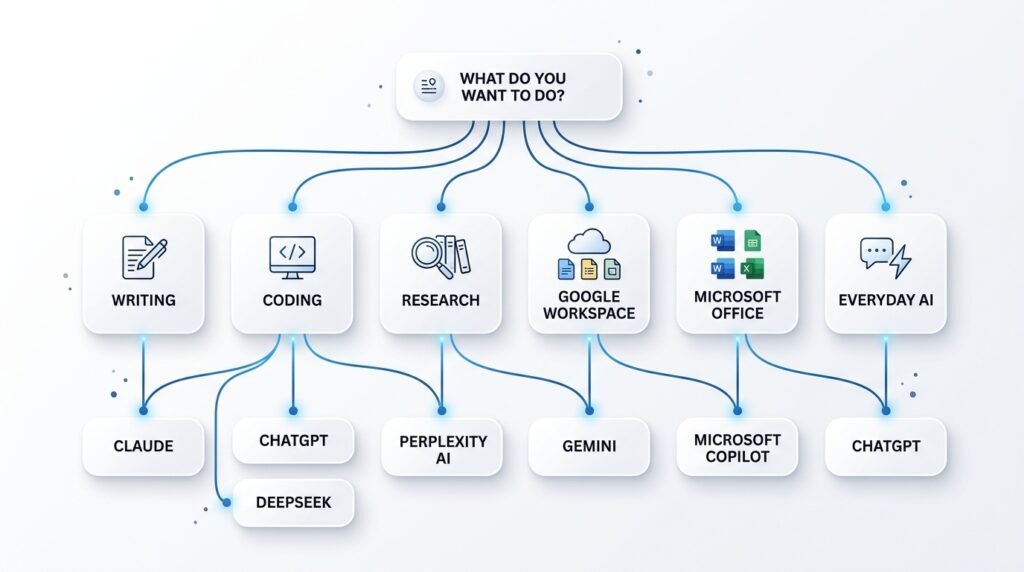
The truth is, there isn’t a single “best” AI chatbot for everyone. Each excels in different areas. ChatGPT is a versatile all-rounder, Claude shines at long-form writing and document analysis, Perplexity AI is designed for research, Gemini integrates seamlessly with Google’s ecosystem, and Microsoft Copilot is built for Microsoft 365 users.
In this guide, we’ve carefully compared the best AI chatbots in 2026 based on ease of use, response quality, reasoning ability, pricing, integrations, privacy considerations, and overall value. Whether you’re a student, professional, developer, creator, or business owner, this comparison will help you choose the AI assistant that best fits your needs.
Key Takeaways
- ChatGPT is the best overall AI chatbot for most users.
- Claude excels at writing, document analysis, and thoughtful responses.
- Perplexity AI is ideal for research because it cites sources in its answers.
- Gemini is the best choice if you rely heavily on Google Workspace.
- Microsoft Copilot works best within the Microsoft 365 ecosystem.
- Most leading AI chatbots offer free plans, making it easy to experiment before upgrading.
- The right chatbot depends more on your goals than on which model is “most powerful.”
Quick Answer
If you’re looking for the best AI chatbot in 2026, start with ChatGPT. It offers the best balance of usability, versatility, and broad feature support for beginners and professionals alike.
However, different AI chatbots serve different purposes:
| If you want… | Best Choice |
| Best overall AI chatbot | ChatGPT |
| Best for writing | Claude |
| Best for research | Perplexity AI |
| Best for Google users | Gemini |
| Best for Microsoft users | Microsoft Copilot |
| Best free AI chatbot | ChatGPT or Perplexity AI |
| Best for coding | ChatGPT |
| Best for long documents | Claude |
If you’re unsure where to begin, start with ChatGPT. As your needs evolve, you can explore specialized chatbots for research, writing, coding, or workplace productivity.
How We Selected These AI Chatbots
At Naeveor, we don’t recommend tools simply because they’re popular. Every AI chatbot featured in this guide was evaluated using the same criteria to ensure fair comparisons and practical recommendations.
We considered:
- Ease of use for beginners
- Response accuracy and reasoning quality
- Writing and content generation capabilities
- Coding assistance
- Research and fact-finding features
- Free plan availability
- Pricing and overall value
- Integration with popular productivity tools
- Privacy and transparency
- Overall usefulness for everyday tasks
Rather than declaring a single winner for every situation, we’ve matched each chatbot to the types of users who will benefit from it most.
Comparison at a Glance
| AI Chatbot | Best For | Free Plan | Strengths | Ideal Users |
| ChatGPT | Everyday AI assistance | ✅ | Writing, coding, brainstorming, learning | Everyone |
| Claude | Writing & document analysis | ✅ | Long-form writing, summarization, thoughtful reasoning | Writers, students, professionals |
| Gemini | Google ecosystem | ✅ | Google Workspace integration, multimodal capabilities | Google users |
| Perplexity AI | Research | ✅ | Web search with citations, fast answers | Researchers, students |
| Microsoft Copilot | Microsoft 365 | ✅ | Office integration, productivity | Business professionals |
| Meta AI | Social apps | ✅ | Integrated across Meta platforms | Casual users |
| Grok | Real-time discussions | Limited | Fast responses and access to X content | X users |
| Poe | Multiple AI models | ✅ | Access to several AI models in one interface | AI enthusiasts |
| DeepSeek | Coding & reasoning | ✅ | Strong technical performance | Developers |
Which AI Chatbot Is Right for You?
Choosing an AI chatbot becomes much easier when you start with your primary goal instead of the tool itself.
Choose ChatGPT if you:
- Want the best all-around AI assistant
- Need help with writing, coding, learning, or productivity
- Are completely new to AI
- Want one chatbot that handles almost everything well
Choose Claude if you:
- Write long articles or reports
- Frequently analyze PDFs or lengthy documents
- Prefer detailed, structured responses
- Need thoughtful editing and brainstorming assistance
Choose Gemini if you:
- Use Gmail, Google Docs, and Google Drive daily
- Want AI integrated into Google’s ecosystem
- Need multimodal capabilities with Google services
Choose Perplexity AI if you:
- Conduct research regularly
- Need cited answers with web sources
- Want a search-first AI assistant
Choose Microsoft Copilot if you:
- Work extensively with Word, Excel, PowerPoint, or Teams
- Already subscribe to Microsoft 365
- Want AI integrated into workplace productivity tools
Why Trust Naeveor?
Our goal isn’t to recommend the most popular AI chatbot—it’s to help you choose the right one for your specific needs. We regularly review leading AI tools, compare their capabilities, and update our guides as features evolve.
AI changes rapidly, and so do these tools. This guide is reviewed periodically to reflect major updates, pricing changes, and new capabilities, ensuring our recommendations remain accurate and useful.
1. ChatGPT — Best Overall AI Chatbot
Best for: Everyday AI assistance, writing, coding, learning, brainstorming, and productivity
If you’re only going to use one AI chatbot in 2026, ChatGPT is still the safest recommendation for most people.
Developed by OpenAI, ChatGPT combines strong reasoning, natural conversation, coding assistance, image generation, web browsing (depending on your plan), and powerful productivity features into one platform. Whether you’re writing emails, studying for exams, creating marketing content, debugging code, planning a trip, or learning a new skill, ChatGPT handles a wide variety of tasks with impressive consistency.
What makes ChatGPT stand out isn’t that it’s always the absolute best at one specific task—it’s that it performs exceptionally well across almost every common use case. For beginners, that versatility makes it an ideal starting point.
Key Features
- Natural conversational responses
- Writing and editing assistance
- Coding support across multiple programming languages
- Image generation and image understanding
- Web browsing capabilities (plan dependent)
- Voice conversations
- Custom GPTs and automation features
- Supports file uploads for analysis
Pros
- Excellent all-around performance
- Beginner-friendly interface
- Strong reasoning and creativity
- Huge ecosystem of custom GPTs
- Regular feature updates
Cons
- Some advanced features require a paid subscription
- Response quality may vary depending on the model selected
- Heavy usage limits may apply on free plans
Free Plan
✅ Yes
Best For
- Students
- Professionals
- Content creators
- Developers
- Entrepreneurs
- Everyday users
Our Verdict
If you’re unsure which AI chatbot to start with, choose ChatGPT. It offers the best balance of ease of use, capability, and versatility, making it the strongest all-around recommendation for most people.
Learn more: What Is ChatGPT? (Internal Link)
2. Claude — Best AI Chatbot for Writing & Long Documents
Best for: Writing, editing, document analysis, and thoughtful conversations
If your work involves long reports, research papers, articles, PDFs, or complex documents, Claude is one of the strongest AI chatbots available.
Developed by Anthropic, Claude is known for producing well-structured, nuanced responses with a natural writing style. It excels at summarizing lengthy documents, refining drafts, brainstorming ideas, and explaining complex topics in a clear, organized way.
Rather than generating quick answers, Claude often takes a more deliberate approach, making it especially useful for users who value depth and clarity over speed.
Key Features
- Excellent long-form writing assistance
- Strong document summarization
- High-quality editing suggestions
- Large context window for lengthy conversations
- File upload support
- Clear, structured explanations
Pros
- Outstanding writing quality
- Excellent at analyzing long documents
- Natural, conversational tone
- Strong reasoning capabilities
- Easy-to-read responses
Cons
- Fewer third-party integrations than ChatGPT
- Less suited for real-time web research
- Some advanced features require a paid plan
Free Plan
✅ Yes
Best For
- Writers
- Researchers
- Students
- Lawyers
- Consultants
- Business professionals
Our Verdict
If your primary goal is producing better writing or working with lengthy documents, Claude is one of the best AI chatbots you can choose.
Learn more: Claude AI: Complete Beginner’s Guide (Internal Link)
3. Gemini — Best AI Chatbot for Google Workspace Users
Best for: Gmail, Docs, Sheets, Google Search, and Android users
If you already rely on Google’s ecosystem every day, Gemini offers one of the most seamless AI experiences available.
Developed by Google, Gemini integrates with services like Gmail, Google Docs, Google Drive, and Google Workspace, allowing users to summarize emails, draft documents, organize information, and access AI assistance without leaving familiar tools.
Gemini also supports multimodal interactions, enabling users to work with text, images, and other types of content within a single conversation.
Key Features
- Deep Google Workspace integration
- Image understanding
- Writing assistance
- Coding support
- Research capabilities
- Multimodal AI
Pros
- Works naturally with Google services
- Clean interface
- Helpful for students and professionals
- Strong search knowledge
- Free plan available
Cons
- Best experience requires Google Workspace integration
- Feature availability varies by plan and region
- Responses may be less detailed for some complex writing tasks
Free Plan
✅ Yes
Best For
- Google Workspace users
- Students
- Professionals
- Android users
- Everyday productivity
Our Verdict
If most of your work happens inside Google’s ecosystem, Gemini is likely the most convenient AI assistant for your daily workflow.
Learn more: What Is Gemini AI? (Internal Link)
Editor’s Choice ⭐
If we could recommend only three AI chatbots for beginners, we’d choose:
🥇 ChatGPT — Best overall for everyday AI tasks.
🥈 Claude — Best for writing and document analysis.
🥉 Gemini — Best for users invested in Google’s ecosystem.
These three cover the needs of most beginners and professionals without requiring you to learn multiple tools immediately.

4. Perplexity AI — Best AI Chatbot for Research
Best for: Research, fact-checking, current information, and source-backed answers
Unlike most AI chatbots that primarily generate responses from their trained knowledge, Perplexity AI is designed to help you find reliable information quickly. It combines conversational AI with web search, providing answers alongside links to the sources it used.
This makes Perplexity especially useful for students, researchers, journalists, and professionals who need to verify information rather than simply generate text. Instead of opening multiple search results, you can ask a question in natural language and receive a summarized answer with citations.
While it may not replace ChatGPT for creative writing or Claude for long-form editing, Perplexity excels when accuracy and up-to-date information matter most.
Key Features
- AI-powered web search
- Source citations for answers
- Research-focused interface
- Follow-up conversational questions
- Document analysis
- Multiple AI model options (plan dependent)
Pros
- Excellent for research and learning
- Provides citations for greater transparency
- Very fast responses
- Clean, distraction-free interface
- Strong free plan
Cons
- Less creative than ChatGPT or Claude
- Not ideal for long-form content creation
- Advanced AI models require a paid plan
Free Plan
✅ Yes
Best For
- Students
- Researchers
- Journalists
- Professionals
- Anyone replacing traditional search
Our Verdict
If your priority is finding trustworthy information with cited sources, Perplexity AI is one of the best AI chatbots available.
Learn more: Perplexity AI: Complete Beginner’s Guide (Internal Link)
5. Microsoft Copilot — Best AI Chatbot for Microsoft 365 Users
Best for: Word, Excel, PowerPoint, Outlook, Teams, and workplace productivity
For users who spend most of their day in Microsoft’s ecosystem, Microsoft Copilot offers a practical way to bring AI directly into familiar productivity tools.
Rather than functioning only as a standalone chatbot, Copilot can assist with drafting emails, summarizing meetings, creating presentations, analyzing spreadsheets, and helping with everyday office tasks. This deep integration makes it particularly attractive for businesses and professionals already using Microsoft 365.
Its greatest advantage is convenience—you can access AI assistance without constantly switching between applications.
Key Features
- Integration with Microsoft Word, Excel, PowerPoint, and Outlook
- AI-assisted document creation
- Spreadsheet analysis
- Meeting summaries
- Enterprise security features
- Image generation support
Pros
- Excellent Microsoft 365 integration
- Improves workplace productivity
- Familiar interface for Office users
- Helpful for business workflows
- Strong enterprise features
Cons
- Best experience requires Microsoft services
- Less flexible outside Microsoft’s ecosystem
- Premium features may require a subscription
Free Plan
✅ Limited
Best For
- Office professionals
- Businesses
- Students using Microsoft Office
- Corporate teams
Our Verdict
If your daily workflow revolves around Microsoft Office, Copilot can become a valuable productivity assistant.
6. DeepSeek — Best AI Chatbot for Coding and Technical Reasoning
Best for: Programming, technical problem-solving, mathematics, and logical reasoning
DeepSeek has quickly gained attention for its strong reasoning abilities and coding performance. While it may not have the same level of ecosystem integration as ChatGPT or Copilot, it performs impressively on technical tasks and is often considered a strong option for developers and advanced users.
It can explain programming concepts, generate code, debug errors, solve mathematical problems, and assist with technical documentation.
For beginners, DeepSeek is also a useful learning companion because it often provides step-by-step explanations rather than only final answers.
Key Features
- Strong coding assistance
- Mathematical reasoning
- Technical explanations
- Problem-solving support
- Code debugging
- Multiple programming languages
Pros
- Excellent technical capabilities
- Helpful explanations
- Fast performance
- Free access to many features
- Good for STEM learners
Cons
- Fewer productivity integrations
- Smaller ecosystem than ChatGPT
- Less suitable for marketing or creative writing
Free Plan
✅ Yes
Best For
- Developers
- Engineering students
- Data analysts
- Technical professionals
Our Verdict
If your primary use case is programming or technical learning, DeepSeek is worth considering alongside ChatGPT and Claude.
Quick Comparison: Which AI Chatbot Should You Choose?
After reviewing the leading AI chatbots, the choice ultimately depends on what you want to accomplish. Here’s a simplified guide to help you decide.
| Your Goal | Recommended AI Chatbot |
| Best overall experience | ⭐ ChatGPT |
| Writing articles & editing | ⭐ Claude |
| Research with citations | ⭐ Perplexity AI |
| Google Workspace | ⭐ Gemini |
| Microsoft Office | ⭐ Microsoft Copilot |
| Coding & programming | ⭐ ChatGPT / DeepSeek |
| Students | ⭐ ChatGPT / Gemini |
| Business productivity | ⭐ Microsoft Copilot |
| Free AI chatbot | ⭐ ChatGPT / Perplexity AI |
Our Top Recommendations
If we were recommending AI chatbots to different types of users today, our choices would be:
🥇 Best Overall: ChatGPT
A versatile AI assistant that performs well across writing, coding, learning, brainstorming, and productivity.
🥈 Best for Writers: Claude
Ideal for long-form writing, editing, and working with large documents.
🥉 Best for Research: Perplexity AI
The strongest choice when accurate, source-backed information is your priority.
🏅 Best for Google Users: Gemini
A natural fit for anyone already using Gmail, Google Docs, and Google Drive.
🏅 Best for Microsoft Users: Microsoft Copilot
Designed to enhance productivity within the Microsoft 365 ecosystem.
AI Chatbot Comparison: Feature-by-Feature
Choosing the best AI chatbot isn’t just about picking the most popular one. Each platform has different strengths depending on how you plan to use it. The comparison below highlights where each chatbot performs best.
| Feature | ChatGPT | Claude | Gemini | Perplexity AI | Microsoft Copilot | DeepSeek |
| Writing | ⭐⭐⭐⭐⭐ | ⭐⭐⭐⭐⭐ | ⭐⭐⭐⭐☆ | ⭐⭐⭐☆☆ | ⭐⭐⭐⭐☆ | ⭐⭐⭐⭐☆ |
| Coding | ⭐⭐⭐⭐⭐ | ⭐⭐⭐⭐☆ | ⭐⭐⭐⭐☆ | ⭐⭐⭐☆☆ | ⭐⭐⭐⭐☆ | ⭐⭐⭐⭐⭐ |
| Research | ⭐⭐⭐⭐☆ | ⭐⭐⭐⭐☆ | ⭐⭐⭐⭐☆ | ⭐⭐⭐⭐⭐ | ⭐⭐⭐⭐☆ | ⭐⭐⭐⭐☆ |
| Creativity | ⭐⭐⭐⭐⭐ | ⭐⭐⭐⭐⭐ | ⭐⭐⭐⭐☆ | ⭐⭐⭐☆☆ | ⭐⭐⭐☆☆ | ⭐⭐⭐⭐☆ |
| Beginner Friendly | ⭐⭐⭐⭐⭐ | ⭐⭐⭐⭐⭐ | ⭐⭐⭐⭐⭐ | ⭐⭐⭐⭐☆ | ⭐⭐⭐⭐☆ | ⭐⭐⭐⭐☆ |
| Productivity | ⭐⭐⭐⭐⭐ | ⭐⭐⭐⭐☆ | ⭐⭐⭐⭐☆ | ⭐⭐⭐☆☆ | ⭐⭐⭐⭐⭐ | ⭐⭐⭐⭐☆ |
| Free Version | ✅ | ✅ | ✅ | ✅ | Limited | ✅ |
Which AI Chatbot Is Best for Different Users?
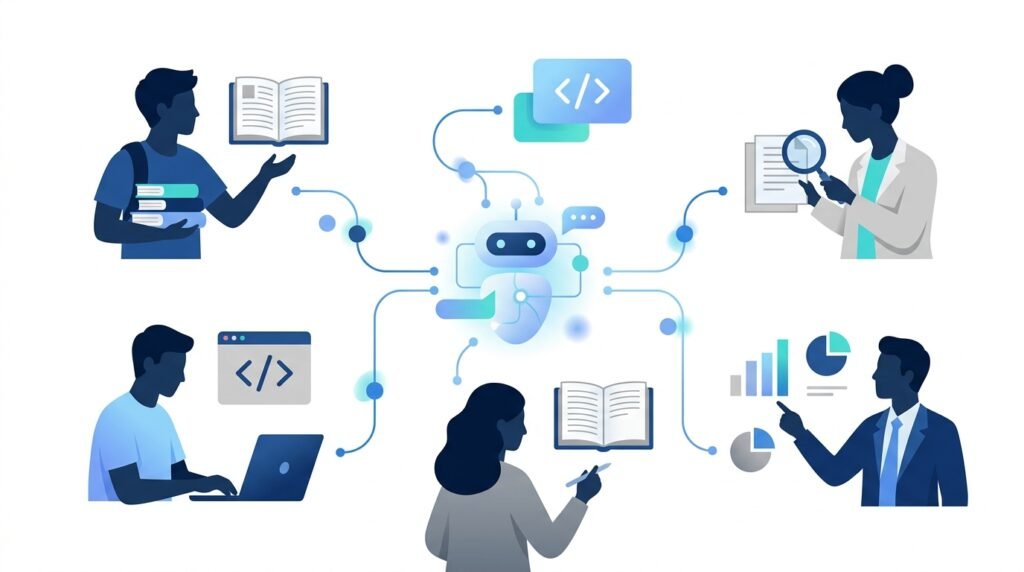
The “best” AI chatbot depends on your goals. Here are our recommendations based on common use cases.
Students
Winner: ChatGPT
ChatGPT is excellent for explaining concepts, summarizing notes, solving homework problems (while encouraging understanding), practicing languages, and brainstorming ideas.
Runner-up: Gemini
Gemini is a strong alternative for students who already use Google Docs, Google Classroom, or Gmail.
Writers & Content Creators
Winner: Claude
Claude consistently produces natural, well-structured writing and is particularly strong at editing, rewriting, and organizing long-form content.
Runner-up: ChatGPT
Ideal for brainstorming, outlining, marketing copy, and creative writing.
Developers
Winner: ChatGPT
ChatGPT supports many programming languages, helps debug code, explains technical concepts, and assists with software development workflows.
Runner-up: DeepSeek
DeepSeek is especially capable for technical reasoning and mathematical problem-solving.
Researchers
Winner: Perplexity AI
Perplexity combines AI-generated responses with cited web sources, making it ideal for research, current events, and fact-checking.
Runner-up: Claude
Excellent for summarizing long research papers and reports.
Professionals
Winner: Microsoft Copilot
For people who spend most of their workday in Word, Excel, PowerPoint, Outlook, or Teams, Copilot integrates AI directly into familiar productivity tools.
Runner-up: ChatGPT
Suitable for professionals looking for a more flexible, all-purpose assistant.
Beginners
Winner: ChatGPT
If you’ve never used AI before, ChatGPT provides the easiest learning curve while offering enough capabilities to grow with your needs.
Should You Use More Than One AI Chatbot?
Absolutely.
Many experienced users combine multiple AI chatbots because each excels in different situations.
For example:
| Task | Recommended Chatbot |
| Brainstorming ideas | ChatGPT |
| Writing and editing | Claude |
| Research | Perplexity AI |
| Google Workspace | Gemini |
| Microsoft Office | Copilot |
| Coding | ChatGPT or DeepSeek |
Instead of looking for one perfect chatbot, consider building a small AI toolkit that matches your workflow.
Common Mistakes to Avoid
Choosing an AI chatbot isn’t just about features—it’s also about using the right tool for the right task. Here are a few common mistakes beginners make.
Choosing Based Only on Popularity
The most popular chatbot isn’t automatically the best choice for your specific needs. Focus on your workflow rather than brand recognition.
Paying Before Trying the Free Plan
Most leading AI chatbots offer generous free versions. Spend some time testing them before deciding whether a paid subscription is worthwhile.
Expecting Perfect Accuracy
AI chatbots can make mistakes or generate outdated information. Always verify important facts, especially for academic, financial, legal, or medical topics.
Ignoring Prompt Quality
Even the best AI chatbot produces better results when given clear, specific instructions. Learning basic prompt engineering can dramatically improve your experience.
Continue Learning: Read our guide on How to Write Better AI Prompts to get more accurate and useful responses from any AI chatbot.
Frequently Asked Questions
What is the best AI chatbot in 2026?
For most users, ChatGPT remains the best overall AI chatbot because it offers an excellent balance of writing, coding, creativity, productivity, and ease of use.
Which AI chatbot is best for beginners?
ChatGPT is the easiest AI chatbot for beginners thanks to its intuitive interface, broad capabilities, and generous free plan.
Is ChatGPT better than Claude?
It depends on your needs. ChatGPT is the stronger all-around assistant, while Claude generally performs better for long-form writing and document analysis.
Which AI chatbot is best for research?
Perplexity AI is our top recommendation for research because it provides source-backed answers and excels at finding current information.
Are AI chatbots free?
Yes. Most leading AI chatbots—including ChatGPT, Claude, Gemini, Perplexity AI, and DeepSeek—offer free plans with optional premium upgrades.
Can I use multiple AI chatbots together?
Yes. Many professionals use different AI chatbots for different tasks, such as ChatGPT for brainstorming, Claude for writing, and Perplexity AI for research.


Final Verdict
AI chatbots have evolved from simple conversational tools into powerful assistants that can help with writing, research, coding, learning, productivity, and everyday problem-solving. The best choice depends less on which platform is the most advanced and more on how you plan to use it.
For most people, ChatGPT remains the best overall AI chatbot because of its versatility, ease of use, and broad range of capabilities. If your focus is long-form writing, Claude is an excellent option. For research and fact-checking, Perplexity AI stands out with its source-backed answers. Users deeply invested in Google or Microsoft ecosystems may find Gemini or Microsoft Copilot to be a more natural fit.
Rather than searching for a single “perfect” AI chatbot, start with one that aligns with your goals, experiment with its free plan, and expand your toolkit as your needs evolve.
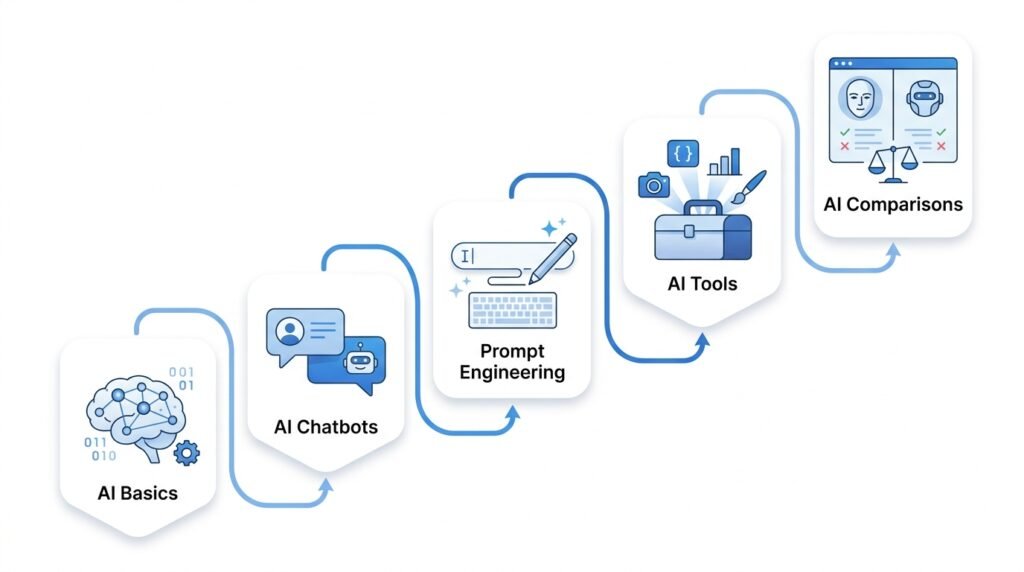
Continue Your AI Journey
Keep building your AI knowledge with these beginner-friendly guides.
-

150+ Best AI Tools by Category: Complete 2026 Directory & Workflow Guide
Learn more : 150+ Best AI Tools by Category: Complete 2026 Directory & Workflow Guide🕒 16-18 min read • Updated: Aug 2026 Introduction Artificial intelligence has transformed the way people work, learn,…
-

ChatGPT Complete Guide for Beginners (2026): Master AI Step-by-Step
Learn more : ChatGPT Complete Guide for Beginners (2026): Master AI Step-by-Step🕒 20-25 min read • Updated: Aug 2026 Introduction Introduction Artificial intelligence is changing how people learn, work,…
-
AI Resume Builder Guide (2026): How to Write ATS-Optimized Resumes in 10 Minutes
Learn more : AI Resume Builder Guide (2026): How to Write ATS-Optimized Resumes in 10 Minutes🕒 14-16 min read • Updated: July 2026 Introduction Creating a professional resume can be one of the…
-

AI for Students: 15 Proven Workflows to Study 2x Faster in 2026
Learn more : AI for Students: 15 Proven Workflows to Study 2x Faster in 2026🕒 15 min read • Updated: July 2026 Introduction School, college, and university life often means juggling assignments,…
-
AI for Small Business: 15 Practical Ways to Save Time & Scale Growth in 2026
Learn more : AI for Small Business: 15 Practical Ways to Save Time & Scale Growth in 2026🕒 12-15 min read • Updated: July 2026 Introduction Running a small business often means wearing multiple hats.…
-

7 Best AI Coding Assistants for Developers: Complete 2026 Review
Learn more : 7 Best AI Coding Assistants for Developers: Complete 2026 Review🕒 10-12 min read • Updated: July 2026 Introduction Artificial intelligence is transforming software development, making it easier…
Related Articles
Explore more guides and resources related to this topic.
-
ChatGPT Complete Guide for Beginners (2026): Master AI Step-by-Step
Learn more : ChatGPT Complete Guide for Beginners (2026): Master AI Step-by-Step🕒 20-25 min read • Updated: Aug 2026 Introduction Introduction Artificial intelligence is changing how people learn, work,…
-

Master Prompt Engineering in 2026: A Step-by-Step Beginner’s Guide
Learn more : Master Prompt Engineering in 2026: A Step-by-Step Beginner’s Guide🕒 18-20 min read • Updated: Aug 2026 Introduction Artificial intelligence (AI) tools like ChatGPT, Claude, Gemini, and…
-
Large Language Models (LLMs) Explained: The Complete 2026 Beginner’s Guide
Learn more : Large Language Models (LLMs) Explained: The Complete 2026 Beginner’s Guide🕒 14-16 min read • Updated: Aug 2026 Introduction Artificial Intelligence has become part of everyday life. Whether…
-
Best AI Image Generators in 2026: 10 Free & Paid Tools Tested
Learn more : Best AI Image Generators in 2026: 10 Free & Paid Tools Tested🕒 15 min read • Updated: July 2026 introduction Creating stunning images no longer requires years of design…
-
10 Best AI Chatbots in 2026: Tested & Ranked for Every Use Case
Learn more : 10 Best AI Chatbots in 2026: Tested & Ranked for Every Use Case🕒 10-12 min read • Updated: July 2026 introduction Artificial intelligence has made chatbots far more capable than…
-
ChatGPT vs Microsoft Copilot (2026): Tested, Pricing & Workflow Comparison
Learn more : ChatGPT vs Microsoft Copilot (2026): Tested, Pricing & Workflow Comparison🕒 10-12 min read • Updated: July 2026 Introduction Choosing between ChatGPT and Microsoft Copilot can be challenging,…
Editorial Note:
We regularly review AI tools to keep our recommendations accurate and up to date. Features, pricing, availability, and AI model capabilities may change over time. We recommend visiting each provider’s official website for the latest information before making a decision.
References
Official AI Chatbot Websites
- OpenAI. ChatGPT. https://chatgpt.com/
- OpenAI. OpenAI. https://openai.com/
- Anthropic. Claude AI. https://www.anthropic.com/claude
- Google. Gemini. https://gemini.google.com/
- Perplexity AI. Perplexity. https://www.perplexity.ai/
- Microsoft. Microsoft Copilot. https://copilot.microsoft.com/
- DeepSeek. DeepSeek. https://www.deepseek.com/
OpenAI Documentation
https://platform.openai.com/docs
Useful for:
- AI capabilities
- GPT models
- Features
- APIs
Anthropic Documentation
Useful for:
- Claude models
- Safety
- Features
- Context window
Google AI Documentation
Useful for:
- Gemini
- Multimodal AI
- AI capabilities
Microsoft AI Documentation
https://learn.microsoft.com/copilot
Useful for:
- Copilot
- Microsoft 365 integration
Stanford University
Stanford HAI
Excellent for:
- AI trends
- Responsible AI
- Research
NIST
National Institute of Standards and Technology
https://www.nist.gov/itl/ai-risk-management-framework
Useful for:
- AI governance
- Trustworthy AI
OECD AI
Useful for:
- AI policy
- AI adoption
- Global statistics
World Economic Forum
https://www.weforum.org/topics/artificial-intelligence
Useful for:
- AI industry insights
- Workforce trends
- Future of AI
McKinsey
https://www.mckinsey.com/capabilities/quantumblack/our-insights
Useful for:
- AI adoption
- Enterprise AI
- Business use cases
Leave a Reply