🕒 14-16 min read • Updated: Aug 2026
Table of Contents
Introduction
Artificial intelligence (AI) is rapidly changing how people work, learn, and solve problems. From students and professionals to business owners and creators, AI has become an essential skill rather than a niche technical subject.
The good news is that you don’t need to become a data scientist or software engineer to benefit from AI. Today’s AI tools are designed to help people write, research, analyze information, automate repetitive tasks, create images, and improve productivity across almost every industry.
However, many beginners ask the same question:
“What should I learn first?”
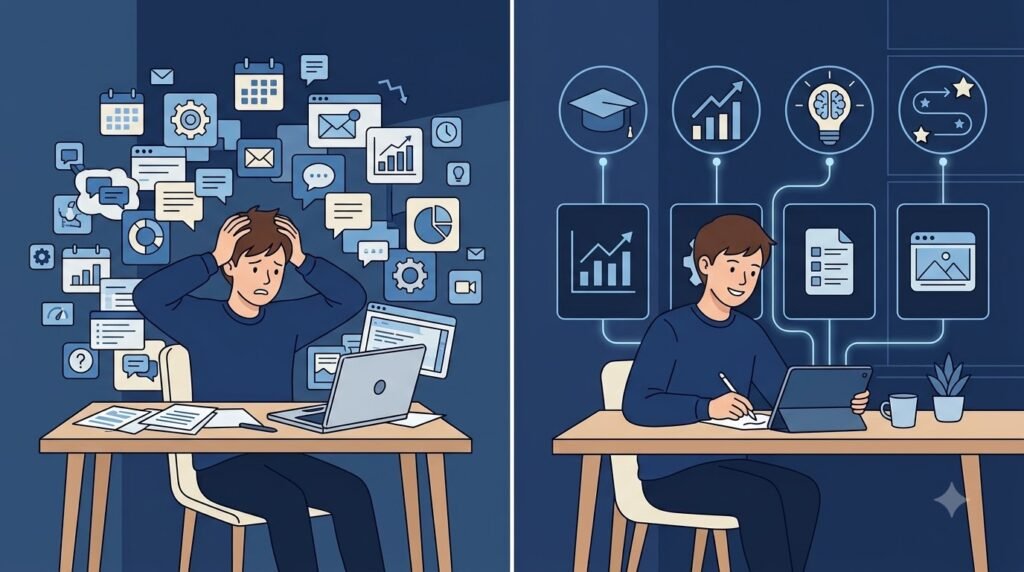
With so many AI tools, courses, and tutorials available, it’s easy to feel overwhelmed.
This AI skills roadmap is designed to provide a clear, beginner-friendly learning path. Whether you’re preparing for your first job, planning a career change, or simply want to stay relevant in the future of work, you’ll learn which skills matter most, the order to learn them, and how to build practical AI knowledge step by step.
Key Takeaways
- AI literacy is becoming a core workplace skill across industries.
- Start with understanding AI concepts before learning advanced tools.
- Prompt engineering is one of the most valuable beginner-friendly AI skills.
- Focus on solving real-world problems rather than learning every AI tool.
- Build a portfolio by applying AI to projects, not just completing courses.
- Continuous learning is essential because AI technology evolves quickly.
Why AI Skills Matter More Than Ever
AI is no longer limited to research labs or large technology companies. It is now integrated into everyday tools used for writing, communication, design, programming, marketing, education, customer support, healthcare, finance, and business operations.
Organizations increasingly value employees who know how to work effectively with AI rather than those who avoid it. AI can help improve productivity, support decision-making, and automate repetitive tasks, allowing people to focus on creative thinking, collaboration, and strategic work.
Rather than replacing every job, AI is changing how many jobs are performed. Professionals who understand how to use AI responsibly are likely to have an advantage in the evolving workplace.
The AI Skills Roadmap
Think of learning AI like learning a new language. You begin with the basics, practice regularly, and gradually build more advanced skills over time.
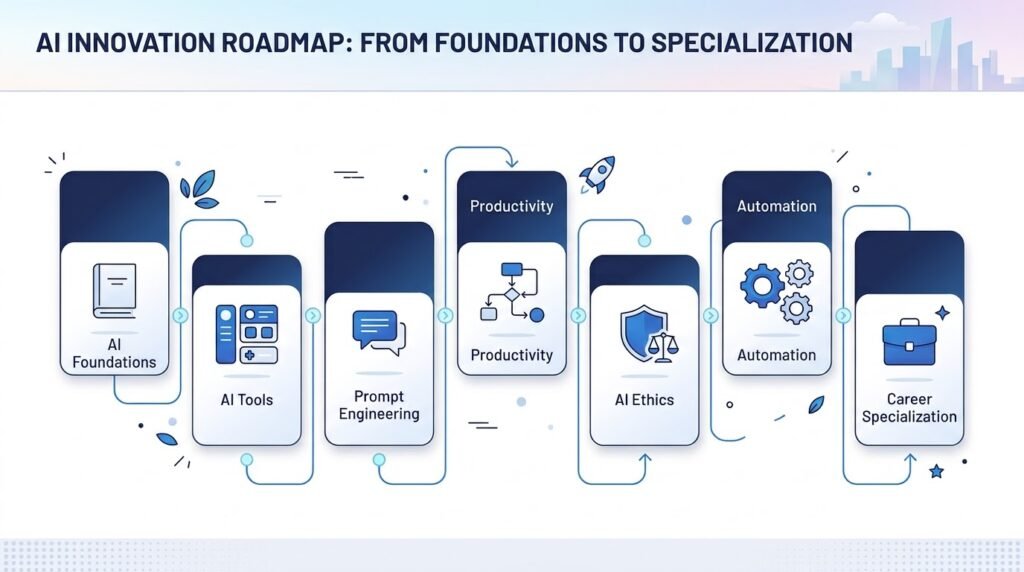
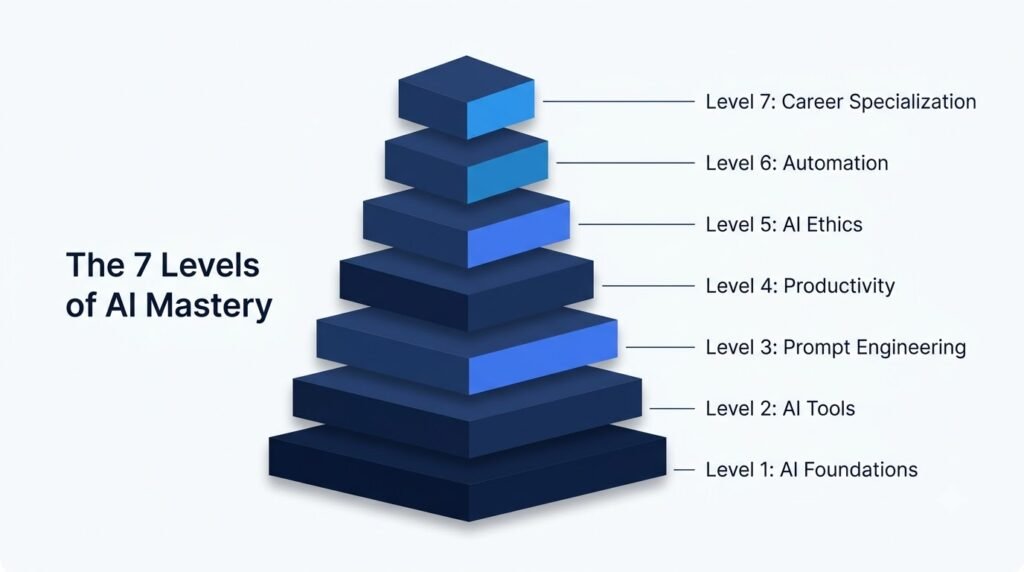
The roadmap below follows a practical progression for beginners.
| Stage | Focus | Goal |
| 1 | AI Foundations | Understand what AI is and how it works |
| 2 | AI Tools | Learn to use popular AI applications |
| 3 | Prompt Engineering | Communicate effectively with AI |
| 4 | Productivity Workflows | Use AI to complete everyday tasks |
| 5 | AI Ethics & Safety | Use AI responsibly and evaluate outputs |
| 6 | Automation | Connect AI tools to streamline workflows |
| 7 | Career Specialization | Apply AI within your profession |
Stage 1: Build Strong AI Foundations
Before exploring advanced tools, it’s important to understand the fundamentals of artificial intelligence.
You don’t need a technical background, but you should know:
- What Artificial Intelligence is
- What Generative AI means
- The difference between AI, Machine Learning, and Deep Learning
- How large language models generate responses
- What AI agents are
- Common AI terminology
Having this foundation makes it easier to evaluate new AI tools and understand their capabilities and limitations.
Learn These Concepts First
- Artificial Intelligence
- Machine Learning
- Deep Learning
- Generative AI
- Large Language Models (LLMs)
- Natural Language Processing (NLP)
- Computer Vision
- AI Agents
Practical Goal: Be able to explain these concepts in simple language to someone with no AI background.
Stage 2: Learn the Most Useful AI Tools
Once you understand the basics, start using AI tools regularly. Practical experience is one of the fastest ways to build confidence.
Instead of trying dozens of tools at once, begin with a few versatile platforms.
| Tool Type | Examples | Common Uses |
| AI Assistant | ChatGPT, Claude, Gemini | Writing, brainstorming, coding, research |
| Research Tool | Perplexity AI | Finding and summarizing information |
| Image Generator | Midjourney, Adobe Firefly | Visual content creation |
| Productivity | Notion AI, Grammarly | Notes, editing, organization |
| Design | Canva AI | Presentations, graphics, social media |
Use these tools for real tasks such as drafting emails, organizing notes, summarizing articles, or generating ideas.
Stage 3: Learn Prompt Engineering
Knowing how to ask effective questions is one of the most valuable AI skills.
Prompt engineering involves giving AI clear instructions to produce better results.
Instead of writing:
“Write about AI.”
Try:
“Write a beginner-friendly 500-word explanation of artificial intelligence using simple language and real-world examples.”
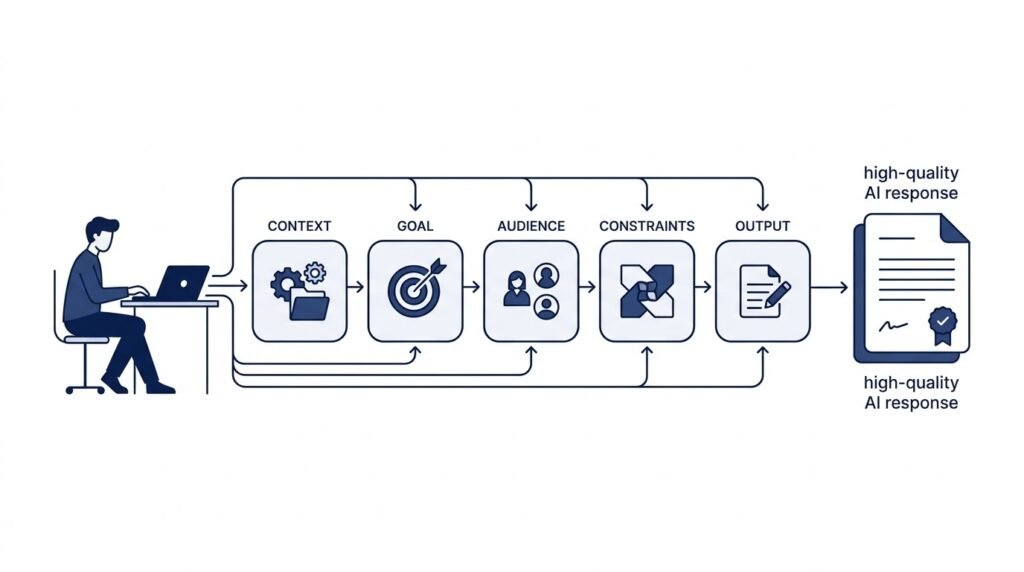
Good prompts often include:
- Context
- Goal
- Audience
- Desired format
- Constraints
- Examples
Prompt engineering improves the quality of AI outputs across writing, research, coding, and creative tasks.
Skill Goal: Create prompts that consistently produce accurate, relevant, and useful responses.
Stage 4: Use AI to Improve Productivity
The next step is learning how AI fits into your daily workflow.
Instead of using AI occasionally, integrate it into routine tasks.
For example, AI can help you:
- Draft emails
- Summarize meetings
- Generate reports
- Brainstorm ideas
- Plan projects
- Organize research
- Translate content
- Create presentations
- Analyze data
- Review documents
The focus shifts from using AI as a novelty to using it as a practical assistant.
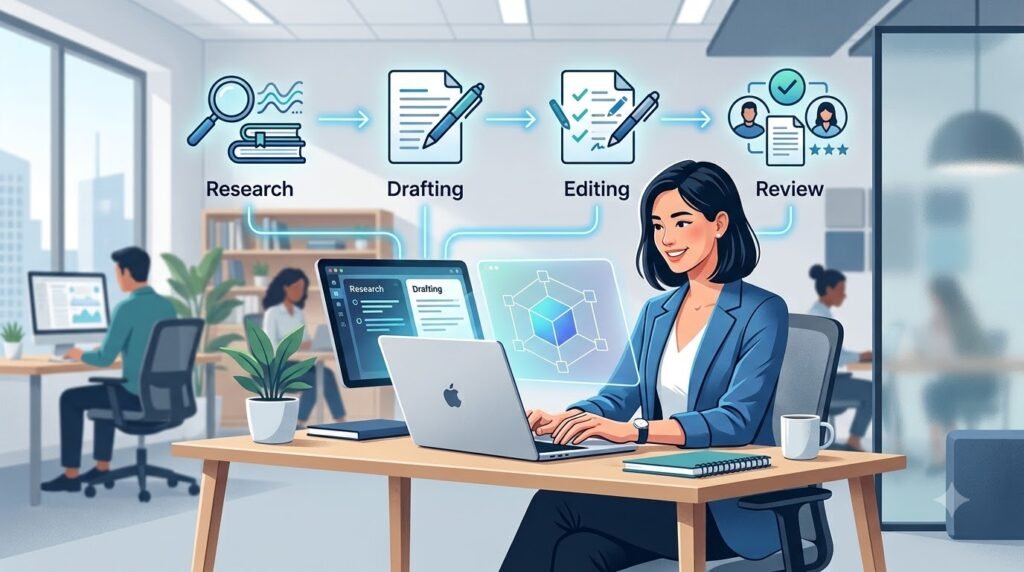
Example Workflow
- Research a topic with an AI-powered search tool.
- Generate an outline using an AI assistant.
- Refine the content with your own expertise.
- Edit grammar and clarity with AI.
- Review everything for accuracy before publishing or sharing.
This “AI + Human” approach combines efficiency with critical thinking.
Stage 5: Learn AI Ethics and Responsible Use
AI can generate impressive results, but it is not always accurate or unbiased.
Understanding responsible AI use is an essential professional skill.
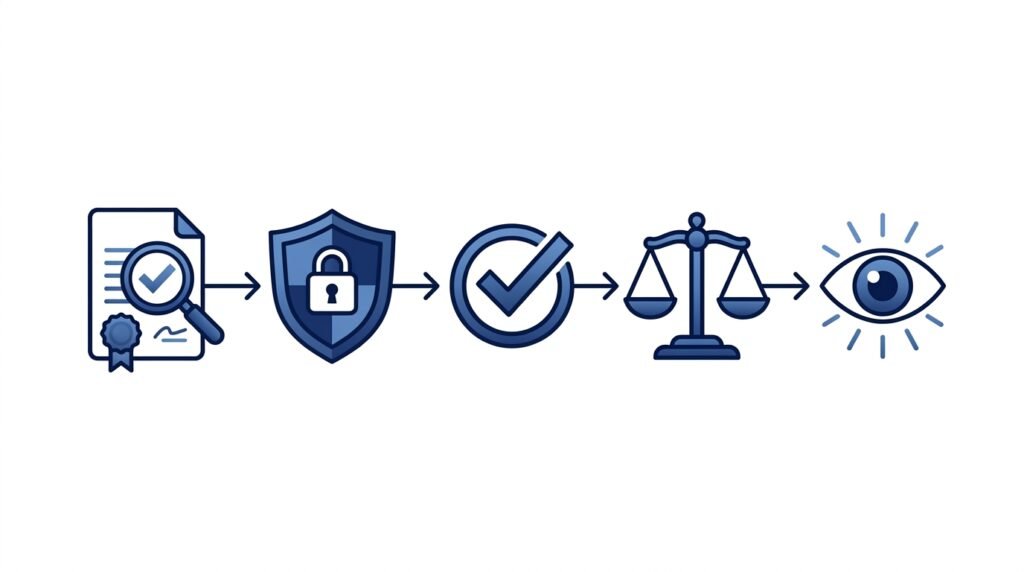
Key practices include:
- Verify factual information.
- Protect sensitive and personal data.
- Respect copyright and intellectual property.
- Identify potential bias in AI-generated outputs.
- Be transparent when AI assists with work, where appropriate.
Employers increasingly expect AI users to apply good judgment rather than relying on AI blindly.
Stage 6: Learn AI Automation and Workflows
Once you’re comfortable using AI tools individually, the next step is to connect them into efficient workflows.
Many professionals waste time copying information between different applications. AI automation helps eliminate repetitive tasks so you can focus on higher-value work.
You don’t need programming experience to get started. Modern no-code automation platforms allow anyone to build workflows using drag-and-drop interfaces.
Examples of AI Automation
| Task | Traditional Workflow | AI-Powered Workflow |
| Meeting Notes | Take notes manually and summarize later | AI records, transcribes, summarizes, and creates action items |
| Content Research | Visit multiple websites and organize notes | AI gathers, summarizes, and categorizes information |
| Email Management | Read and reply to each email manually | AI drafts responses and prioritizes important messages |
| Social Media | Create every post from scratch | AI generates ideas, captions, and publishing schedules |
| Customer Support | Answer repetitive questions manually | AI drafts responses or powers chat assistants |
Beginner-Friendly Automation Skills
Start by learning how to:
- Connect different AI tools
- Automate repetitive workflows
- Organize AI-generated content
- Review automated outputs for quality
- Maintain human oversight
Remember: Automation should reduce repetitive work—not remove human judgment.

Stage 7: Develop Career-Specific AI Skills
Once you understand AI fundamentals and everyday workflows, focus on the skills most relevant to your career.
Different professions benefit from AI in different ways. Rather than trying to master every AI tool, specialize in the ones that solve problems in your field.
AI Skills for Students
Students can use AI to improve learning, organization, and productivity.
Focus on Learning
- Research effectively
- Summarize textbooks
- Create study plans
- Generate flashcards
- Explain difficult concepts
- Practice interview questions
- Improve writing
Skills to Learn
- Prompt engineering
- Research techniques
- Critical thinking
- Fact-checking
- AI-assisted note-taking
AI Skills for Professionals
Professionals across industries increasingly use AI to save time and improve decision-making.
Focus on
- Writing reports
- Email communication
- Data analysis
- Project planning
- Meeting summaries
- Presentation creation
Skills to Learn
- AI productivity workflows
- Business communication
- AI document analysis
- Workflow automation
- Responsible AI use
AI Skills for Creators
Content creators can use AI to speed up ideation and production while maintaining originality.
Focus on
- Content planning
- Script writing
- SEO research
- Image generation
- Video planning
- Content repurposing
Skills to Learn
- Prompt engineering
- AI writing
- Image generation
- Video planning
- SEO optimization
AI Skills for Business Owners
AI can help small businesses become more efficient without significantly increasing costs.
Focus on
- Customer support
- Marketing
- Operations
- Sales
- Data insights
- Workflow automation
Skills to Learn
- AI business automation
- AI-powered marketing
- CRM workflows
- Analytics
- Decision support
AI Skills for Developers
Developers can use AI to accelerate coding while continuing to rely on strong programming fundamentals.
Focus on
- Code generation
- Debugging
- Documentation
- Testing
- Learning new frameworks
Skills to Learn
- AI coding assistants
- API integration
- Prompt engineering for code
- Code review
- Security best practices
The Recommended AI Learning Order
One of the most common questions beginners ask is:
“What should I learn first?”
Instead of jumping into advanced topics like machine learning or neural networks, build your skills progressively.
Beginner AI Learning Roadmap
| Step | Learn | Why It Matters |
| 1 | AI Fundamentals | Understand core concepts and terminology |
| 2 | Generative AI | Learn how modern AI systems create content |
| 3 | ChatGPT or another AI assistant | Build practical experience with AI tools |
| 4 | Prompt Engineering | Improve the quality of AI outputs |
| 5 | AI Productivity | Apply AI to everyday tasks |
| 6 | AI Ethics | Learn responsible and trustworthy AI use |
| 7 | AI Automation | Save time with connected workflows |
| 8 | Career Specialization | Focus on AI skills relevant to your profession |
This roadmap provides a strong foundation before moving into advanced topics such as programming, machine learning, or AI model development.
Essential Soft Skills for the AI Era
While technical knowledge is important, employers increasingly value human skills that complement AI.
These skills are difficult to automate and remain essential in an AI-assisted workplace.
Critical Thinking
AI can generate answers quickly, but it cannot replace careful reasoning.
Ask questions such as:
- Is this information accurate?
- Does it make sense?
- What evidence supports this claim?
Communication
AI can help draft content, but clear communication still depends on human understanding.
Practice:
- Explaining complex ideas simply
- Writing clearly
- Asking precise questions
- Presenting information effectively
Creativity
AI can generate ideas, but originality comes from combining experiences, perspectives, and imagination.
Use AI as a creative partner rather than a replacement for your own thinking.
Problem Solving
Instead of memorizing information, learn how to identify problems, evaluate options, and use AI to explore possible solutions.
Adaptability
AI evolves rapidly. New tools and capabilities appear every month.
The most valuable skill is the ability to learn continuously and adapt to change.
Common AI Learning Mistakes
Many beginners slow their progress by focusing on the wrong things.
Avoid these common mistakes.
| Mistake | Better Approach |
| Trying every new AI tool | Master a few versatile tools first |
| Skipping AI fundamentals | Build a strong conceptual foundation |
| Blindly trusting AI outputs | Verify important information |
| Memorizing prompts | Learn the principles behind effective prompting |
| Depending entirely on AI | Combine AI assistance with your own judgment |
| Chasing trends | Focus on transferable, long-term skills |
How to Build an AI Portfolio
Learning AI becomes much more valuable when you apply it to real projects.
A portfolio demonstrates that you can use AI to solve practical problems.
Consider creating projects such as:
- A blog post researched and drafted with AI (then edited by you)
- A presentation created with AI assistance
- A productivity workflow using AI tools
- A personal knowledge base powered by AI
- A marketing campaign planned with AI
- A study guide generated and refined using AI
Document your process, explain your decisions, and highlight where human expertise improved the final result.
A 90-Day AI Skills Roadmap
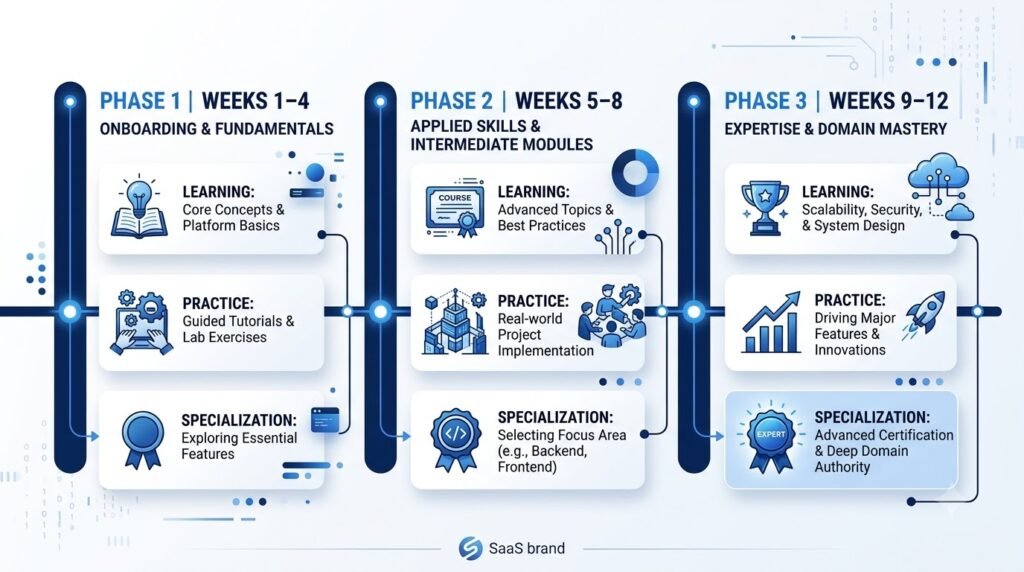
If you’re just starting, here’s a simple plan to build confidence over three months.
| Timeframe | Focus | Outcome |
| Weeks 1–4 | Learn AI fundamentals and use one AI assistant daily | Build AI literacy and confidence |
| Weeks 5–8 | Practice prompt engineering and productivity workflows | Complete everyday tasks more efficiently |
| Weeks 9–12 | Explore automation and career-specific applications | Develop practical, portfolio-ready AI skills |
By the end of 90 days, you’ll have a strong foundation and a clearer understanding of how AI can support your personal and professional goals.
Best Practices for Learning AI Effectively
Learning AI isn’t about mastering every new tool that appears. The most successful learners build strong fundamentals, practice consistently, and apply AI to real-world problems.
Follow these best practices to develop practical AI skills that remain valuable as technology evolves.
1. Learn the Fundamentals Before the Tools
New AI applications are released regularly, but the core concepts behind them change much more slowly.
Understanding ideas such as generative AI, large language models (LLMs), prompt engineering, and AI ethics will make it much easier to adapt to new tools in the future.
Tip: Spend time understanding why AI works before focusing on which AI tool to use.
2. Practice with Real Tasks
The best way to learn AI is by incorporating it into your daily workflow.
Instead of completing random exercises, use AI for tasks you already perform, such as:
- Writing emails
- Researching topics
- Creating presentations
- Organizing notes
- Brainstorming ideas
- Planning projects
- Learning new concepts
The more practical experience you gain, the more confident you’ll become.
3. Build Critical Thinking
AI can generate convincing responses, but it doesn’t always produce accurate, complete, or up-to-date information.
Before relying on AI-generated content:
- Verify important facts using trusted sources.
- Check for outdated information.
- Review calculations and technical details.
- Consider different perspectives.
Think of AI as a helpful assistant—not an unquestionable authority.
4. Learn Continuously
AI is one of the fastest-evolving fields in technology.
Rather than trying to learn everything at once, set aside time each week to:
- Explore new AI features.
- Read educational articles.
- Experiment with different prompting techniques.
- Reflect on how AI can improve your work.
Consistent learning is more effective than occasional intensive study.
5. Focus on Solving Problems
Don’t learn AI simply to use AI.
Instead, ask yourself:
- What repetitive task can AI simplify?
- How can AI help me make better decisions?
- Which workflow can become more efficient?
Employers value people who can solve problems—not just operate software.
Skills You Can Learn Next
Once you’ve built a strong foundation, you can expand into more specialized AI skills depending on your interests or career goals.
Technical Skills
- Python programming
- Machine learning fundamentals
- Data analysis
- AI model evaluation
- API integration
- AI application development
Business Skills
- AI strategy
- Business process automation
- AI adoption planning
- Digital transformation
- AI project management
Creative Skills
- AI-assisted writing
- Image generation
- Video creation
- Graphic design
- Audio production
Professional Skills
- AI for research
- AI for education
- AI for marketing
- AI for finance
- AI for healthcare
- AI for customer support
Remember, you don’t need to learn everything. Choose skills that align with your goals and build expertise gradually.
Frequently Asked Questions
What AI skills should beginners learn first?
Start by learning the fundamentals of artificial intelligence, including what AI is, how generative AI works, and the basics of prompt engineering. Once you understand these concepts, practice using AI tools for everyday tasks before moving on to automation or advanced technical topics.
Do I need programming skills to learn AI?
No. Many modern AI tools are designed for non-technical users and require little or no coding knowledge.
However, learning programming languages such as Python can open the door to more advanced AI topics like machine learning, data analysis, and AI application development.
Which AI tool should I learn first?
A conversational AI assistant such as ChatGPT, Claude, or Gemini is an excellent starting point because it allows you to practice prompting, research, writing, brainstorming, and problem-solving in one place.
As your confidence grows, you can explore specialized tools for design, productivity, automation, or coding.
How long does it take to learn AI?
That depends on your goals.
- 1–2 weeks: Understand the basics of AI and use an AI assistant confidently.
- 1–3 months: Develop practical AI skills for everyday work.
- 6–12 months: Build advanced workflows, automation skills, or technical expertise.
Learning AI is an ongoing process because the technology continues to evolve.
Will AI replace my job?
AI is changing many jobs by automating repetitive tasks and improving productivity. Rather than replacing every role, it is creating demand for people who can work effectively alongside AI.
Developing AI literacy, critical thinking, communication, and problem-solving skills can help you remain adaptable in the future workplace.
Are AI certifications necessary?
Certifications can demonstrate commitment and structured learning, but employers often value practical experience more highly.
A portfolio showing how you’ve used AI to solve real problems can be more persuasive than certificates alone.
Conclusion
Artificial intelligence is no longer a skill reserved for engineers or researchers. It’s becoming a core workplace capability that can help people learn faster, work more efficiently, and make better decisions.
The key to success isn’t learning every AI tool available. It’s building a strong foundation, practicing consistently, and applying AI to meaningful tasks.
Start with the basics, master prompt engineering, use AI responsibly, and gradually explore automation and career-specific applications. As your confidence grows, you’ll be better prepared to adapt to new technologies and opportunities.
Remember that AI is most powerful when it complements human creativity, judgment, and expertise—not when it replaces them.
Whether you’re a student, professional, entrepreneur, or lifelong learner, investing in AI skills today can help you stay competitive and ready for the future of work.
Continue Your AI Journey
Keep building your AI knowledge with these beginner-friendly guides.
-
AI Skills Roadmap 2026: 7 Essential Skills
Learn more : AI Skills Roadmap 2026: 7 Essential Skills🕒 14-16 min read • Updated: Aug 2026 Introduction Artificial intelligence (AI) is rapidly changing how people work,…
-
AI Learning Roadmap (2026): Step-by-Step Guide for Beginners
Learn more : AI Learning Roadmap (2026): Step-by-Step Guide for Beginners🕒 15-18 min read • Updated: Aug 2026 Introduction Artificial Intelligence (AI) is changing the way people work,…
Related Articles
Explore more guides and resources related to this topic.
-

ChatGPT Complete Guide for Beginners (2026): Master AI Step-by-Step
Learn more : ChatGPT Complete Guide for Beginners (2026): Master AI Step-by-Step🕒 20-25 min read • Updated: Aug 2026 Introduction Introduction Artificial intelligence is changing how people learn, work,…
-
Master Prompt Engineering in 2026: A Step-by-Step Beginner’s Guide
Learn more : Master Prompt Engineering in 2026: A Step-by-Step Beginner’s Guide🕒 18-20 min read • Updated: Aug 2026 Introduction Artificial intelligence (AI) tools like ChatGPT, Claude, Gemini, and…
-
Large Language Models (LLMs) Explained: The Complete 2026 Beginner’s Guide
Learn more : Large Language Models (LLMs) Explained: The Complete 2026 Beginner’s Guide🕒 14-16 min read • Updated: Aug 2026 Introduction Artificial Intelligence has become part of everyday life. Whether…
-

Best AI Image Generators in 2026: 10 Free & Paid Tools Tested
Learn more : Best AI Image Generators in 2026: 10 Free & Paid Tools Tested🕒 15 min read • Updated: July 2026 introduction Creating stunning images no longer requires years of design…
-
10 Best AI Chatbots in 2026: Tested & Ranked for Every Use Case
Learn more : 10 Best AI Chatbots in 2026: Tested & Ranked for Every Use Case🕒 10-12 min read • Updated: July 2026 introduction Artificial intelligence has made chatbots far more capable than…
-
ChatGPT vs Microsoft Copilot (2026): Tested, Pricing & Workflow Comparison
Learn more : ChatGPT vs Microsoft Copilot (2026): Tested, Pricing & Workflow Comparison🕒 10-12 min read • Updated: July 2026 Introduction Choosing between ChatGPT and Microsoft Copilot can be challenging,…
Recommended AI Tools
These tools can help you practice and apply the skills covered in this roadmap:
| Tool | Best For |
| ChatGPT | Writing, brainstorming, coding, learning |
| Claude | Long-form writing, document analysis |
| Gemini | Research, productivity, Google Workspace |
| Perplexity AI | AI-powered search and research |
| Grammarly | Writing assistance and editing |
| Notion AI | Notes, knowledge management, productivity |
| Canva AI | Presentations, graphics, and visual content |
references:
- https://www.weforum.org/publications/the-future-of-jobs-report-2025/
- https://oecd.ai/en/ai-principles
- https://www.nist.gov/itl/ai-risk-management-framework
- https://hai.stanford.edu/ai-index
- https://grow.google/ai-essentials/
- https://www.microsoft.com/ai
- https://www.unesco.org/en/artificial-intelligence/recommendation-ethics
- https://skillsbuild.org/
Leave a Reply